The decision to migrate applications to the cloud marks a significant turning point for any organisation. Whether driven by ageing infrastructure, scalability challenges, or strategic digital transformation initiatives, the path from on-premises to AWS requires careful planning and execution. This journey, while transformative, needn’t be daunting with the right approach.
The migration landscape has evolved significantly in recent years. According to recent industry reports, over 65% of enterprise workloads now operate in some form of cloud environment, with AWS maintaining a substantial market share. Yet many organisations continue to approach cloud migration as a ‘lift and shift’ exercise, missing valuable opportunities for optimisation along the way.
This guide will walk through the essential steps to plan your first application migration to AWS, highlighting critical decision points and offering practical advice for success.
Understanding Your Starting Point
Before plotting your destination in the cloud, you must thoroughly understand your current environment. This foundational step often determines the success of the entire migration process.
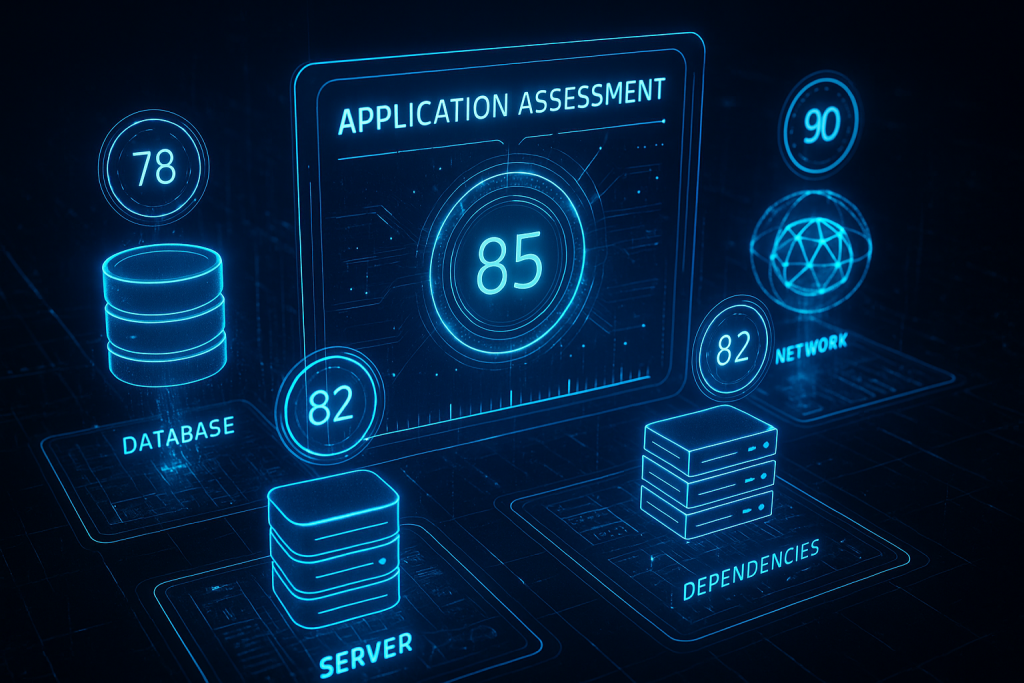
Application Discovery and Assessment
Effective migration planning begins with comprehensive discovery. For your first migration, select an application that provides meaningful business value but doesn’t support mission-critical operations. This balanced approach offers valuable learning opportunities without introducing excessive risk.
Consider these key assessment dimensions:
Technical architecture: Map all components of your application, including servers, databases, storage, networking, and external dependencies. AWS Application Discovery Service can accelerate this process by automatically collecting data about your on-premises servers and applications.
Performance profiles: Gather baseline metrics on CPU, memory, storage I/O, and network utilisation. A common misstep is planning cloud resources based solely on current hardware specifications rather than actual utilisation patterns.
Dependencies: Identify all upstream and downstream systems that interact with your application. These connections often represent hidden complexity that can complicate migration efforts.
One organisation I worked with discovered their seemingly simple customer portal actually connected to seven different backend systems through various integration methods. This revelation dramatically altered their migration strategy and timeline.
Selecting Your Migration Strategy
AWS outlines several migration strategies, commonly referred to as the ‘6 Rs’:
- Rehost (Lift and Shift): Move applications without modification
- Replatform (Lift and Reshape): Make modest optimisations while maintaining core architecture
- Refactor: Significantly modify applications to leverage cloud-native capabilities
- Repurchase: Switch to different products, typically SaaS solutions
- Retire: Eliminate applications that no longer provide business value
- Retain: Keep certain applications on-premises
For your first migration, rehosting or replatforming typically offers the most straightforward path with the lowest risk profile. These approaches allow your team to gain valuable AWS experience whilst delivering tangible business outcomes.
Consider this balanced approach: implement a rehosting strategy to quickly establish your AWS foundation, then incrementally optimise specific components through targeted replatforming efforts. This method provides early wins whilst building towards long-term architectural improvements.
Building Your Migration Plan
With your application assessed and strategy selected, it’s time to develop a comprehensive migration plan. This document should not merely outline technical steps but address the full spectrum of organisational considerations.
Resource Planning
AWS offers several tools to help translate on-premises specifications into appropriate cloud resources:
AWS Migration Evaluator (formerly TSO Logic): Analyses your current environment and recommends optimal AWS instance types and storage configurations.
AWS Pricing Calculator: Helps estimate the cost implications of your planned resources, allowing for cost optimisation before deployment.
Remember that cloud architectures enable dynamic scaling. You needn’t provision for peak capacity across all components. Consider implementing auto-scaling groups for variable workloads and right-sizing instances based on actual performance requirements.
Security and Compliance Foundations
Security must be architected into your migration from the beginning. AWS’s shared responsibility model means that whilst AWS secures the infrastructure, you remain responsible for securing your applications and data.
Establish these foundational security elements:
IAM framework: Define identity and access management policies adhering to the principle of least privilege.
Network security: Design your VPC architecture with appropriate subnets, security groups, and network ACLs.
Data protection: Implement encryption both in transit and at rest for sensitive information.
Compliance mapping: Document how your AWS implementation will maintain compliance with relevant regulatory requirements.
| AWS Security Responsibilities (“Security of the Cloud”) | Customer Security Responsibilities (“Security in the Cloud”) |
| Physical security of data centres | Data classification and accountability |
| Hardware and infrastructure maintenance | Managing customer data |
| Network infrastructure and virtualization layer | Managing identity and access (IAM, MFA) |
| Host operating system and virtualization management | Guest operating system (patching, updates, configuration) |
| Storage device disposal and physical media | Application software and patch management |
| Environmental controls (power, HVAC, etc.) | Network configuration (security groups, NACLs, firewalls) |
| Underlying AWS services (compute, storage, database, etc.) | Encryption (data at rest and in transit) |
| Resource and service configuration | |
| Monitoring and logging (CloudTrail, CloudWatch) | |
| Compliance with regulatory requirements |
Data Migration Approach
Data migration often presents the most significant challenge, particularly when dealing with large datasets or applications requiring minimal downtime. Consider these approaches based on your specific requirements:
Offline transfer: For very large datasets, AWS Snow Family devices can physically transport petabytes of data.
Database migration: AWS Database Migration Service (DMS) supports homogeneous and heterogeneous migrations with minimal downtime.
Incremental synchronisation: Implement ongoing replication to minimise cutover time during the final migration phase.
The synchronisation strategy deserves particular attention. One effective approach involves establishing initial data replication, maintaining ongoing synchronisation during testing, and performing a final cutover with minimal application downtime.
Testing and Validation Framework
Thorough testing represents a critical yet often abbreviated stage in migration projects. Develop a comprehensive testing strategy encompassing:
Functional testing: Verify all application features work as expected in the AWS environment.
Performance testing: Compare performance metrics between on-premises and AWS implementations.
Security testing: Conduct vulnerability assessments and penetration testing (with AWS approval).
Disaster recovery testing: Validate your backup and recovery procedures.
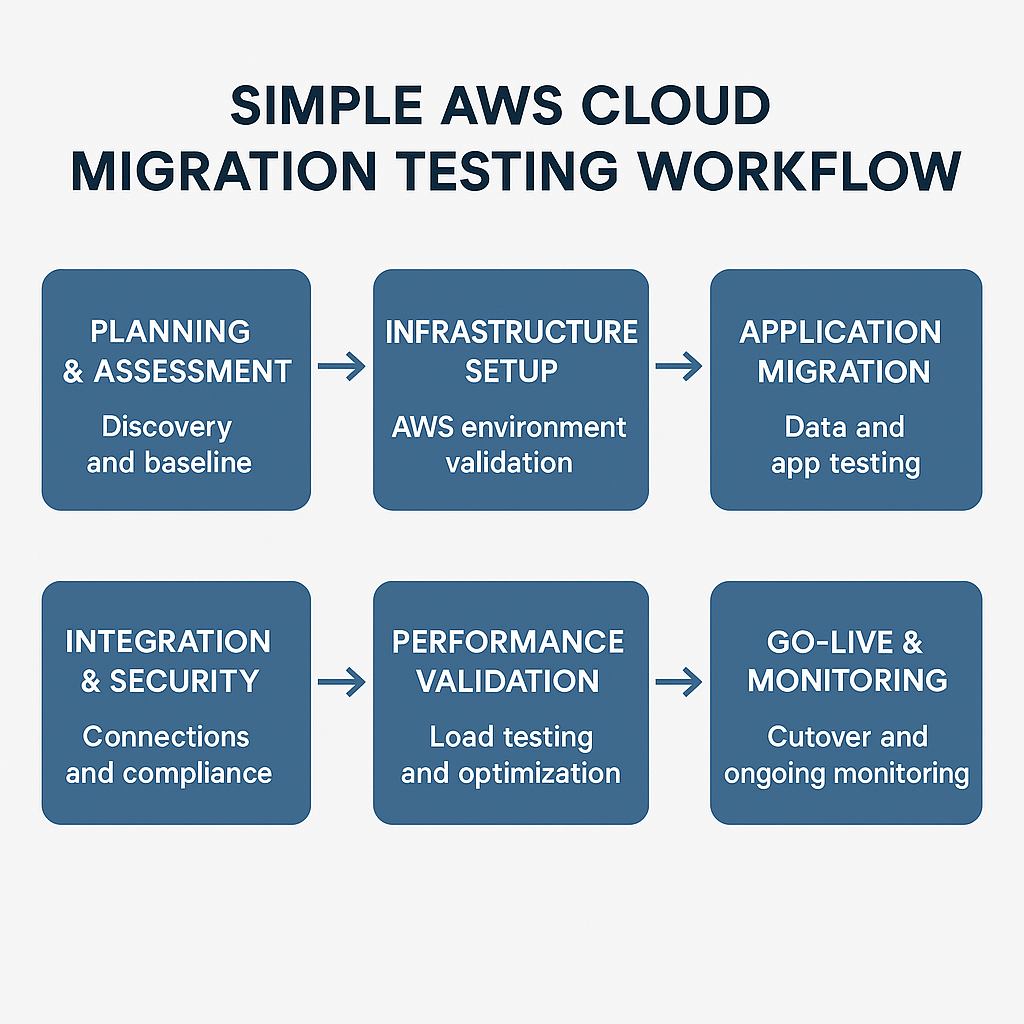
Create a detailed validation checklist specific to your application, including both technical metrics and business requirements. Consider implementing a pilot phase with a subset of users to identify issues before full deployment.
Operational Readiness
Moving to AWS fundamentally changes how applications are operated and maintained. Prepare your organisation by addressing these operational aspects:
Monitoring and alerting: Implement AWS CloudWatch for comprehensive monitoring, establishing relevant metrics and alarms.
Cost management: Deploy AWS Budgets and Cost Explorer to maintain visibility of cloud spending.
Automation opportunities: Identify processes suitable for automation using AWS services like Lambda and EventBridge.
Runbooks and documentation: Update operational procedures to reflect the AWS environment.
Perhaps most importantly, invest in skills development for your team. AWS certifications provide structured learning paths, but hands-on experience remains invaluable. Consider establishing a cloud centre of excellence to foster knowledge sharing and best practices across your organisation.
The Cutover Plan
The final migration phase requires meticulous planning to minimise disruption. Develop a detailed cutover plan including:
Pre-migration checklist: Final validations before beginning the cutover process.
Sequence and timing: Step-by-step actions with clear owner assignments and timing estimates.
Communication plan: Notifications to users, stakeholders, and support teams.
Rollback procedures: Clearly defined criteria and processes for reverting to on-premises if necessary.
Post-migration validation: Verification steps to confirm successful migration.
| Phase / Milestone | Key Activities | Dependencies | Responsible Teams |
| Pre-Cutover Planning | – Finalize cutover plan – Communicate plan to stakeholders – Assign roles & responsibilities | Completion of migration build & validation | Project Management, Migration Team |
| Ingestion Freeze | – Freeze new data ingestion on source systems | Pre-cutover planning complete | Application Owners DB Admins |
| Final Backup | – Take final backup of source systems | Ingestion freeze | DB Admins, Infrastructure |
| Final Data Sync | – Synchronize remaining data to cloud | Final backup | DB Admins Cloud Engineers |
| Routing Changes | – Update DNS, load balancer, or network routes to point to cloud | Data sync complete | Network Team Cloud Engineers |
| Testing & Validation | – Functional, performance, and integration testing – User acceptance testing | Routing changes | QA/Test Team Application Owners |
| Go/No-Go Decision | – Review test results – Approve production cutover | Testing & validation | Project Management Stakeholders |
| Cutover Execution | – Enable cloud systems – Monitor for issues | Go decision | Migration Team Operations |
| Post-Cutover Monitoring | – Monitor application health – Address issues – Decommission legacy systems | Cutover execution | Operations Support, Security |
Schedule the cutover during periods of lower business activity when possible, and ensure support resources are readily available to address any issues that arise.
Beyond the Migration
Successfully migrating your first application represents just the beginning of your AWS journey. Build on this foundation by:
Documenting lessons learned: Capture insights to improve future migrations.
Optimising cloud resources: Refine your implementation based on actual usage patterns.
Exploring AWS native services: Evaluate opportunities to enhance your application using services like Lambda, Step Functions, or managed databases.
Implementing FinOps practices: Establish processes for ongoing cost optimisation and financial governance.
Consider implementing AWS Well-Architected reviews to systematically evaluate and improve your cloud architecture against established best practices.
Conclusion
Migrating your first application to AWS represents a significant milestone in your cloud journey. By approaching the process methodically, thoroughly assessing your current environment, selecting appropriate strategies, and developing comprehensive plans, you’ll establish a solid foundation for future cloud initiatives.
Remember that cloud migration is ultimately about enabling business outcomes, not merely relocating technology. Each decision should connect to your organisation’s broader objectives, whether improving agility, enhancing scalability, or reducing operational costs.
As you progress from this first migration to more complex initiatives, the experience gained will prove invaluable. The cloud learning curve can be steep, but the view from the summit is worth the climb.