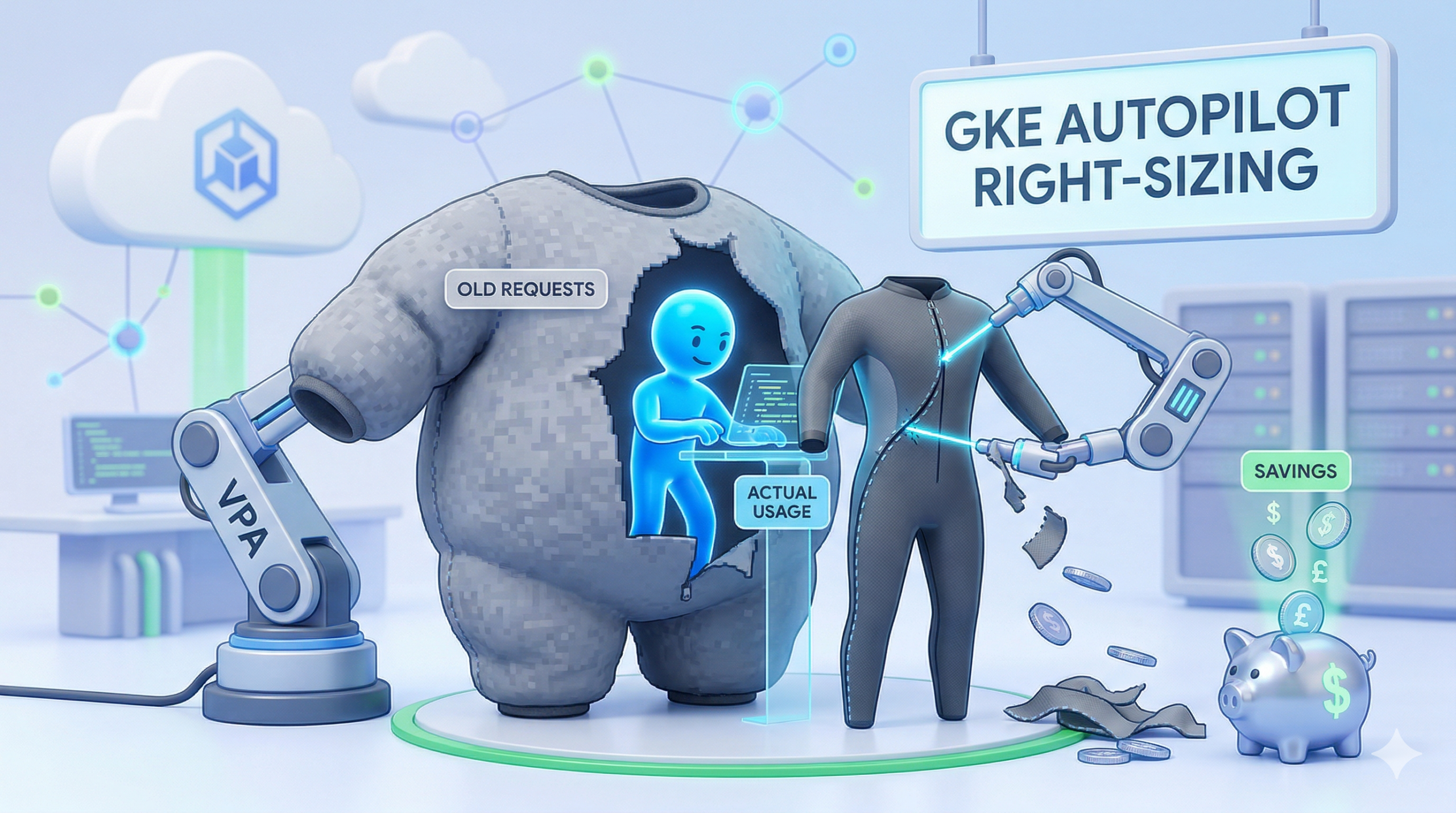
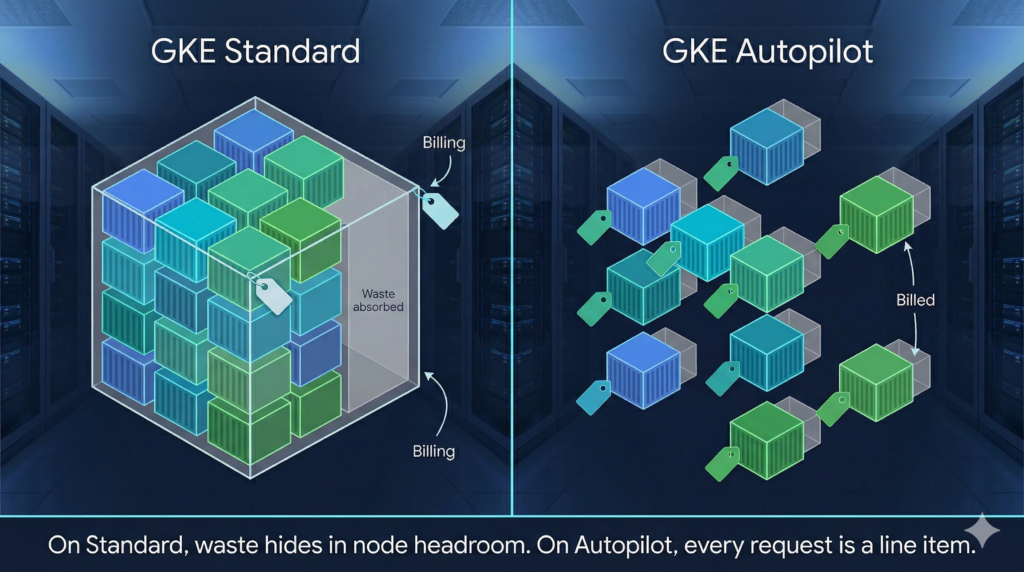
Most teams migrating from GKE Standard to Autopilot discover the billing model has fundamentally changed, and then carry on deploying workloads exactly as before. On Standard, over-provisioned requests are absorbed into node-level billing and largely invisible. On Autopilot, every millicore and mebibyte of pod request is a direct line item. Padding requests “just in case” is no longer a harmless habit; it is a recurring charge with no ceiling.
The fix is not to guess more accurately. Treat resource requests as something you measure and converge on, using the Vertical Pod Autoscaler as your instrument. VPA is enabled by default on all Autopilot clusters; what most teams are missing is a structured workflow to actually use it.
Why the Default Approach Is Expensive
When you deploy to Autopilot without explicit resource requests, GKE injects defaults of 0.5 vCPU and 2 GiB of memory per container. That is conservative enough to run most containers, but almost certainly wrong for production workloads with established usage profiles. More importantly, Autopilot’s CPU-to-memory ratio enforcement can silently inflate your requests further. If you specify only CPU, GKE calculates the missing memory value based on the compute class ratio. If your specified values land outside the allowed ratio (1:1 to 1:6.5 for general-purpose, a hard 1:4 for Scale-Out), Autopilot bumps the lower dimension upward to comply. The adjusted values appear in the running pod spec under the autopilot.gke.io/resource-adjustment annotation, but unless you are actively checking, you will not notice.
The consequence is straightforward. According to Google’s internal workload research, a significant proportion of over-provisioned GKE workloads request far more than they consume, by an order of magnitude or more in the worst cases. On Standard, this waste sits idle in node headroom. On Autopilot, you pay for it continuously.
This is the same class of problem addressed in FinOps thinking applied at the infrastructure layer: cost is a product of allocation decisions made at deployment time, not just runtime behaviour.
The Three-Phase Right-Sizing Workflow
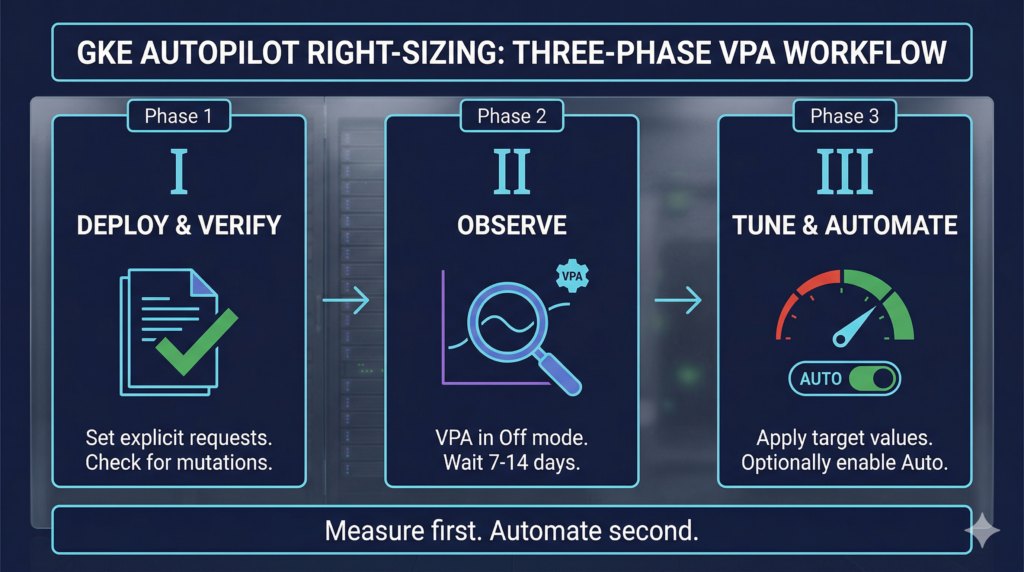
Phase 1: Deploy with explicit, verified requests
Before any VPA involvement, deploy with deliberately set requests and confirm Autopilot has not mutated them. Use server-side dry-run to preview what Autopilot will actually apply:
kubectl apply -f deployment.yaml --dry-run=server -o yaml | grep -A 10 resources
If the output differs from your manifest, Autopilot has adjusted values to satisfy ratio or minimum constraints. Fix the manifest so it round-trips cleanly. On bursting clusters (GKE 1.32.3+), the general-purpose minimum is 50m CPU / 52 MiB memory, with increments of 1m. Older clusters enforce 250m CPU minimum check your cluster version before calibrating lower bounds.
Set memory limits equal to memory requests. CPU can safely be left without a limit or set higher than the request. The distinction matters: pods with limits greater than requests run at Burstable QoS and are evicted first under node memory pressure. Memory bursting beyond what the node can reclaim triggers OOMKill. CPU bursting is safe because it degrades gracefully rather than killing the process.
Phase 2: Observe with VPA in Off mode
Deploy a VPA object targeting each Deployment in recommendation-only mode:
apiVersion: autoscaling.k8s.io/v1
kind: VerticalPodAutoscaler
metadata:
  name: my-app-vpa
  namespace: production
spec:
  targetRef:
    apiVersion: apps/v1
    kind: Deployment
    name: my-app
  updatePolicy:
    updateMode: "Off"          # recommendations only no evictions
  resourcePolicy:
    containerPolicies:
    - containerName: '*'
      controlledResources: [cpu, memory]
      minAllowed:
        cpu: 50m               # set to Autopilot's minimum for your compute class
        memory: 128Mi
      maxAllowed:
        cpu: 4
        memory: 8Gi
The VPA recommender uses an approximately eight-day rolling window of historical data. Wait at least seven to fourteen days before acting on recommendations this ensures weekly traffic patterns are captured and the LowConfidence condition has cleared.
Read recommendations with:
# Summary across all VPAs in a namespace
kubectl get vpa -n production

# Full recommendation fields (target, lowerBound, upperBound, uncappedTarget)
kubectl describe vpa my-app-vpa -n production
The target field is the primary signal. lowerBound and upperBound define the envelope outside which VPA will trigger evictions in Auto mode understanding these thresholds before enabling Auto is essential.
You can also surface recommendations without deploying any VPA object at all, via Cloud Monitoring metrics autoscaler/recommended_per_replica_request_cores and autoscaler/recommended_per_replica_request_bytes. The GKE Console’s Workloads view surfaces these as suggested values alongside historical usage graphs once a workload is at least twenty-four hours old.
Phase 3: Tune requests and optionally enable VPA Auto
Apply the target values from the VPA recommendation to your Deployment manifest, rounding up slightly for safety margin. Verify the resulting CPU:memory ratio is within Autopilot’s allowed range for your compute class before applying.
For workloads where pod eviction during resizing is acceptable, you can enable Auto mode. This mirrors the approach used in Cloud Build pipeline optimisation measure first, then automate the adjustment. Add explicit bounds to prevent VPA from over-correcting:
  updatePolicy:
    updateMode: "Auto"
    minReplicas: 2             # VPA will not evict below this replica count
Always pair Auto mode with a PodDisruptionBudget that allows at least one eviction. A PDB with maxUnavailable: 0 or minAvailable set to the total replica count will block all GKE maintenance, not just VPA evictions.
Enterprise Considerations
The most consequential operational pitfall on Autopilot is running VPA and HPA simultaneously on the same metrics. When both target CPU or memory, they create a feedback loop: HPA adds pods in response to high utilisation, VPA observes lower per-pod usage and shrinks requests, HPA calculates higher utilisation and adds more pods. Use VPA on CPU and memory combined with HPA on custom or external metrics (queue depth, request rate). If you need combined horizontal and vertical scaling on the same signals, use GKE’s MultidimPodAutoscaler (MPA, autoscaling.gke.io/v1beta1).
Compute class selection is a separate right-sizing lever that teams frequently ignore. Scale-Out is worth evaluating for any horizontally-scaled stateless workload its SMT-disabled architecture delivers better single-thread performance per vCPU and, for batch, pairing it with Spot scheduling reduces costs substantially. This complements the platform-level cost work described in GCP Committed Use Discount analysis. Apply compute class selection via cloud.google.com/compute-class nodeSelector, and note that workload separation annotations trigger higher minimum resource requirements preview these with --dry-run=server before committing.
For teams running init containers, verify that each one has explicit resource requests. If init container requests are absent or set to zero, Autopilot assigns each one resources equal to the sum of all application container requests, inflating the effective pod request substantially.
Alternative Approaches
In-place pod resizing via InPlaceOrRecreate VPA mode (Public Preview, GKE 1.34.0+) reduces disruption by attempting to resize without eviction, falling back to recreate only when necessary. This is promising for stateful workloads but carries an Autopilot-specific caveat: even with resizePolicy: NotRequired, Autopilot may still evict pods to enforce minimum resources or ratio constraints. Treat it as a useful reduction in eviction frequency rather than elimination.
Key Takeaways
On Autopilot, pod requests are billing units. Every unreviewed default or padded estimate is a standing cost. Deploying VPA in Off mode costs nothing and starts generating calibrated recommendations immediately. The operational window between deploying VPA and having production-ready request values is two to three weeks after which you have data-driven requests rather than guesses. Auto mode is optional; the measurement benefit of Off mode is not.
Useful Links
- GKE Autopilot resource requests documentation
- GKE Vertical Pod Autoscaler documentation
- VPA how-to: scale container resource requests and limits
- GKE Autopilot compute classes
- Autopilot Spot Pods
- Configure pod bursting in GKE
- Right-size GKE workloads at scale (Google tutorial)
- GKE Autopilot overview
- How GKE Autopilot saves on Kubernetes costs (Google Cloud Blog)
- GKE pricing