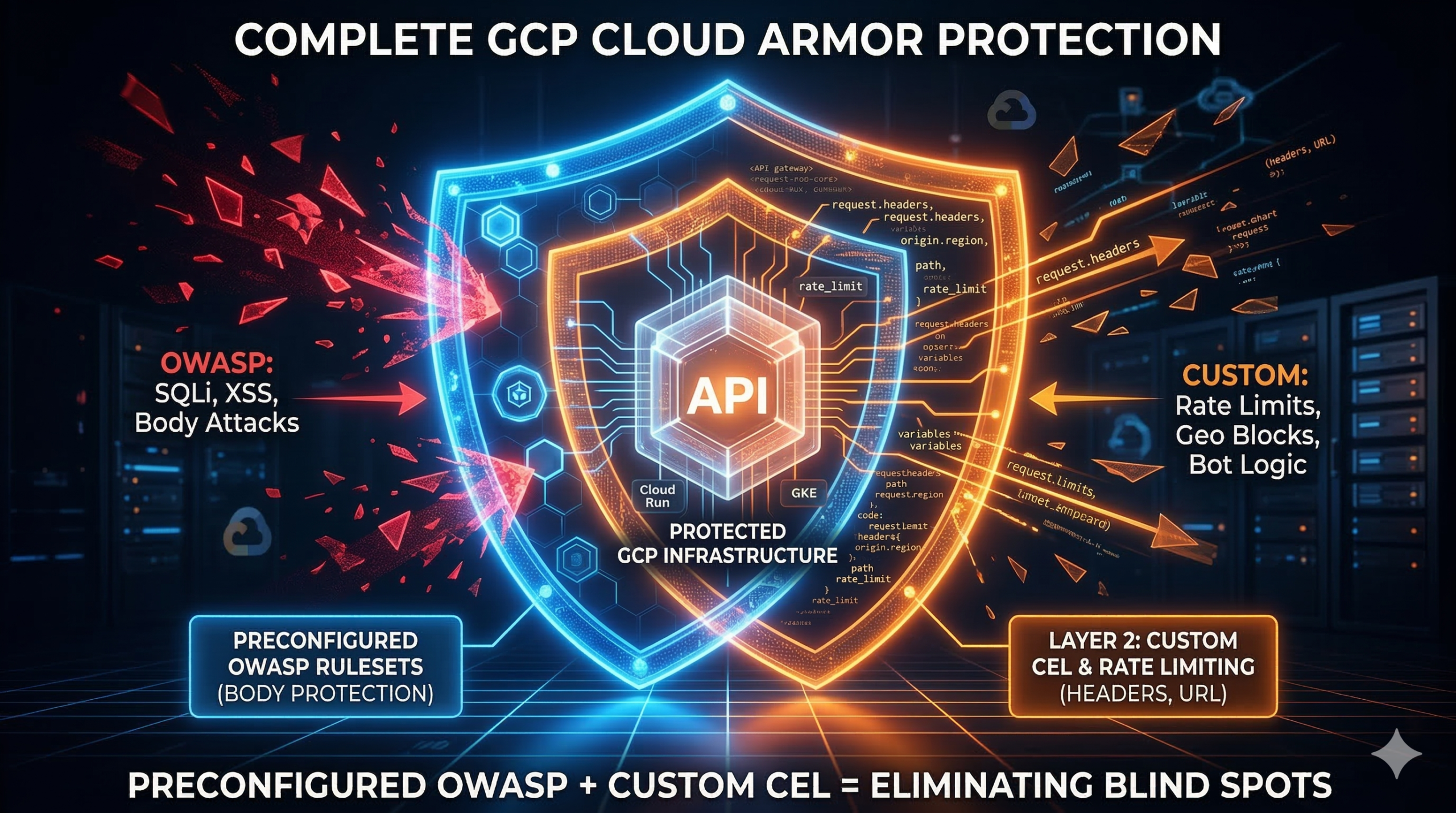
Most GCP Cloud Armor deployments follow the same pattern: enable the service, attach the preconfigured OWASP rulesets, move on. It feels complete. The problem is that preconfigured rulesets and custom CEL expressions operate on fundamentally different parts of the request and most teams only configure one of them. The result is a WAF with structural blind spots that no dashboard alert will surface for you.
The gap the OWASP rulesets don’t cover
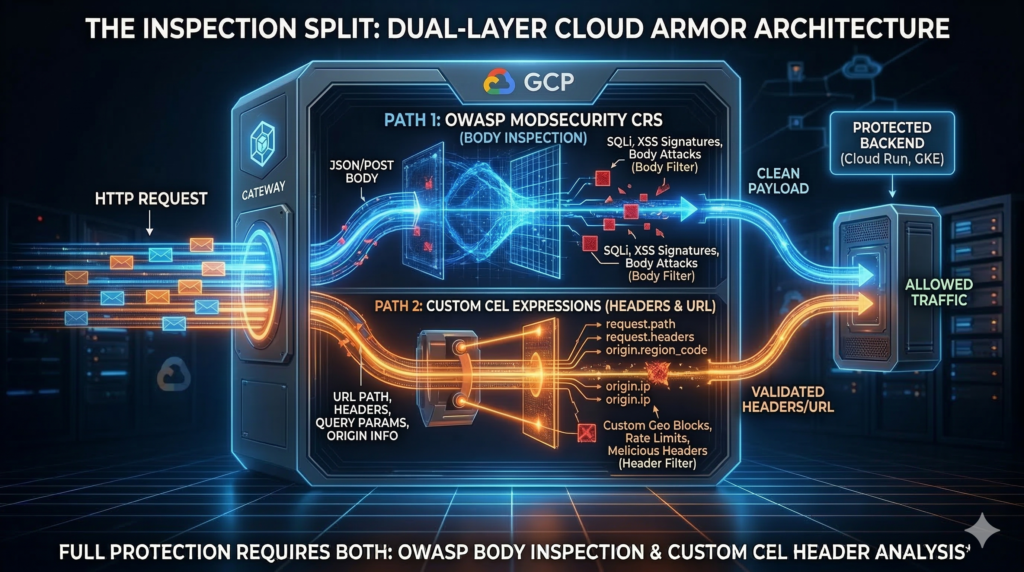
Cloud Armor ships 14 preconfigured WAF rulesets based on OWASP ModSecurity CRS v3.3.2. They’re genuinely useful for catching known attack signatures in request bodies. But the architectural constraint that matters: custom CEL expressions only evaluate request headers and URL components. They never touch the POST body. Conversely, evaluatePreconfiguredWaf() inspects bodies but can’t do path-scoped logic, header-based conditions, or rate limiting keyed to a specific HTTP header.
The rulesets also can’t give you per-endpoint rate limiting, geographic throttling that’s more nuanced than a binary block, bot detection tuned beyond generic scanner signatures, or API key enforcement at the WAF layer. Those gaps require custom rules – and they’re where enterprise APIs are actually getting hit.
Custom rule patterns that add real protection
Cloud Armor’s rule language is a subset of Common Expression Language (CEL), with access to origin.ip, origin.region_code, origin.asn, request.headers, request.method, request.path, request.query, and TLS fingerprint attributes including JA4 (GA since June 2025). All regex matching uses RE2 syntax.

SQL injection beyond body signatures: Layer query string detection on top of preconfigured WAF rules to catch evasion attempts in URL parameters. Preconfigured rules handle the body; custom rules handle the URL:
# Catch UNION SELECT in query params - complements body inspection
gcloud compute security-policies rules create 1100 \
    --security-policy=my-policy \
    --expression="request.query.lower().matches('union\\s+(all\\s+)?select')" \
    --action=deny-403

# SQL comment sequences and tautologies in query strings
gcloud compute security-policies rules create 1101 \
    --security-policy=my-policy \
    --expression="request.query.matches('(--|/\\*|\\*/)') || request.query.matches('(?i:\\bor\\b\\s+\\d+=\\d+)')" \
--action=deny-403Rate limiting by geography: Two actions are available: throttle (soft cap, excess requests denied) and rate_based_ban (hard cap, client banned for a configurable duration). The enforce_on_key parameter determines counting granularity. Valid interval values are fixed integers – 10, 30, 60, 120, 180, and so on up to 3600, anything else is rejected by the API:
# Throttle high-risk region: 10 requests/min per IP
gcloud compute security-policies rules create 100 \
    --security-policy=my-policy \
    --expression="origin.region_code == 'RU'" \
    --action=throttle \
    --rate-limit-threshold-count=10 \
    --rate-limit-threshold-interval-sec=60 \
    --conform-action=allow \
    --exceed-action=deny-429 \
    --enforce-on-key=IP

# Per-API-key rate limiting via header
gcloud compute security-policies rules create 111 \
    --security-policy=my-policy \
    --expression="request.path.startsWith('/api/')" \
    --action=throttle \
    --rate-limit-threshold-count=100 \
    --rate-limit-threshold-interval-sec=60 \
    --conform-action=allow \
    --exceed-action=deny-429 \
    --enforce-on-key=HTTP-HEADER \
--enforce-on-key-name="X-API-Key"Bot and scanner blocking: The missing user-agent rule is often more valuable than the scanner list:
# Block known malicious scanners and scrapers
gcloud compute security-policies rules create 300 \
    --security-policy=my-policy \
    --expression="has(request.headers['user-agent']) && request.headers['user-agent'].matches('(?i:sqlmap|nikto|semrush|ahrefs|mj12bot)')" \
    --action=deny-403

# Block empty user-agent - catches a large proportion of automated attacks
gcloud compute security-policies rules create 302 \
    --security-policy=my-policy \
    --expression="!has(request.headers['user-agent']) || request.headers['user-agent'] == ''" \
--action=deny-403Terraform: attaching policy to Cloud Run
Cloud Armor attaches to backend services, not to load balancers or forwarding rules. The security policy evaluates at Google’s Front End edge before traffic reaches your backends. For Cloud Run teams (and this pairs well with the Cloud Run performance optimisation patterns covered previously), the serverless NEG sits between the load balancer and your service:
resource "google_compute_security_policy" "main" {
  name = "enterprise-waf-policy"
  type = "CLOUD_ARMOR"

  adaptive_protection_config {
    layer_7_ddos_defense_config {
      enable          = true
      rule_visibility = "STANDARD"
    }
  }

  advanced_options_config {
    json_parsing = "STANDARD"  # Essential for API workloads - off by default
    log_level    = "VERBOSE"
  }

  # OWASP SQLi at sensitivity 2
  rule {
    action   = "deny(403)"
    priority = 1000
    match {
      expr { expression = "evaluatePreconfiguredWaf('sqli-v33-stable', {'sensitivity': 2})" }
    }
    description = "SQL injection protection"
  }

  # Mandatory default rule - omit this and Terraform creates an allow-all
  rule {
    action   = "deny(403)"
    priority = 2147483647
    match {
      versioned_expr = "SRC_IPS_V1"
      config { src_ip_ranges = ["*"] }
    }
    description = "Default deny"
  }
}

resource "google_compute_backend_service" "app" {
  name            = "app-backend"
  security_policy = google_compute_security_policy.main.id
  # ... rest of backend service config
}Enterprise considerations
The single most common Cloud Armor misconfiguration on Cloud Run: leaving the service accessible via its *.run.app URL. That URL bypasses Cloud Armor entirely, regardless of how thoroughly you’ve configured your security policy. Lock it down at deployment:
gcloud run deploy my-service \
  --image=gcr.io/my-project/my-image \
  --region=europe-west2 \
--ingress=internal-and-cloud-load-balancingFor GKE, never attach a Cloud Armor policy directly to a backend service managed by the Ingress controller via gcloud or Terraform. The controller overwrites it during reconciliation. Always use the BackendConfig CRD or GCPBackendPolicy for Gateway API clusters. The same security discipline applies across your GCP network layer, and VPC Flow Logs analysis gives you the visibility to confirm Cloud Armor is intercepting traffic before it reaches your backends.
On pricing: Cloud Armor Standard costs roughly $5/month per policy, $1/month per rule, and $0.75 per million requests. A policy with 15 rules processing 100M requests/month runs approximately $95/month. Cloud Armor Enterprise (from $200/month per project) adds Adaptive Protection, Threat Intelligence feeds, and hierarchical policies for org-wide enforcement. Note that creating a hierarchical policy in a project not already enrolled in Enterprise automatically enrols it in Enterprise Paygo, a billing surprise that catches teams experimenting at org level.
Also worth knowing: JSON parsing is disabled by default. Without enabling it, WAF rules produce noisy false positives on JSON request bodies. Enable json_parsing = "STANDARD" from day one on any API workload.
Alternative Approaches
Container security at the pod level (network policies, admission controllers, runtime security) is complementary, not a substitute. Cloud Armor operates at the edge before traffic enters your cluster. Third-party WAFs like Cloudflare sit outside GCP infrastructure entirely, which has advantages for multi-cloud footprints but adds latency and complexity for teams already committed to GCP. The native advantage of Cloud Armor is tight integration with GCP’s logging, IAM, and DDoS infrastructure with no additional data egress.
Key Takeaways
- Custom CEL expressions and preconfigured WAF rules inspect different parts of the request. You need both for complete coverage.
- Always set Cloud Run ingress to internal-and-cloud-load-balancing. The
*.run.appURL bypasses Cloud Armor completely. - Enable JSON parsing from day one on API workloads. It is off by default and causes false positives without it.
- Use
BackendConfigCRDs for GKE, not direct policy attachments. The Ingress controller will overwrite them. - Deploy every new rule in preview mode first and validate against Cloud Logging before switching to enforcement.
Useful Links
- Cloud Armor security policy overview
- Custom rules language reference
- Preconfigured WAF rules
- Rate limiting overview
- Cloud Armor best practices
- Integrating Cloud Armor with GCP products
- Cloud Armor Enterprise overview
- Cloud Armor pricing
- Request body content parsing
- Terraform google_compute_security_policy