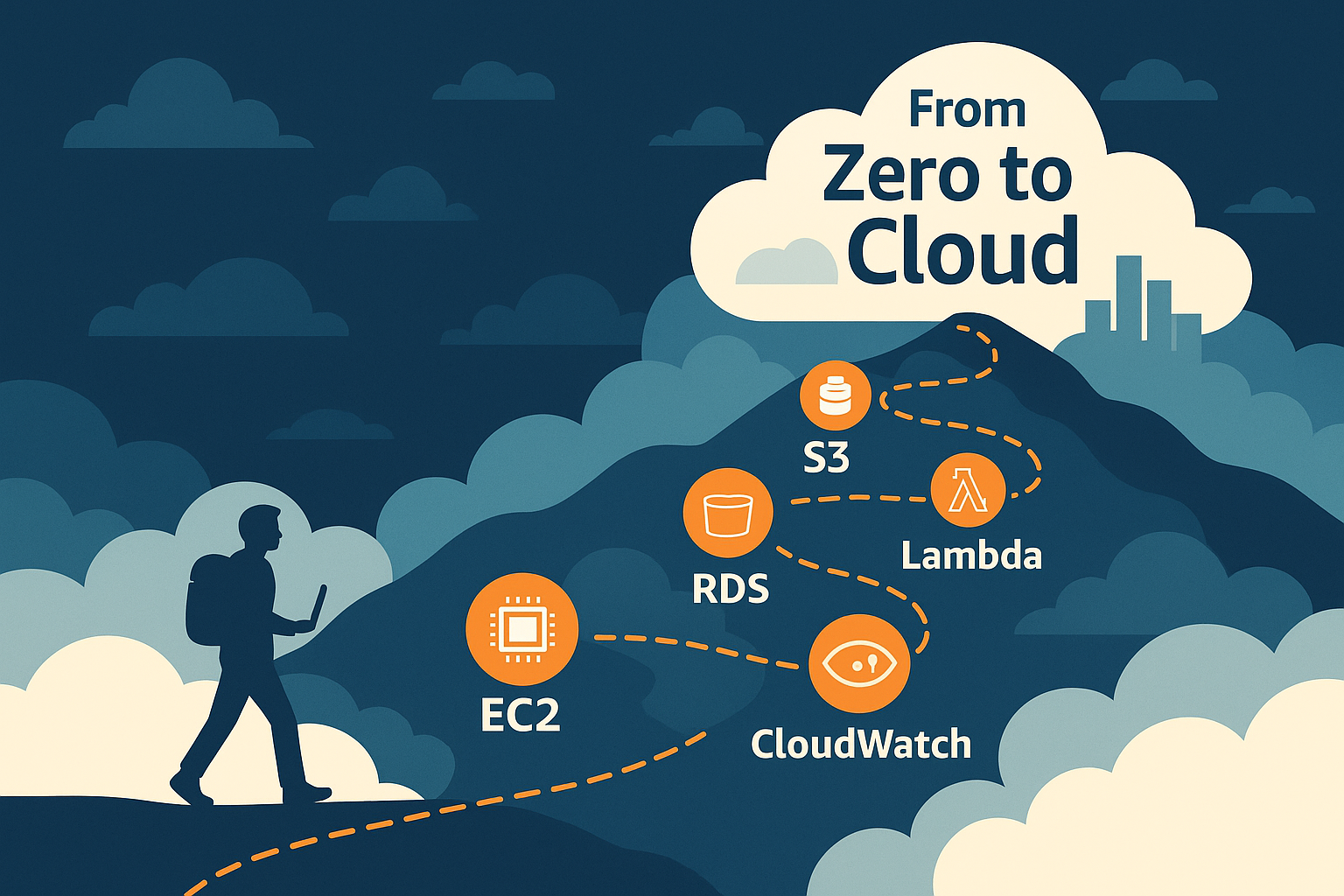
Starting a technology venture today without cloud infrastructure is like trying to build a house without foundations. Amazon Web Services (AWS) offers over 200 services, which can feel overwhelming when you’re bootstrapping your first product. Yet, mastering just five core services can provide the infrastructure backbone your start-up needs to grow from prototype to production and beyond.
This guide cuts through the complexity to highlight the AWS services that deliver immediate value whilst keeping costs manageable. Whether you’re building a SaaS platform, mobile application, or data-driven product, these services form the essential toolkit for modern start-up infrastructure.
Why AWS Matters for Start-ups
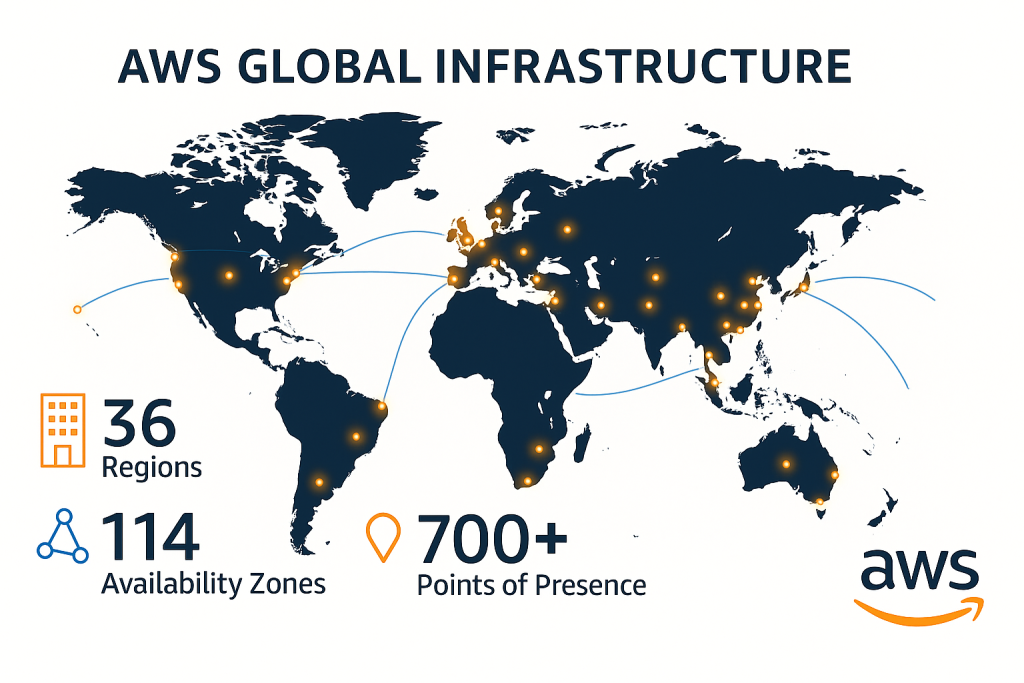
Before diving into specific services, it’s worth understanding why AWS dominates the start-up ecosystem. The platform’s pay-as-you-go model aligns perfectly with start-up economics, you pay only for what you use, scaling costs with revenue. Additionally, AWS offers generous free tiers and credits programmes specifically designed for early-stage companies.
1. Amazon EC2: Your Virtual Server Foundation
What It Is
Amazon Elastic Compute Cloud (EC2) provides resizable compute capacity in the cloud. Think of it as renting virtual servers that you can spin up or down within minutes, rather than purchasing physical hardware.
Why Start-ups Need It
EC2 forms the backbone of most start-up applications. Whether hosting a web application, running background jobs, or processing data, EC2 instances provide the flexibility to:
- Start with minimal resources and scale as demand grows
- Choose from various instance types optimised for different workloads
- Pay only for the compute time you actually use
- Deploy globally to serve customers with low latency
Practical Implementation
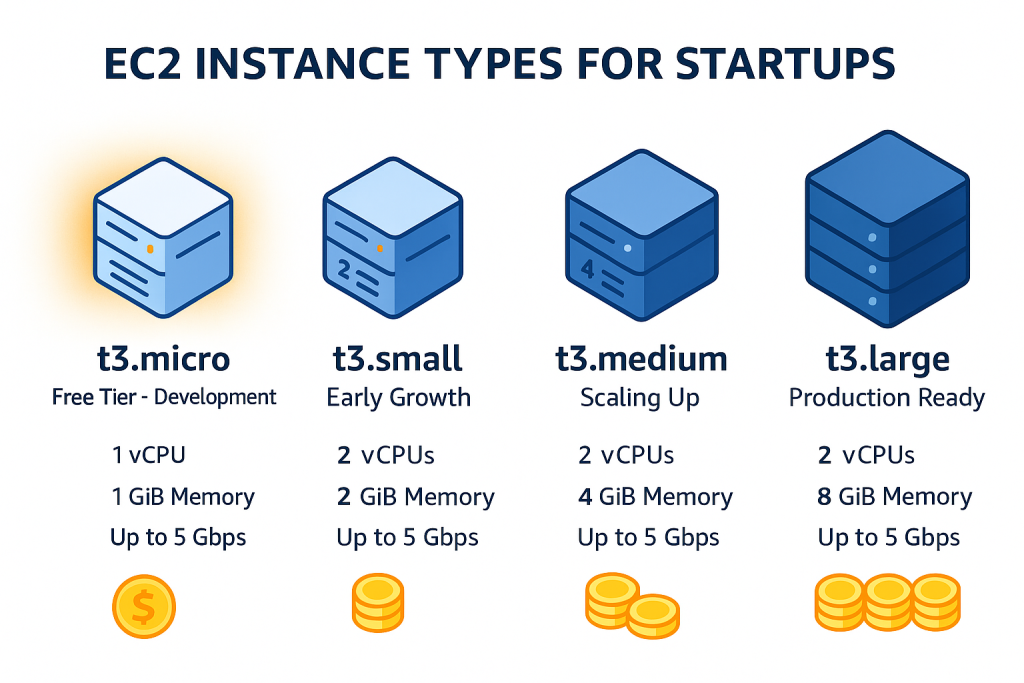
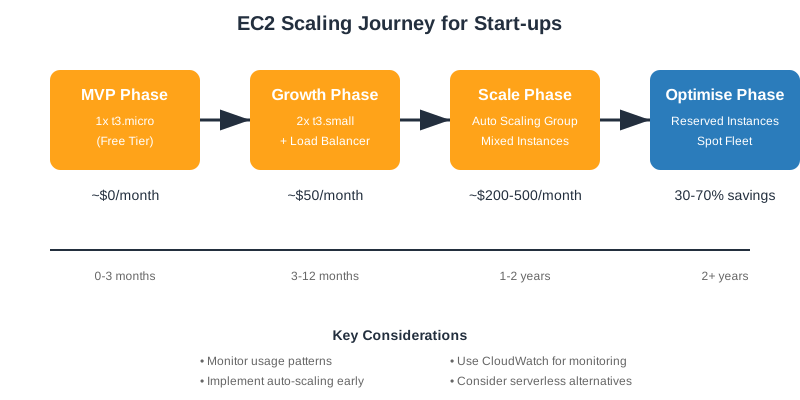
A typical start-up might begin with a single t3.micro instance (free tier eligible) for development, then scale to larger instances or multiple servers as traffic increases. The beauty lies in the flexibility. You can resize or add instances during peak times and scale down during quiet periods.
Cost-Saving Tip
Utilise EC2 Spot Instances for non-critical workloads like batch processing or development environments. These can cost up to 90% less than on-demand pricing.
2. Amazon S3: Scalable Storage That Grows With You
What It Is
Simple Storage Service (S3) provides object storage through a web interface. It’s designed to store and retrieve any amount of data from anywhere on the internet.
Why Start-ups Need It
S3 eliminates the need to worry about running out of storage space or managing complex backup systems. Common start-up use cases include:
- Storing user-uploaded content (images, videos, documents)
- Hosting static website assets
- Creating automated backups
- Building data lakes for analytics
- Distributing software downloads
Practical Implementation
S3’s pricing model charges for storage used and data transferred, making it ideal for start-ups with unpredictable growth. A photo-sharing app might store just gigabytes initially but scale to petabytes without any infrastructure changes.
Cost-Saving Tip
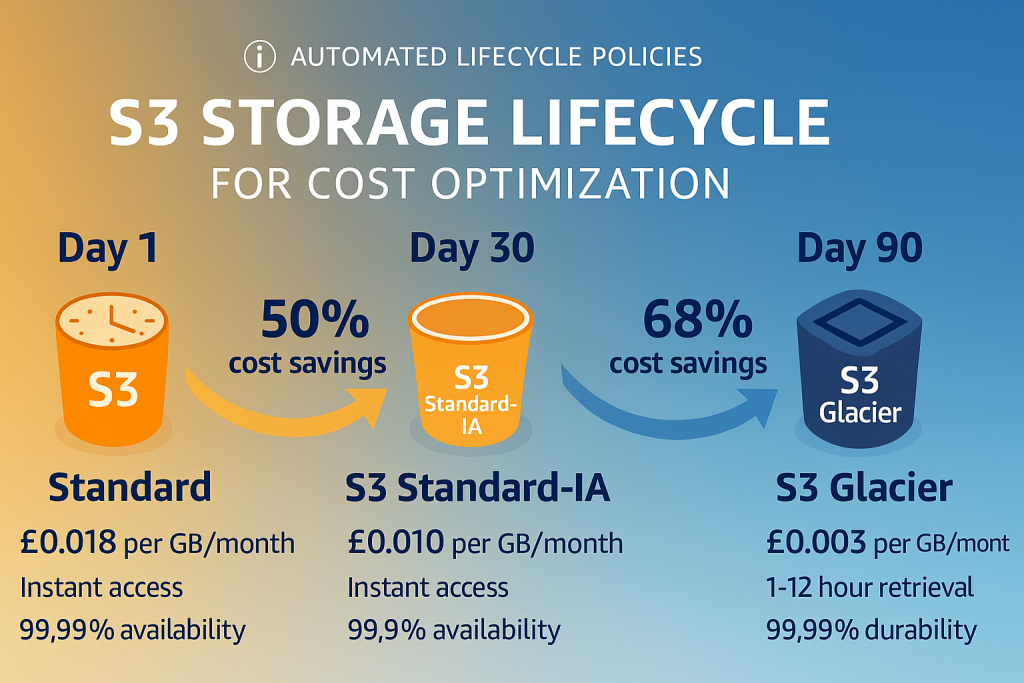
Implement S3 Lifecycle Policies to automatically move older data to cheaper storage classes. For instance, user photos older than 30 days could transition to S3 Standard-IA, reducing storage costs by 50%.
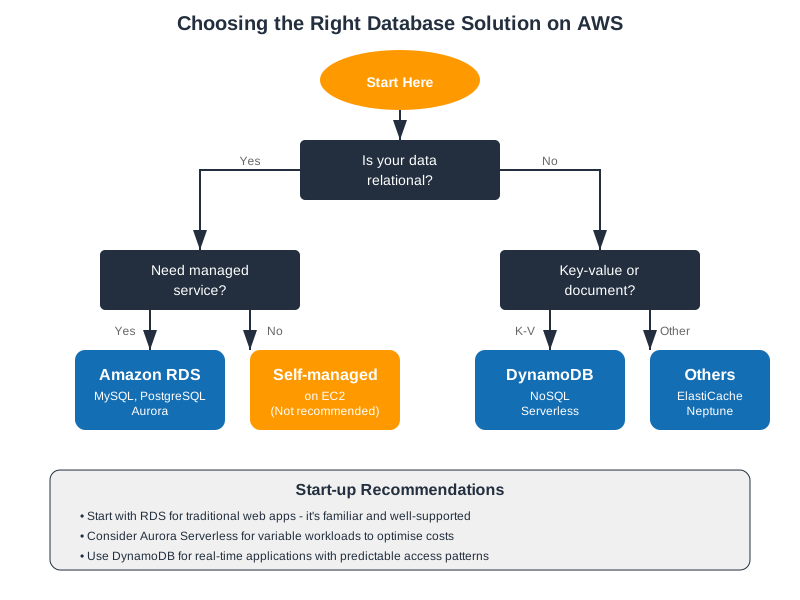
3. Amazon RDS: Database Management Without the Headaches
What It Is
Relational Database Service (RDS) provides managed database instances for popular engines including PostgreSQL, MySQL, MariaDB, and Aurora.
Why Start-ups Need It
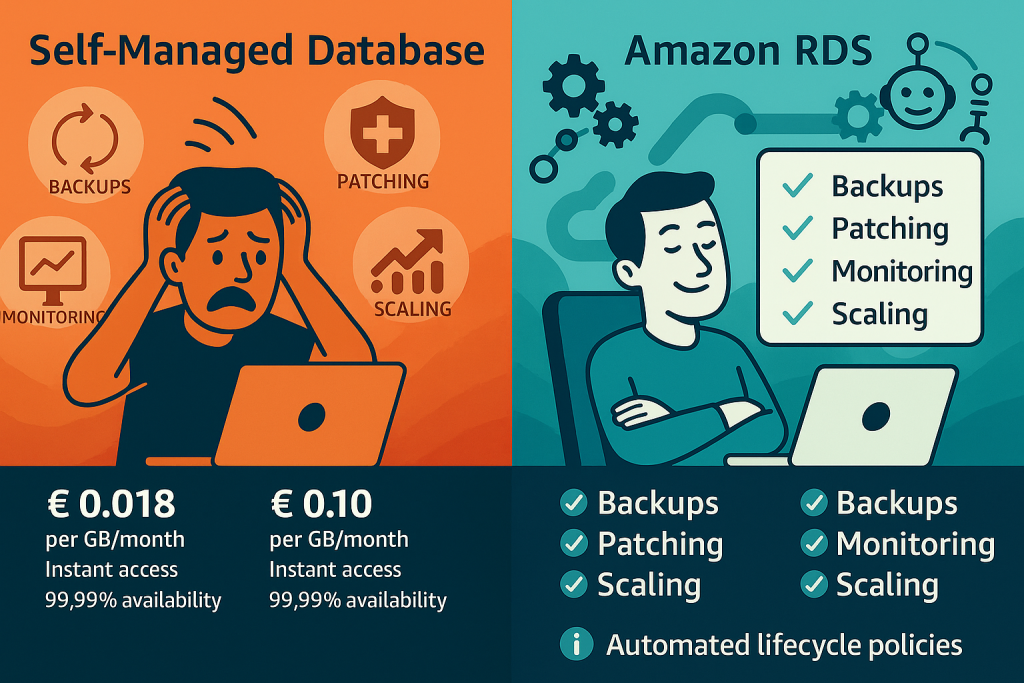
Database administration consumes valuable engineering time that start-ups can’t afford to waste. RDS handles:
- Automated backups and recovery
- Software patching and updates
- High availability with Multi-AZ deployments
- Read replica creation for scaling
- Monitoring and metrics
Practical Implementation
Start with a db.t3.micro instance (free tier eligible) for development. As your application grows, RDS makes it simple to scale vertically (bigger instance) or horizontally (read replicas) without significant downtime.
Cost-Saving Tip
Use Aurora Serverless for applications with intermittent or unpredictable workloads. It automatically scales capacity up and down, charging only for the database resources consumed.
4. AWS Lambda: Serverless Computing for Lean Operations
What It Is
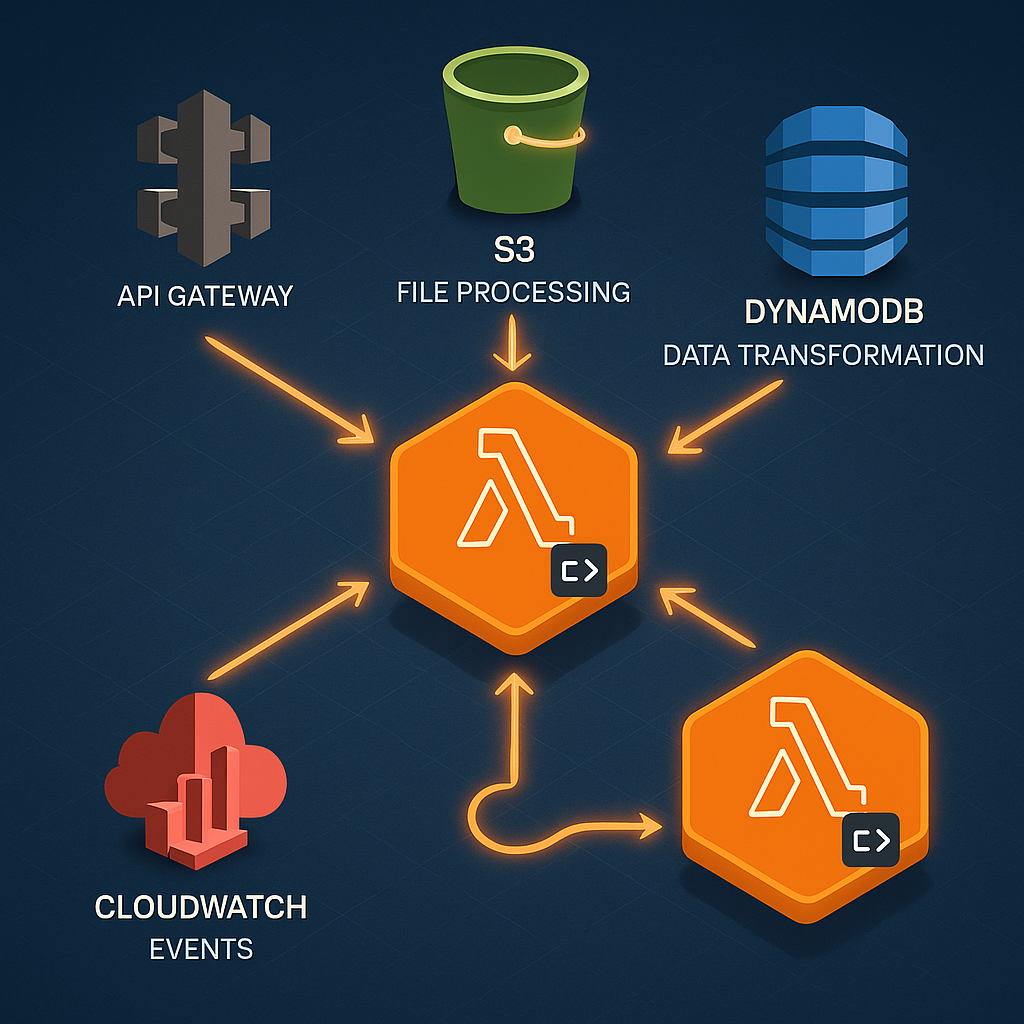
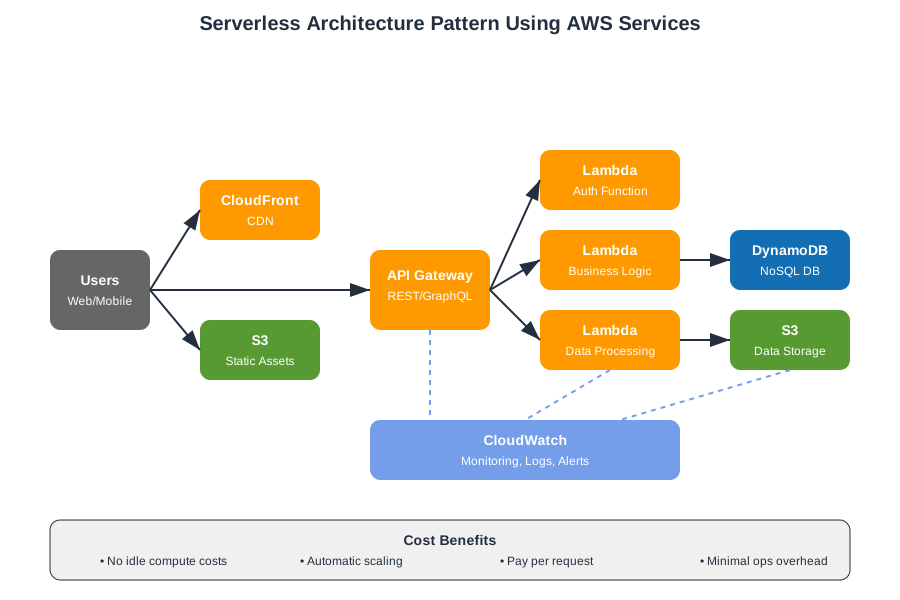
Lambda lets you run code without provisioning or managing servers. You simply upload your code, and Lambda handles everything needed to run and scale it.
Why Start-ups Need It
Lambda represents a paradigm shift in how start-ups can build applications:
- Zero infrastructure management overhead
- Automatic scaling from zero to thousands of concurrent executions
- Pay only for compute time consumed (charged per millisecond)
- Perfect for event-driven architectures and microservices
- Ideal for irregular workloads and batch processing
Practical Implementation
Common start-up use cases include:
- API backends (with API Gateway)
- Real-time file processing (triggered by S3 uploads)
- Scheduled tasks (cron jobs)
- Webhook handlers
- Data transformation pipelines
Cost-Saving Tip
Lambda includes a generous free tier of 1 million requests and 400,000 GB-seconds of compute time per month. Many start-ups run their entire backend infrastructure within this free tier during early stages.
5. Amazon CloudWatch: Your Infrastructure’s Health Monitor
What It Is
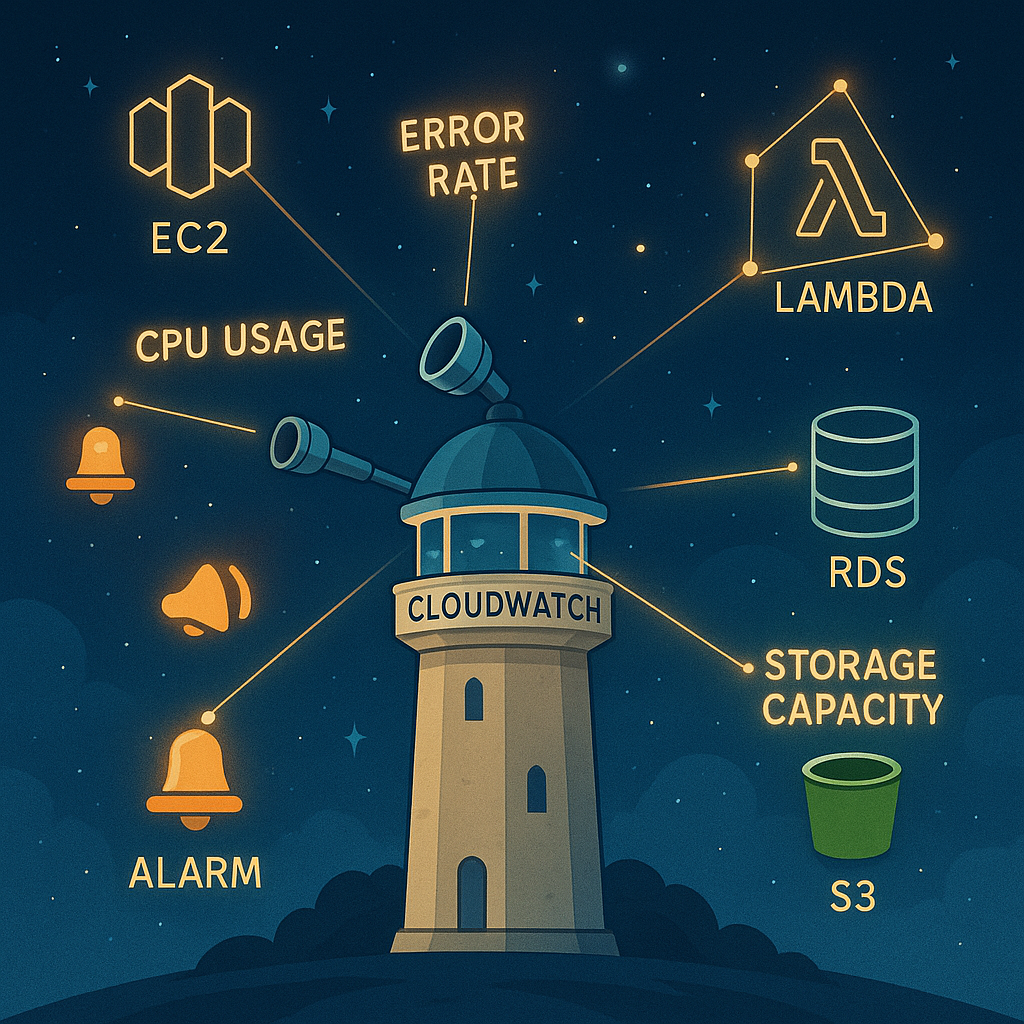
CloudWatch provides monitoring and observability for your AWS resources and applications. It collects and tracks metrics, monitors log files, and sets alarms.
Why Start-ups Need It
Visibility into system performance prevents minor issues from becoming major outages. CloudWatch enables:
- Real-time monitoring of all AWS resources
- Custom metrics for application-specific monitoring
- Automated responses to metric thresholds
- Centralised log management
- Performance troubleshooting and optimisation
Practical Implementation
Set up CloudWatch from day one to:
- Monitor EC2 CPU utilisation and trigger auto-scaling
- Track Lambda function errors and duration
- Alert on RDS storage space or connection issues
- Analyse application logs for debugging
- Create dashboards for key business metrics
Cost-Saving Tip
Use CloudWatch Logs Insights for ad-hoc querying instead of shipping all logs to expensive third-party services. Reserve external monitoring tools for when you genuinely need advanced features.
Putting It All Together: Your 90-Day AWS Roadmap
Understanding these services is just the beginning. Here’s a practical timeline for implementing them in your start-up:
Days 1-30: Foundation
- Set up your AWS account and enable billing alerts
- Launch your first EC2 instance for development
- Create S3 buckets for static assets and backups
- Implement CloudWatch basic monitoring
Days 31-60: Data and APIs
- Migrate your database to RDS or set up DynamoDB
- Build your first Lambda functions for specific tasks
- Configure API Gateway for serverless endpoints
- Set up CloudWatch alarms for critical metrics
Days 61-90: Optimisation
- Implement auto-scaling for EC2 instances
- Create S3 lifecycle policies for cost optimisation
- Refactor suitable workloads to Lambda
- Build comprehensive CloudWatch dashboards
- Apply for AWS Activate credits if eligible
Common Pitfalls to Avoid
Even with these powerful services, start-ups can stumble. Watch out for:
- Over-engineering: Resist the urge to use every AWS service immediately. Master these five first.
- Ignoring costs: Set up billing alerts and use AWS Cost Explorer weekly.
- Skipping monitoring: Implement CloudWatch from day one. Debugging without logs is painful.
- Manual everything: Embrace infrastructure as code early using AWS CloudFormation or Terraform.
- Security afterthoughts: Enable MFA, use IAM properly, and never commit credentials to code.
When to Expand Beyond the Basics
These five services will carry most start-ups through their first year or more. Consider exploring additional services when:
- You need real-time data streaming (Kinesis)
- Message queuing becomes critical (SQS/SNS)
- You require managed Kubernetes (EKS)
- Compliance demands specific security tools (GuardDuty, Security Hub)
- Machine learning becomes core to your product (SageMaker)
The Bottom Line
AWS can seem overwhelming, but you don’t need to master everything at once. EC2, S3, RDS, Lambda, and CloudWatch provide a robust foundation that scales from proof-of-concept to production. Start with the free tier, focus on these core services, and expand your AWS knowledge as your start-up grows.
Remember: the goal isn’t to use the most services. It’s to build a reliable, scalable product that serves your customers. These five services give you exactly that foundation, allowing you to focus on what truly matters: building something people want.
Ready to begin your AWS journey? Start with the AWS Free Tier and experiment with these services hands-on. The best way to learn is by doing, and with these five services, you’ll be building production-ready infrastructure from day one.