In today’s data-driven landscape, organisations must not only collect vast amounts of information but also extract meaningful insights quickly and efficiently. Enter Azure Databricks, Microsoft’s collaborative analytics platform that combines the best of Azure cloud infrastructure with the power of Apache Spark. This comprehensive solution has rapidly become a cornerstone for modern data architectures, enabling teams to process massive datasets and implement advanced analytics workflows with unprecedented ease.
What Is Azure Databricks?
Azure Databricks is a unified analytics platform that provides a collaborative, Apache Spark-based analytics service. Developed through a partnership between Microsoft and Databricks, it seamlessly integrates with Azure services to deliver a powerful environment for big data processing and machine learning at scale.
Azure Databricks Architecture: The Building Blocks
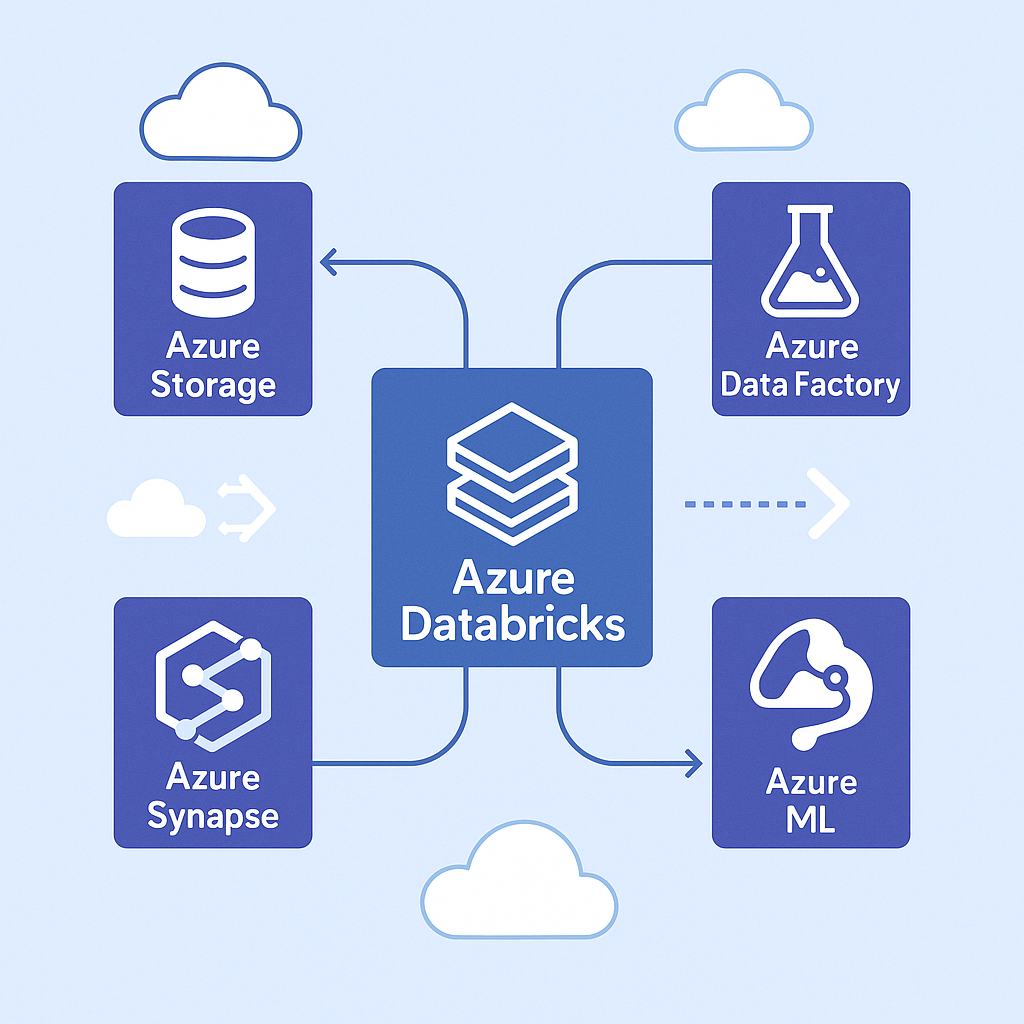
Understanding the architecture of Azure Databricks is crucial for leveraging its full potential. At its core, the platform consists of several key components working harmoniously together to deliver its powerful capabilities.
The Databricks workspace serves as the collaborative environment where data engineers, data scientists, and business analysts come together on shared projects. Think of it as your digital headquarters. A centralised platform where teams create and manage notebooks, schedule and monitor jobs, configure compute resources, and collaborate on code. The workspace provides a unified interface that bridges the gap between technical and business users, allowing both to contribute to the data analytics lifecycle.
Behind the scenes, clusters power all computation in Azure Databricks. These distributed computing engines consist of a driver node that orchestrates tasks and worker nodes that execute the distributed computations. The beauty of this system lies in its flexibility. Clusters can automatically scale up or down based on workload demands, optimising both performance and cost. Different workloads benefit from specialised cluster types, from interactive clusters for exploration to job clusters for scheduled workloads to high-concurrency clusters for multiple simultaneous users.
The Databricks Runtime forms the foundation of the platform’s performance advantages. This optimised execution environment builds upon Apache Spark with significant enhancements. The revolutionary Photon Engine accelerates SQL and DataFrame operations, often delivering 10-20x performance improvements over standard Spark. Integration with Delta Lake brings enterprise-grade reliability through ACID transactions, schema enforcement, and time travel capabilities. For machine learning workflows, built-in MLflow support streamlines experiment tracking and model management, while specialised libraries optimised for specific domains provide additional functionality right out of the box.
The Power of Integration: Databricks in the Azure Ecosystem
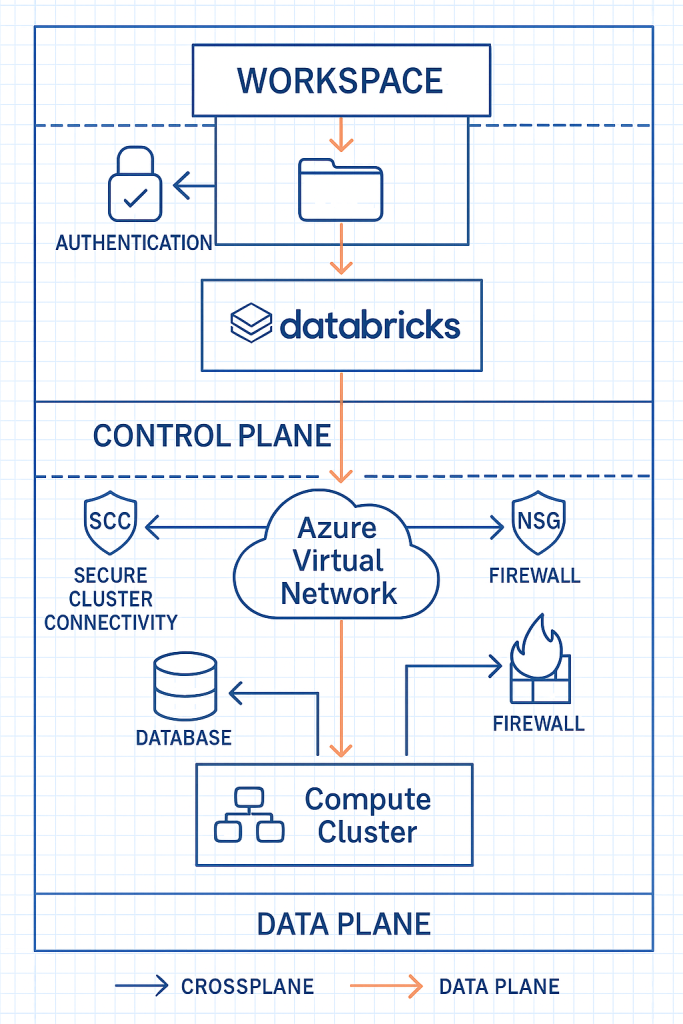
One of the most compelling aspects of Azure Databricks is how it functions as a central hub within the broader Azure data ecosystem. This integration creates a seamless environment where data can flow naturally between services, eliminating the traditional friction points in complex data architectures.
On the storage front, Azure Databricks connects natively with Azure Data Lake Storage for high-performance analytics on massive datasets. This connection goes beyond simple access – the two services are optimised to work together, with features like credential passthrough and optimised drivers. For cost-effective storage of large datasets, Azure Blob Storage integration provides another option, while Azure SQL Database connectivity bridges the gap to relational data sources.
The platform excels at data movement and transformation through its integration with Azure Data Factory, which orchestrates complex data workflows across the enterprise. Real-time processing capabilities come alive through Event Hubs integration, allowing streaming analytics on continuously generated data. For enterprise analytics, the connection to Azure Synapse Analytics creates a powerful combination that spans the spectrum from big data processing to data warehousing.
Machine learning workflows benefit enormously from the complementary capabilities of Azure Databricks and Azure Machine Learning. The platforms work together to provide comprehensive coverage of the ML lifecycle, from exploratory data analysis to model deployment. MLflow integration adds robust experiment tracking and model registry capabilities, while Azure Cognitive Services connectivity brings pre-built AI capabilities into the mix, accelerating development of intelligent applications.
Architecting for Success: A Pragmatic Approach
Successful Azure Databricks implementations share certain architectural characteristics that prioritise scalability, security, and performance. Rather than following a checklist, organizations should view these as guiding principles that can be adapted to their specific needs.
A multi-workspace strategy forms the foundation of a robust implementation. This approach separates environments (development, testing, production) and creates logical boundaries between different teams or projects. Much like how modern software development uses separate environments for different stages of the development lifecycle, this separation provides governance and eliminates unexpected interactions between workloads.
Cluster configuration dramatically impacts both performance and cost. Right-sizing clusters involves understanding the computational requirements of your workloads and selecting appropriate instance types and sizes. Autoscaling capabilities adjust resources based on current demands, while instance pools reduce cluster start times by maintaining a pool of ready-to-use instances. Governance through cluster policies ensures consistent configuration and prevents runaway costs.
Network security deserves special attention, particularly for organizations with strict compliance requirements. Deploying Databricks within Azure Virtual Networks creates a secure perimeter, while private link connectivity ensures data never traverses the public internet. Network security groups act as firewalls, controlling traffic flow, and VNet injection provides enhanced isolation for sensitive workloads.
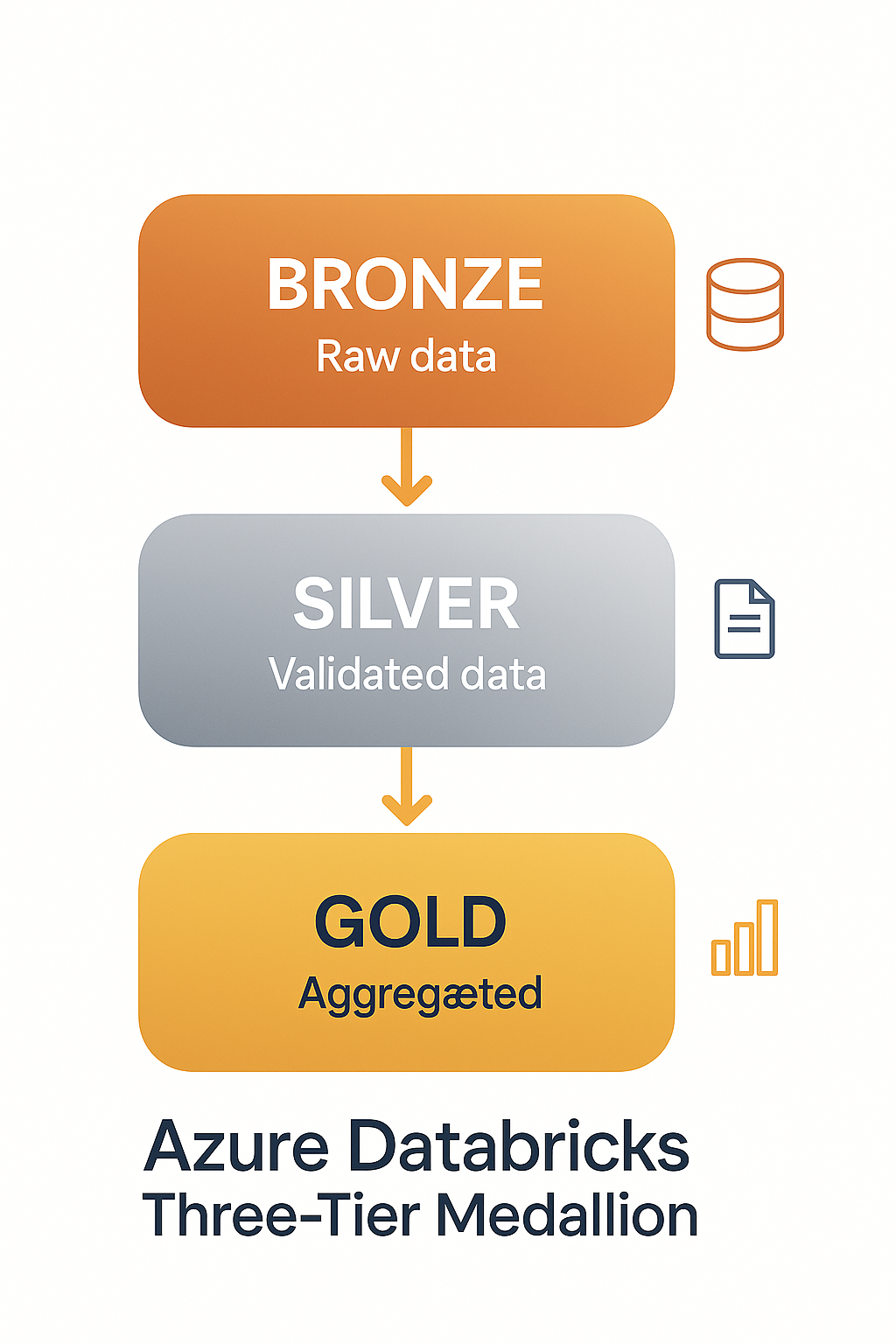
The structure of your data lake significantly impacts analytics capabilities. The widely adopted medallion architecture organizes data into three logical layers: Bronze for raw data preservation, Silver for cleansed and validated data, and Gold for business-level aggregates and features. This progressive refinement approach maintains data provenance while optimizing for different access patterns. Delta Lake implementation brings reliability and performance benefits, while clear data retention policies and appropriate access controls ensure governance throughout the data lifecycle.
Performance Tuning: The Art and Science
Performance optimization in Azure Databricks blends technical configuration with architectural decisions. Spark configurations form the foundation of performance tuning, with memory allocation between drivers and executors being particularly important. Finding the right balance requires understanding your workload characteristics – memory-intensive operations like joins need different configurations than CPU-bound transformations. Partition counts directly affect parallelism and should align with data size and cluster capacity. For tables frequently filtered by specific columns, Z-ordering and data skipping dramatically improve query performance by enabling efficient pruning. When joining tables of dramatically different sizes, broadcast joins can significantly outperform traditional shuffle joins by replicating smaller tables to all worker nodes.
Delta Lake provides several features that boost performance when properly configured. Enabling auto-optimize and auto-compact keeps file sizes optimal and reduces the small file problem that plagues many data lakes. Partition pruning accelerates queries by limiting the data that needs to be scanned, while data versioning provides the ability to access historical versions without performance penalties. File sizing recommendations (256MB-1GB) balance parallel processing capabilities with the overhead of file operations.
Effective caching strategies complete the performance picture. Caching frequently accessed datasets in memory eliminates repeated disk I/O, while the Delta cache provides an intermediate layer that improves read performance. Adaptive query execution dynamically optimizes query plans based on data characteristics encountered during execution. For data that needs to be shared across workspaces, global tables provide a performant solution that avoids data duplication.
Operational Excellence: Running Databricks in Production
Taking Azure Databricks from development to production requires attention to operational aspects that ensure reliability, security, and cost-effectiveness. Development processes set the foundation with CI/CD pipelines for notebook development that automate testing and deployment. Git integration provides version control capabilities essential for collaborative work, while reusable libraries encapsulate common functions to promote code reuse and consistency. Documentation through markdown cells makes notebooks self-documenting and easier for teams to maintain.
Cost management requires active attention in cloud environments. Job clusters that start for specific tasks and terminate when complete provide significant savings compared to always-on interactive clusters. Databricks usage reports help identify optimization opportunities, while appropriate cluster termination settings prevent idle resources. For non-critical workloads, spot instances can reduce costs by 70-90% compared to on-demand pricing.
Security controls protect sensitive data and ensure regulatory compliance. Table access control provides granular permissions at the database, table, or column level. Secrets management securely stores and provides access to sensitive information like connection strings and API keys. Column-level security enables more nuanced access patterns, while authentication mechanisms integrate with enterprise identity providers for consistent access control.
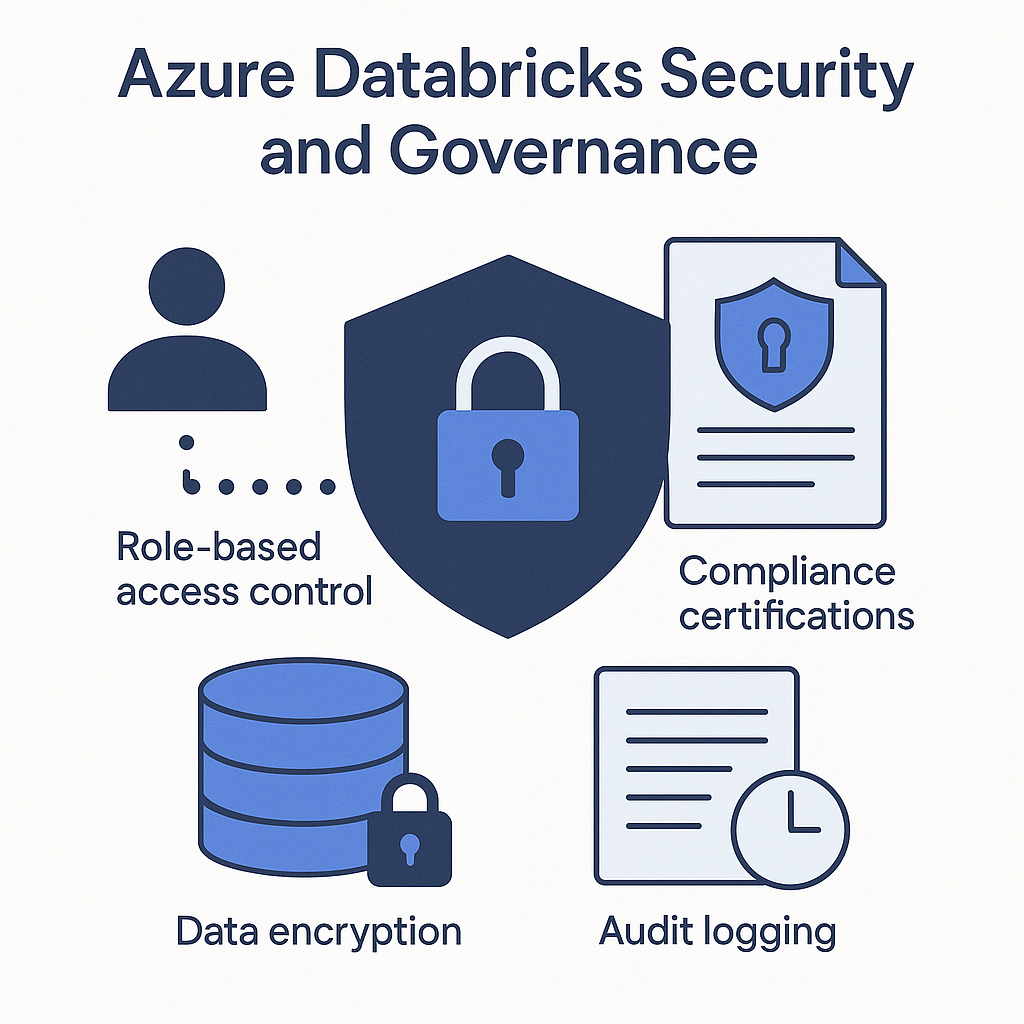
Disaster recovery planning ensures business continuity even in the face of unexpected events. Cross-region replication protects critical data from regional outages, while documented backup and restore procedures provide clear paths to recovery. Regular testing of disaster scenarios validates these procedures and builds operational confidence.
Azure Databricks in Action: Real-World Scenarios
The versatility of Azure Databricks is perhaps best illustrated through its application across different analytics scenarios. For batch processing workloads, it excels at transforming large volumes of data in scheduled intervals. Data lake refinement pipelines process raw data into analytical formats, while end-of-day financial calculations compute risk exposures and positions. Periodic report generation aggregates business metrics, and data warehouse loading procedures prepare data for business intelligence tools.
Real-time analytics leverages Databricks’ structured streaming capabilities for continuous data processing. IoT deployments analyze sensor data from connected devices to identify patterns and anomalies. Clickstream analytics processes website and application interactions to understand user behavior. Fraud detection systems evaluate transactions in near-real-time to flag suspicious activities, while real-time dashboards provide immediate visibility into business operations.
Machine learning operations benefit from Databricks’ distributed computing capabilities and ML integrations. Feature engineering at scale transforms raw data into model inputs across massive datasets. Distributed clusters accelerate model training that would be prohibitively slow on single machines. MLflow simplifies hyperparameter tuning experiments and tracking, while integrated deployment paths streamline getting models into production.
Conclusion: Transforming Data Operations with Azure Databricks
Azure Databricks represents a paradigm shift in how organisations approach data analytics and processing. By combining the flexibility of Apache Spark with the enterprise-grade features of Azure, it provides a comprehensive platform that addresses the most pressing challenges in modern data architecture.
The principles discussed in this article form a foundation for successful implementations, though each organisation must adapt them to their specific needs and constraints. Whether you’re just beginning your journey or looking to optimise an existing implementation, these insights offer direction without being prescriptive.
As data volumes continue to grow and analytics requirements become increasingly sophisticated, Azure Databricks stands ready to meet these challenges, enabling organisations to unleash the full potential of their data assets and drive meaningful business outcomes.