Your weekly dose of actionable cloud wisdom to start the week right
The Problem
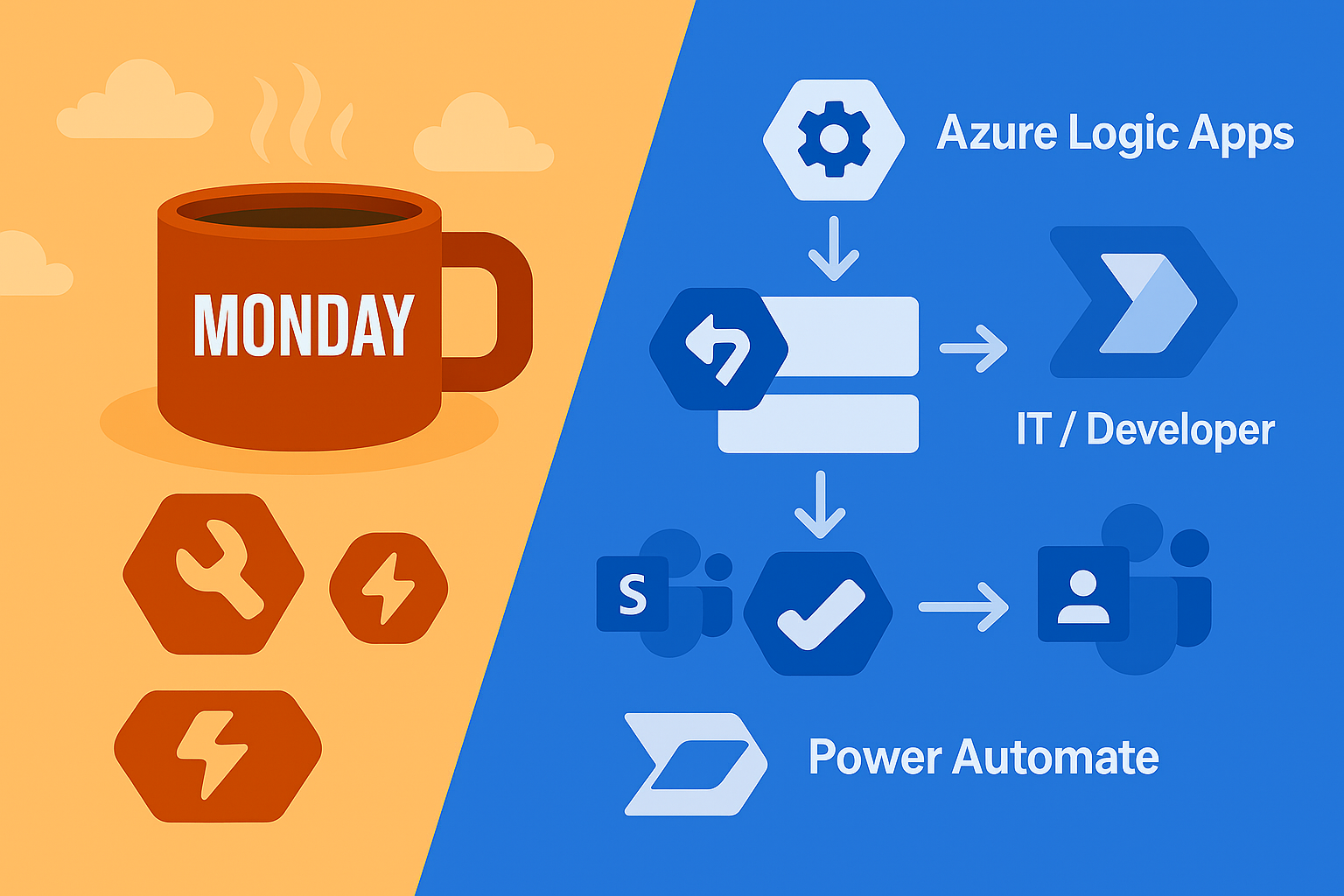
Your team is drowning in manual processes and everyone’s talking about automation, but you’re confused about whether to use Azure Logic Apps or Power Automate. The marketing materials make them sound similar, your business users want Power Automate, your developers prefer Logic Apps, and finance is asking about costs. Meanwhile, you’re building workflows in both tools without a clear strategy, creating a fragmented automation landscape.
The Solution
Choose the right automation tool based on your specific use case, technical requirements, and organizational structure. Logic Apps and Power Automate serve different audiences and scenarios – understanding when to use each prevents costly mistakes and ensures you pick the tool that scales with your needs.
Decision Framework: When to Use What
1. Use Azure Logic Apps When:
{
  "use_cases": [
    "Enterprise application integration",
    "B2B communication with trading partners",
    "Complex data transformations",
    "Mission-critical workflows requiring SLA guarantees",
    "Integration with on-premises systems via hybrid connections",
    "Workflows requiring custom connectors or advanced error handling",
    "High-volume transaction processing",
    "Developer-managed automation solutions"
  ],
  "target_audience": "IT professionals, developers, system integrators",
  "complexity": "Medium to High",
  "governance": "Full IT control and oversight"
}
2. Use Power Automate When:
{
  "use_cases": [
    "Office 365 and Microsoft 365 automation",
    "Business user self-service workflows",
    "Approval processes and notifications",
    "Simple data synchronisation between cloud apps",
    "Desktop automation with Power Automate Desktop",
    "SharePoint and Teams integration",
    "Low-code solutions for business users",
    "Departmental workflow automation"
  ],
  "target_audience": "Business users, power users, citizen developers",
  "complexity": "Low to Medium",
  "governance": "Business-led with IT oversight"
}
Practical Examples and Comparisons:
3. Logic Apps Example – Enterprise Integration
{
  "definition": {
    "$schema": "https://schema.management.azure.com/providers/Microsoft.Logic/schemas/2016-06-01/workflowdefinition.json#",
    "contentVersion": "1.0.0.0",
    "parameters": {
      "sapConnectionString": {
        "type": "securestring"
      },
      "serviceBusConnectionString": {
        "type": "securestring"
      }
    },
    "triggers": {
      "When_a_message_is_received_in_Service_Bus": {
        "type": "ServiceBus",
        "inputs": {
          "host": {
            "connection": {
              "name": "@parameters('serviceBusConnectionString')"
            }
          },
          "method": "get",
          "path": "/messages/head",
          "queries": {
            "queueName": "purchase-orders"
          }
        },
        "recurrence": {
          "frequency": "Second",
          "interval": 30
        }
      }
    },
    "actions": {
      "Parse_Purchase_Order": {
        "type": "ParseJson",
        "inputs": {
          "content": "@triggerBody()",
          "schema": {
            "type": "object",
            "properties": {
              "orderId": {"type": "string"},
              "customerId": {"type": "string"},
              "items": {
                "type": "array",
                "items": {
                  "type": "object",
                  "properties": {
                    "productId": {"type": "string"},
                    "quantity": {"type": "integer"},
                    "price": {"type": "number"}
                  }
                }
              }
            }
          }
        },
        "runAfter": {}
      },
      "Validate_Customer_in_SAP": {
        "type": "Http",
        "inputs": {
          "method": "POST",
          "uri": "https://your-sap-system.com/api/customers/validate",
          "headers": {
            "Authorization": "Bearer @{parameters('sapConnectionString')}",
            "Content-Type": "application/json"
          },
          "body": {
            "customerId": "@body('Parse_Purchase_Order')['customerId']"
          }
        },
        "runAfter": {
          "Parse_Purchase_Order": ["Succeeded"]
        }
      },
      "Condition_Customer_Valid": {
        "type": "If",
        "expression": {
          "and": [
            {
              "equals": [
                "@outputs('Validate_Customer_in_SAP')['statusCode']",
                200
              ]
            }
          ]
        },
        "actions": {
          "Create_Order_in_ERP": {
            "type": "Http",
            "inputs": {
              "method": "POST",
              "uri": "https://your-erp-system.com/api/orders",
              "body": "@body('Parse_Purchase_Order')"
            }
          },
          "Send_Confirmation_Email": {
            "type": "Office365Outlook",
            "inputs": {
              "method": "post",
              "path": "/v2/Mail",
              "body": {
                "To": "@body('Parse_Purchase_Order')['customerEmail']",
                "Subject": "Order Confirmation - @{body('Parse_Purchase_Order')['orderId']}",
                "Body": "Your order has been processed successfully."
              }
            }
          }
        },
        "else": {
          "actions": {
            "Send_to_Dead_Letter_Queue": {
              "type": "ServiceBus",
              "inputs": {
                "host": {
                  "connection": {
                    "name": "@parameters('serviceBusConnectionString')"
                  }
                },
                "method": "post",
                "path": "/messages",
                "queries": {
                  "queueName": "purchase-orders-dlq"
                },
                "body": "@triggerBody()"
              }
            }
          }
        },
        "runAfter": {
          "Validate_Customer_in_SAP": ["Succeeded", "Failed"]
        }
      }
    }
  }
}
4. Power Automate Example – Business Process Automation
{
  "name": "Employee Onboarding Workflow",
  "description": "Automate new employee setup across Office 365",
  "trigger": {
    "type": "SharePointListItemCreated",
    "inputs": {
      "site": "https://company.sharepoint.com/sites/hr",
      "list": "New Employees"
    }
  },
  "actions": [
    {
      "name": "Get_Manager_Details",
      "type": "Office365Users.GetUser",
      "inputs": {
        "user": "@triggerOutputs()['body']['ManagerEmail']"
      }
    },
    {
      "name": "Create_Teams_Chat",
      "type": "MicrosoftTeams.PostMessageToChannel",
      "inputs": {
        "teamId": "hr-team-id",
        "channelId": "general",
        "message": {
          "body": "New employee @{triggerOutputs()['body']['EmployeeName']} starting on @{triggerOutputs()['body']['StartDate']}. Manager: @{outputs('Get_Manager_Details')['body']['displayName']}"
        }
      }
    },
    {
      "name": "Send_Welcome_Email",
      "type": "Office365Outlook.SendEmail",
      "inputs": {
        "to": "@triggerOutputs()['body']['EmployeeEmail']",
        "subject": "Welcome to @{triggerOutputs()['body']['CompanyName']}!",
        "body": "<h2>Welcome aboard!</h2><p>Your first day is @{triggerOutputs()['body']['StartDate']}. Your manager @{outputs('Get_Manager_Details')['body']['displayName']} will be in touch soon.</p>",
        "isHtml": true
      }
    },
    {
      "name": "Create_Planner_Task",
      "type": "PlannerTasks.CreateTask",
      "inputs": {
        "planId": "hr-onboarding-plan-id",
        "bucketId": "new-hires-bucket-id",
        "title": "Complete onboarding for @{triggerOutputs()['body']['EmployeeName']}",
        "assignments": {
          "@{outputs('Get_Manager_Details')['body']['id']}": {
            "orderHint": " !"
          }
        },
        "dueDateTime": "@{addDays(triggerOutputs()['body']['StartDate'], 7)}"
      }
    },
    {
      "name": "Update_SharePoint_Status",
      "type": "SharePoint.UpdateItem",
      "inputs": {
        "site": "https://company.sharepoint.com/sites/hr",
        "list": "New Employees",
        "id": "@triggerOutputs()['body']['ID']",
        "item": {
          "OnboardingStatus": "In Progress",
          "WorkflowStarted": "@utcNow()"
        }
      }
    }
  ]
}
Cost Analysis and Licensing
5. Cost Comparison Calculator
# Python script to compare Logic Apps vs Power Automate costs
def calculate_automation_costs(scenario):
    """
    Calculate costs for Logic Apps vs Power Automate based on usage
    """

    # Logic Apps pricing (per execution + connector costs)
    logic_apps_base_cost = 0.000025  # £0.000025 per execution
    logic_apps_connector_cost = 0.0008  # £0.0008 per connector action

    # Power Automate pricing (per user/per flow)
    power_automate_per_user = 12.80  # £12.80 per user per month
    power_automate_per_flow = 95.00  # £95.00 per flow per month (premium)

    # Calculate Logic Apps cost
    monthly_executions = scenario['executions_per_month']
    avg_actions_per_execution = scenario['actions_per_execution']
    connector_actions = scenario['connector_actions_per_execution']

    logic_apps_execution_cost = monthly_executions * logic_apps_base_cost
    logic_apps_connector_cost_total = monthly_executions * connector_actions * logic_apps_connector_cost
    logic_apps_total = logic_apps_execution_cost + logic_apps_connector_cost_total

    # Calculate Power Automate cost
    if scenario['user_count'] > 0:
        power_automate_total = scenario['user_count'] * power_automate_per_user
    else:
        power_automate_total = power_automate_per_flow

    # Analysis
    print(f"=== Cost Analysis: {scenario['name']} ===")
    print(f"Monthly executions: {monthly_executions:,}")
    print(f"Average actions per execution: {avg_actions_per_execution}")
    print(f"Connector actions per execution: {connector_actions}")
    print()
    print("Logic Apps Costs:")
    print(f"  Execution cost: £{logic_apps_execution_cost:.2f}")
    print(f"  Connector cost: £{logic_apps_connector_cost_total:.2f}")
    print(f"  Total monthly: £{logic_apps_total:.2f}")
    print()
    print("Power Automate Costs:")
    if scenario['user_count'] > 0:
        print(f"  Per-user licensing ({scenario['user_count']} users): £{power_automate_total:.2f}")
    else:
        print(f"  Per-flow licensing: £{power_automate_total:.2f}")
    print()

    if logic_apps_total < power_automate_total:
        savings = power_automate_total - logic_apps_total
        print(f"💰 Logic Apps is cheaper by £{savings:.2f}/month (£{savings*12:.2f}/year)")
        recommendation = "Logic Apps"
    else:
        savings = logic_apps_total - power_automate_total
        print(f"💰 Power Automate is cheaper by £{savings:.2f}/month (£{savings*12:.2f}/year)")
        recommendation = "Power Automate"

    return {
        'logic_apps_cost': logic_apps_total,
        'power_automate_cost': power_automate_total,
        'recommendation': recommendation,
        'monthly_savings': savings
    }

# Example scenarios
scenarios = [
    {
        'name': 'High-Volume B2B Integration',
        'executions_per_month': 100000,
        'actions_per_execution': 8,
        'connector_actions_per_execution': 4,
        'user_count': 0  # Per-flow licensing
    },
    {
        'name': 'Department Approval Workflows',
        'executions_per_month': 500,
        'actions_per_execution': 5,
        'connector_actions_per_execution': 3,
        'user_count': 25  # 25 business users
    },
    {
        'name': 'Simple Email Notifications',
        'executions_per_month': 1000,
        'actions_per_execution': 3,
        'connector_actions_per_execution': 1,
        'user_count': 5  # Small team
    }
]

for scenario in scenarios:
    result = calculate_automation_costs(scenario)
    print()
6. Feature Comparison Matrix
# Feature comparison for decision making
Logic_Apps:
  Development_Model: "Code-first, JSON definitions"
  Target_Users: "Developers, IT professionals"
  Complexity: "High - supports complex enterprise patterns"
  Pricing_Model: "Pay-per-execution + connector usage"
  Enterprise_Features:
    - "Built-in retry policies and error handling"
    - "Integration Service Environment (ISE) for dedicated hosting"
    - "Hybrid connectivity via on-premises data gateway"
    - "Custom connector development with OpenAPI"
    - "ARM template deployment and CI/CD integration"
  Performance:
    - "High throughput (up to 1000 executions/minute)"
    - "SLA guarantees available"
    - "Dedicated compute with ISE"
  Governance:
    - "Full Azure Resource Manager integration"
    - "Azure Policy support"
    - "Enterprise-grade monitoring and diagnostics"

Power_Automate:
  Development_Model: "Low-code, visual designer"
  Target_Users: "Business users, citizen developers"
  Complexity: "Low to Medium - optimized for common business scenarios"
  Pricing_Model: "Per-user or per-flow subscription"
  Business_Features:
    - "Office 365 and Dynamics 365 deep integration"
    - "Approval workflows with mobile support"
    - "AI Builder for document processing and prediction"
    - "Power Automate Desktop for RPA"
    - "Business process flows"
  Performance:
    - "Moderate throughput (optimized for business processes)"
    - "Built-in throttling and limits"
    - "Shared multi-tenant environment"
  Governance:
    - "Power Platform Admin Center"
    - "Data Loss Prevention policies"
    - "Center of Excellence toolkit"
Migration and Integration Strategies
7. Logic Apps to Power Automate Migration
# PowerShell script to analyze Logic Apps for Power Automate migration potential
param(
    [string]$SubscriptionId,
    [string]$ResourceGroupName
)

Connect-AzAccount
Set-AzContext -SubscriptionId $SubscriptionId

# Get all Logic Apps in resource group
$logicApps = Get-AzLogicApp -ResourceGroupName $ResourceGroupName

$migrationCandidates = @()

foreach ($app in $logicApps) {
    $definition = Get-AzLogicAppDefinition -ResourceGroupName $ResourceGroupName -Name $app.Name

    # Analyze workflow complexity and connectors
    $actions = $definition.Definition.actions
    $triggers = $definition.Definition.triggers

    $actionCount = if ($actions) { $actions.PSObject.Properties.Count } else { 0 }
    $triggerTypes = if ($triggers) {
        $triggers.PSObject.Properties.Value | ForEach-Object { $_.type }
    } else { @() }

    # Check for Power Automate-friendly patterns
    $officeConnectors = @('Office365Outlook', 'SharePoint', 'Office365Users', 'MicrosoftTeams')
    $complexPatterns = @('Http', 'Function', 'ServiceBus', 'EventHub')

    $hasOfficeConnectors = $false
    $hasComplexPatterns = $false

    if ($actions) {
        foreach ($action in $actions.PSObject.Properties.Value) {
            if ($action.type -in $officeConnectors) { $hasOfficeConnectors = $true }
            if ($action.type -in $complexPatterns) { $hasComplexPatterns = $true }
        }
    }

    # Migration assessment
    $migrationScore = 0
    $reasons = @()

    if ($hasOfficeConnectors) {
        $migrationScore += 30
        $reasons += "Uses Office 365 connectors"
    }
    if ($actionCount -le 10) {
        $migrationScore += 20
        $reasons += "Simple workflow (≤10 actions)"
    }
    if (-not $hasComplexPatterns) {
        $migrationScore += 25
        $reasons += "No complex integration patterns"
    }
    if ($triggerTypes -contains 'Request') {
        $migrationScore += 15
        $reasons += "HTTP trigger (can use Power Automate HTTP trigger)"
    }

    $recommendation = switch ($migrationScore) {
        {$_ -ge 70} { "High - Good candidate for migration" }
        {$_ -ge 50} { "Medium - Consider migration with modifications" }
        {$_ -ge 30} { "Low - Migration possible but may lose functionality" }
        default { "Not Recommended - Too complex for Power Automate" }
    }

    $migrationCandidates += [PSCustomObject]@{
        LogicAppName = $app.Name
        ActionCount = $actionCount
        TriggerTypes = ($triggerTypes -join ', ')
        MigrationScore = $migrationScore
        Recommendation = $recommendation
        Reasons = ($reasons -join '; ')
        HasOfficeConnectors = $hasOfficeConnectors
        HasComplexPatterns = $hasComplexPatterns
    }
}

Write-Host "=== Logic Apps Migration Assessment ===" -ForegroundColor Cyan
$migrationCandidates | Sort-Object MigrationScore -Descending | Format-Table -AutoSize

Write-Host "`nMigration Summary:" -ForegroundColor Yellow
$highPriority = ($migrationCandidates | Where-Object { $_.MigrationScore -ge 70 }).Count
$mediumPriority = ($migrationCandidates | Where-Object { $_.MigrationScore -ge 50 -and $_.MigrationScore -lt 70 }).Count
$lowPriority = ($migrationCandidates | Where-Object { $_.MigrationScore -lt 50 }).Count

Write-Host "High priority candidates: $highPriority" -ForegroundColor Green
Write-Host "Medium priority candidates: $mediumPriority" -ForegroundColor Yellow
Write-Host "Low priority/Not recommended: $lowPriority" -ForegroundColor Red
8. Hybrid Integration Pattern
# Architecture pattern for using both tools together
Integration_Architecture:
  Logic_Apps_Layer:
    Purpose: "Enterprise integration and complex transformations"
    Responsibilities:
      - "SAP and ERP system integration"
      - "B2B partner communications"
      - "High-volume data processing"
      - "Complex business rules and transformations"
    Example_Flows:
      - "EDI processing and validation"
      - "Real-time inventory synchronization"
      - "Financial data aggregation"

  Power_Automate_Layer:
    Purpose: "Business process automation and user workflows"
    Responsibilities:
      - "Approval workflows"
      - "Office 365 automation"
      - "Notification and communication"
      - "Simple data collection and routing"
    Example_Flows:
      - "Employee onboarding processes"
      - "Document approval workflows"
      - "Meeting room booking automation"

  Integration_Points:
    HTTP_Triggers: "Logic Apps expose HTTP endpoints for Power Automate to call"
    Service_Bus: "Shared message queues for asynchronous communication"
    Storage_Account: "Common file storage for data exchange"
    Power_Platform_Dataverse: "Shared data repository"
Why It Matters
- Cost Optimization: Choosing the right tool can save 50-80% on automation costs
- User Adoption: Matching tools to user skills improves success rates
- Governance: Different tools require different oversight and management approaches
- Scalability: Understanding limits prevents hitting roadblocks during growth
- Integration: Proper tool selection enables better enterprise architecture
Try This Week
- Audit existing workflows – Run the migration assessment script above
- Calculate costs for your scenarios – Use the cost comparison tool
- Start with one pilot – Choose the right tool for one specific use case
- Define governance – Establish who can create what type of workflow
Quick Decision Tree
#!/bin/bash
# Interactive decision helper for Logic Apps vs Power Automate

echo "=== Logic Apps vs Power Automate Decision Helper ==="
echo

read -p "Who will primarily build/maintain this workflow? (IT/Business): " builder
read -p "How many executions per month? (1-1000/1000-10000/10000+): " volume
read -p "Primary systems to integrate (Office365/Enterprise/Mixed): " systems
read -p "Complexity level (Simple/Medium/Complex): " complexity

echo
echo "=== Recommendation ==="

score_logic=0
score_power=0

# Builder preference
if [[ "$builder" == "IT" ]]; then
    score_logic=$((score_logic + 2))
else
    score_power=$((score_power + 2))
fi

# Volume consideration
if [[ "$volume" == "10000+" ]]; then
    score_logic=$((score_logic + 2))
elif [[ "$volume" == "1-1000" ]]; then
    score_power=$((score_power + 1))
fi

# System integration
if [[ "$systems" == "Office365" ]]; then
    score_power=$((score_power + 2))
elif [[ "$systems" == "Enterprise" ]]; then
    score_logic=$((score_logic + 2))
fi

# Complexity
if [[ "$complexity" == "Complex" ]]; then
    score_logic=$((score_logic + 2))
elif [[ "$complexity" == "Simple" ]]; then
    score_power=$((score_power + 1))
fi

if [[ $score_logic -gt $score_power ]]; then
    echo "🔧 Recommendation: Azure Logic Apps"
    echo "Reasons: Better for complex integrations, IT-managed solutions, and high-volume scenarios"
elif [[ $score_power -gt $score_logic ]]; then
    echo "⚡ Recommendation: Power Automate"
    echo "Reasons: Better for business users, Office 365 integration, and simple workflows"
else
    echo "🤔 Recommendation: Either tool could work"
    echo "Consider starting with Power Automate for faster time-to-value, then migrate to Logic Apps if needed"
fi

echo
echo "📋 Next steps:"
echo "1. Start with a pilot project using the recommended tool"
echo "2. Measure success metrics (cost, development time, user adoption)"
echo "3. Establish governance and best practices"
echo "4. Scale successful patterns across your organization"
Common Decision Mistakes
- Over-engineering simple workflows: Using Logic Apps for basic approval processes
- Under-estimating complexity: Trying to build enterprise integration in Power Automate
- Ignoring licensing costs: Not factoring in per-user vs per-execution pricing models
- Mixing governance models: Different tools need different management approaches
- Not planning for scale: Simple workflows can become complex over time
Best Practices for Tool Selection
- Start simple: Begin with Power Automate for business processes, upgrade to Logic Apps when needed
- Consider the audience: Match tool complexity to user skills and preferences
- Plan for governance: Establish clear guidelines on when to use each tool
- Monitor costs: Track actual usage vs projected costs for both tools
- Enable hybrid: Use both tools for their strengths rather than forcing one solution
Pro Tip: Start with Power Automate for most business process automation needs. It’s easier to learn, faster to deploy, and covers 80% of common automation scenarios. Upgrade to Logic Apps when you hit limitations around complexity, volume, or enterprise integration requirements.