Your weekly dose of actionable cloud wisdom to start the week right
The Problem
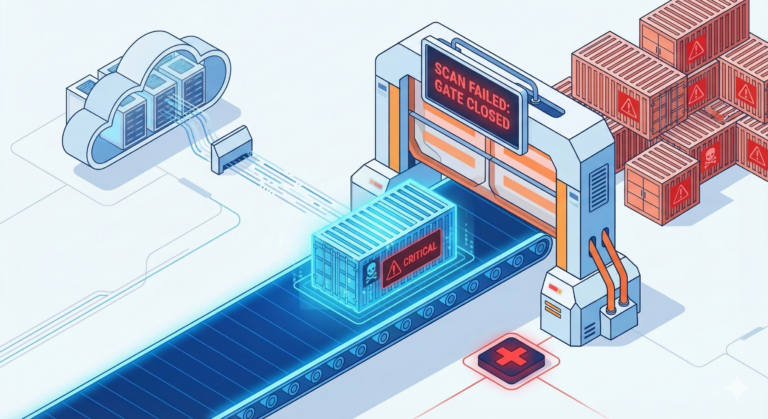
Your containers are running with root privileges, using base images with hundreds of vulnerabilities, and have secrets hardcoded in environment variables. Your Kubernetes cluster allows any pod to talk to any other pod, and you’re not scanning images until they’re already in production. Meanwhile, security teams are raising red flags about container sprawl and lack of visibility into what’s actually running in your cluster.
The Solution
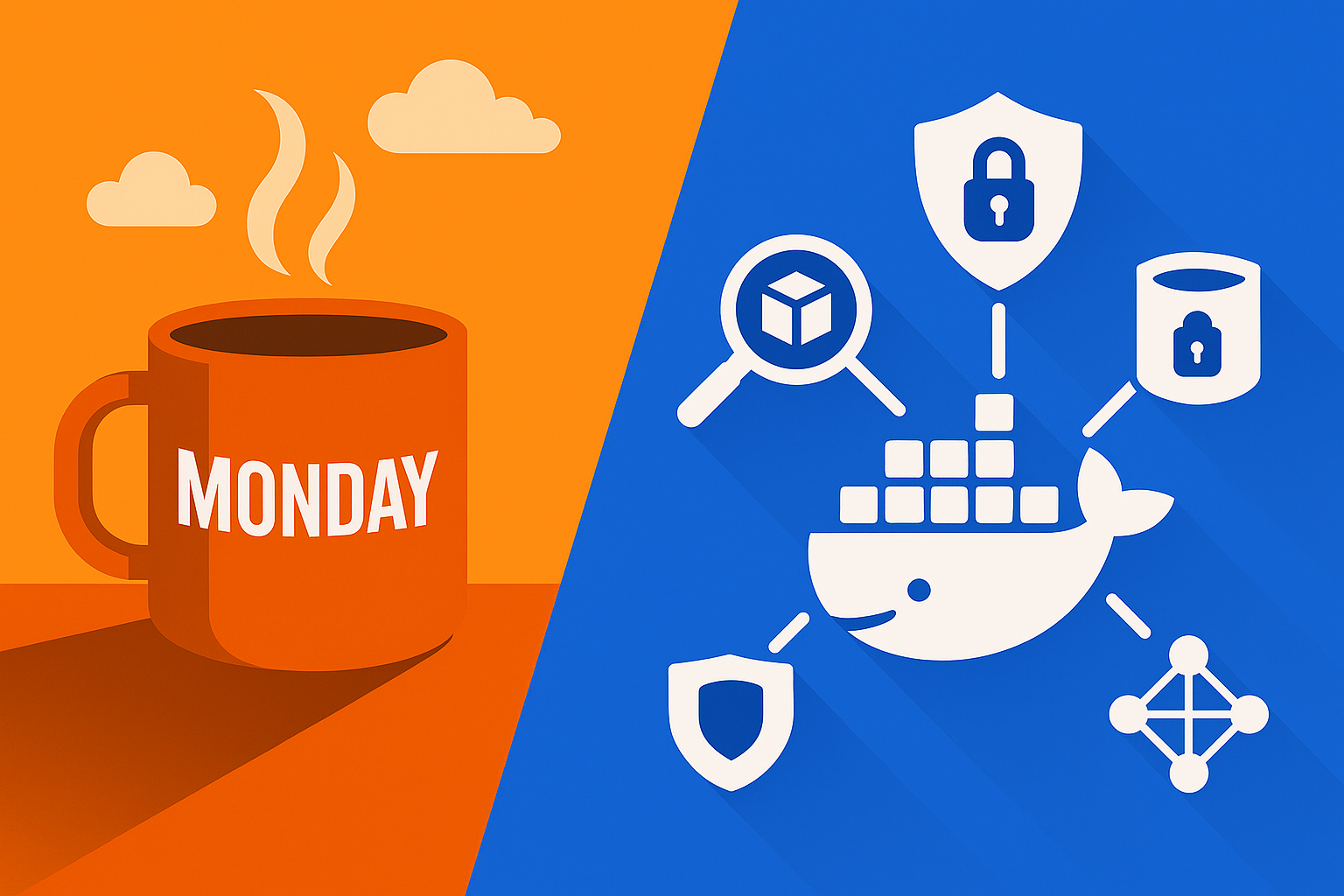
Implement defence-in-depth container security using secure image building, runtime protection, network policies, and continuous scanning. Container security isn’t just about the image – it’s about the entire lifecycle from development to production, with security controls at every layer.
Essential Container Security Practices:
1. Secure Container Image Building
# BAD: Insecure Dockerfile
FROM ubuntu:latest
USER root
RUN apt-get update && apt-get install -y curl wget
COPY . /app
WORKDIR /app
EXPOSE 80
CMD ["python", "app.py"]

# GOOD: Security-hardened Dockerfile
# Use specific, minimal base image
FROM python:3.11-slim@sha256:abc123...

# Create non-root user
RUN groupadd -r appuser && useradd -r -g appuser appuser

# Install only required packages and clean up
RUN apt-get update && \
    apt-get install -y --no-install-recommends \
        curl=7.81.0-1ubuntu1.4 \
    && apt-get clean \
    && rm -rf /var/lib/apt/lists/*

# Copy requirements first for better layer caching
COPY requirements.txt .
RUN pip install --no-cache-dir -r requirements.txt

# Copy application code
COPY --chown=appuser:appuser . /app

# Switch to non-root user
USER appuser
WORKDIR /app

# Use specific port and non-root user
EXPOSE 8080

# Use exec form for proper signal handling
CMD ["python", "-m", "gunicorn", "--bind", "0.0.0.0:8080", "app:app"]

# Add health check
HEALTHCHECK --interval=30s --timeout=3s --start-period=5s --retries=3 \
    CMD curl -f http://localhost:8080/health || exit 1

# Add labels for metadata
LABEL maintainer="devops@company.com" \
      version="1.0.0" \
      description="Secure Python web application"
2. Multi-Stage Build for Minimal Attack Surface
# Multi-stage build to reduce final image size
FROM node:18-alpine AS builder

WORKDIR /app
COPY package*.json ./
RUN npm ci --only=production && npm cache clean --force

# Production stage with minimal runtime
FROM node:18-alpine@sha256:def456...

# Install security updates
RUN apk --no-cache upgrade && \
    apk --no-cache add dumb-init

# Create non-root user
RUN addgroup -g 1001 -S nodejs && \
    adduser -S nextjs -u 1001

# Copy only production dependencies and built app
COPY --from=builder --chown=nextjs:nodejs /app/node_modules ./node_modules
COPY --from=builder --chown=nextjs:nodejs /app/.next ./.next
COPY --chown=nextjs:nodejs ./public ./public

USER nextjs

EXPOSE 3000

# Use dumb-init for proper signal handling
ENTRYPOINT ["dumb-init", "--"]
CMD ["node", "server.js"]
3. Kubernetes Security Policies and RBAC
# Pod Security Standards (replacing Pod Security Policies)
apiVersion: v1
kind: Namespace
metadata:
  name: secure-app
  labels:
    pod-security.kubernetes.io/enforce: restricted
    pod-security.kubernetes.io/audit: restricted
    pod-security.kubernetes.io/warn: restricted

---
# NetworkPolicy for microsegmentation
apiVersion: networking.k8s.io/v1
kind: NetworkPolicy
metadata:
  name: web-app-netpol
  namespace: secure-app
spec:
  podSelector:
    matchLabels:
      app: web-app
  policyTypes:
  - Ingress
  - Egress
  ingress:
  - from:
    - namespaceSelector:
        matchLabels:
          name: ingress-nginx
    - podSelector:
        matchLabels:
          app: load-balancer
    ports:
    - protocol: TCP
      port: 8080
  egress:
  - to:
    - podSelector:
        matchLabels:
          app: database
    ports:
    - protocol: TCP
      port: 5432
  - to: []  # Allow DNS
    ports:
    - protocol: UDP
      port: 53

---
# Secure Pod Security Context
apiVersion: apps/v1
kind: Deployment
metadata:
  name: secure-web-app
  namespace: secure-app
spec:
  replicas: 3
  selector:
    matchLabels:
      app: web-app
  template:
    metadata:
      labels:
        app: web-app
      annotations:
        container.apparmor.security.beta.kubernetes.io/web-app: runtime/default
    spec:
      serviceAccountName: web-app-sa
      securityContext:
        runAsNonRoot: true
        runAsUser: 1001
        runAsGroup: 1001
        fsGroup: 1001
        seccompProfile:
          type: RuntimeDefault
      containers:
      - name: web-app
        image: myregistry.io/web-app:v1.2.3@sha256:abc123...
        securityContext:
          allowPrivilegeEscalation: false
          readOnlyRootFilesystem: true
          runAsNonRoot: true
          runAsUser: 1001
          capabilities:
            drop:
            - ALL
            add:
            - NET_BIND_SERVICE
        ports:
        - containerPort: 8080
          protocol: TCP
        resources:
          requests:
            memory: "256Mi"
            cpu: "250m"
          limits:
            memory: "512Mi"
            cpu: "500m"
        livenessProbe:
          httpGet:
            path: /health
            port: 8080
          initialDelaySeconds: 30
          periodSeconds: 10
        readinessProbe:
          httpGet:
            path: /ready
            port: 8080
          initialDelaySeconds: 5
          periodSeconds: 5
        env:
        - name: DATABASE_URL
          valueFrom:
            secretKeyRef:
              name: db-credentials
              key: connection-string
        volumeMounts:
        - name: tmp-volume
          mountPath: /tmp
        - name: cache-volume
          mountPath: /app/cache
      volumes:
      - name: tmp-volume
        emptyDir: {}
      - name: cache-volume
        emptyDir: {}

---
# RBAC Configuration
apiVersion: v1
kind: ServiceAccount
metadata:
  name: web-app-sa
  namespace: secure-app

---
apiVersion: rbac.authorization.k8s.io/v1
kind: Role
metadata:
  namespace: secure-app
  name: web-app-role
rules:
- apiGroups: [""]
  resources: ["configmaps", "secrets"]
  verbs: ["get", "list"]
- apiGroups: [""]
  resources: ["pods"]
  verbs: ["get", "list"]

---
apiVersion: rbac.authorization.k8s.io/v1
kind: RoleBinding
metadata:
  name: web-app-binding
  namespace: secure-app
subjects:
- kind: ServiceAccount
  name: web-app-sa
  namespace: secure-app
roleRef:
  kind: Role
  name: web-app-role
  apiGroup: rbac.authorization.k8s.io
4. Vulnerability Scanning and Supply Chain Security
# Trivy vulnerability scanner configuration
apiVersion: v1
kind: ConfigMap
metadata:
  name: trivy-config
data:
  trivy.yaml: |
    format: json
    exit-code: 1
    severity: CRITICAL,HIGH
    ignore-unfixed: true
    scanners: vuln,secret,config

---
# Scan job for existing images
apiVersion: batch/v1
kind: Job
metadata:
  name: image-security-scan
spec:
  template:
    spec:
      restartPolicy: Never
      containers:
      - name: trivy-scanner
        image: aquasec/trivy:latest
        command:
        - trivy
        - image
        - --config
        - /config/trivy.yaml
        - --output
        - /results/scan-results.json
        - myregistry.io/web-app:v1.2.3
        volumeMounts:
        - name: config
          mountPath: /config
        - name: results
          mountPath: /results
      volumes:
      - name: config
        configMap:
          name: trivy-config
      - name: results
        emptyDir: {}
#!/bin/bash
# CI/CD pipeline security scanning script

set -e

IMAGE_NAME=$1
IMAGE_TAG=$2
REGISTRY=$3

echo "=== Container Security Pipeline ==="
echo "Scanning image: ${REGISTRY}/${IMAGE_NAME}:${IMAGE_TAG}"

# 1. Scan for vulnerabilities
echo "🔍 Scanning for vulnerabilities..."
trivy image \
    --exit-code 1 \
    --severity CRITICAL,HIGH \
    --ignore-unfixed \
    --format table \
    "${REGISTRY}/${IMAGE_NAME}:${IMAGE_TAG}"

# 2. Scan for secrets
echo "🔐 Scanning for secrets..."
trivy image \
    --scanners secret \
    --exit-code 1 \
    --format table \
    "${REGISTRY}/${IMAGE_NAME}:${IMAGE_TAG}"

# 3. Scan for misconfigurations
echo "⚙️ Scanning for misconfigurations..."
trivy image \
    --scanners config \
    --exit-code 1 \
    --format table \
    "${REGISTRY}/${IMAGE_NAME}:${IMAGE_TAG}"

# 4. Generate SBOM (Software Bill of Materials)
echo "📋 Generating SBOM..."
trivy image \
    --format spdx-json \
    --output "sbom-${IMAGE_NAME}-${IMAGE_TAG}.spdx.json" \
    "${REGISTRY}/${IMAGE_NAME}:${IMAGE_TAG}"

# 5. Sign image with Cosign (if available)
if command -v cosign &> /dev/null; then
    echo "✍️ Signing image..."
    cosign sign "${REGISTRY}/${IMAGE_NAME}:${IMAGE_TAG}"
fi

echo "✅ Security scanning completed successfully"
5. Runtime Security Monitoring
# Falco runtime security monitoring
apiVersion: v1
kind: ConfigMap
metadata:
  name: falco-config
  namespace: falco-system
data:
  falco.yaml: |
    rules_file:
      - /etc/falco/falco_rules.yaml
      - /etc/falco/falco_rules.local.yaml
      - /etc/falco/k8s_audit_rules.yaml

    json_output: true
    json_include_output_property: true

    syscall_event_drops:
      actions:
        - log
        - alert
      rate: 0.03333
      max_burst: 1000

    outputs:
      rate: 1
      max_burst: 1000

    syslog_output:
      enabled: false

    stdout_output:
      enabled: true

    webserver:
      enabled: true
      listen_port: 8765
      k8s_healthz_endpoint: /healthz

  falco_rules.local.yaml: |
    # Custom rules for your environment

    - rule: Detect crypto miners
      desc: Detect cryptocurrency mining activity
      condition: >
        spawned_process and
        (proc.name in (xmrig, ethminer, t-rex, phoenixminer) or
         proc.cmdline contains "stratum+tcp" or
         proc.cmdline contains "mining.pool")
      output: >
        Cryptocurrency mining detected
        (user=%user.name command=%proc.cmdline container=%container.info)
      priority: CRITICAL
      tags: [malware, crypto]

    - rule: Detect shell injection
      desc: Detect shell injection attempts
      condition: >
        spawned_process and
        proc.name in (sh, bash, zsh, fish) and
        (proc.args contains "wget" or
         proc.args contains "curl" or
         proc.args contains "nc" or
         proc.args contains "netcat")
      output: >
        Shell injection attempt detected
        (user=%user.name command=%proc.cmdline container=%container.info)
      priority: HIGH
      tags: [attack, injection]

---
# Falco DaemonSet
apiVersion: apps/v1
kind: DaemonSet
metadata:
  name: falco
  namespace: falco-system
spec:
  selector:
    matchLabels:
      app: falco
  template:
    metadata:
      labels:
        app: falco
    spec:
      serviceAccount: falco
      hostNetwork: true
      hostPID: true
      containers:
      - name: falco
        image: falcosecurity/falco:latest
        securityContext:
          privileged: true
        args:
        - /usr/bin/falco
        - --cri
        - /run/containerd/containerd.sock
        - --k8s-api
        - --k8s-api-cert
        - /var/run/secrets/kubernetes.io/serviceaccount/ca.crt
        - --k8s-api-token
        - /var/run/secrets/kubernetes.io/serviceaccount/token
        volumeMounts:
        - mountPath: /host/var/run/docker.sock
          name: docker-socket
        - mountPath: /host/run/containerd/containerd.sock
          name: containerd-socket
        - mountPath: /host/dev
          name: dev-fs
        - mountPath: /host/proc
          name: proc-fs
          readOnly: true
        - mountPath: /host/boot
          name: boot-fs
          readOnly: true
        - mountPath: /host/lib/modules
          name: lib-modules
          readOnly: true
        - mountPath: /host/usr
          name: usr-fs
          readOnly: true
        - mountPath: /etc/falco
          name: config-volume
      volumes:
      - name: docker-socket
        hostPath:
          path: /var/run/docker.sock
      - name: containerd-socket
        hostPath:
          path: /run/containerd/containerd.sock
      - name: dev-fs
        hostPath:
          path: /dev
      - name: proc-fs
        hostPath:
          path: /proc
      - name: boot-fs
        hostPath:
          path: /boot
      - name: lib-modules
        hostPath:
          path: /lib/modules
      - name: usr-fs
        hostPath:
          path: /usr
      - name: config-volume
        configMap:
          name: falco-config
6. Secrets Management for Containers
# External Secrets Operator configuration
apiVersion: external-secrets.io/v1beta1
kind: SecretStore
metadata:
  name: vault-backend
  namespace: secure-app
spec:
  provider:
    vault:
      server: "https://vault.company.com"
      path: "secret"
      version: "v2"
      auth:
        kubernetes:
          mountPath: "kubernetes"
          role: "secure-app-role"

---
apiVersion: external-secrets.io/v1beta1
kind: ExternalSecret
metadata:
  name: app-secrets
  namespace: secure-app
spec:
  refreshInterval: 15m
  secretStoreRef:
    name: vault-backend
    kind: SecretStore
  target:
    name: app-secrets
    creationPolicy: Owner
  data:
  - secretKey: database-password
    remoteRef:
      key: secure-app/database
      property: password
  - secretKey: api-key
    remoteRef:
      key: secure-app/external-api
      property: key

---
# Alternative: AWS Secrets Manager
apiVersion: external-secrets.io/v1beta1
kind: SecretStore
metadata:
  name: aws-secrets-manager
  namespace: secure-app
spec:
  provider:
    aws:
      service: SecretsManager
      region: eu-west-1
      auth:
        secretRef:
          accessKeyID:
            name: aws-creds
            key: access-key-id
          secretAccessKey:
            name: aws-creds
            key: secret-access-key

---
# Pod using external secrets
apiVersion: apps/v1
kind: Deployment
metadata:
  name: secure-app-with-secrets
spec:
  template:
    spec:
      containers:
      - name: app
        image: myapp:latest
        env:
        - name: DATABASE_PASSWORD
          valueFrom:
            secretKeyRef:
              name: app-secrets
              key: database-password
        - name: API_KEY
          valueFrom:
            secretKeyRef:
              name: app-secrets
              key: api-key
Container Security Automation
7. Admission Controllers for Security Policies
# OPA Gatekeeper constraint template
apiVersion: templates.gatekeeper.sh/v1beta1
kind: ConstraintTemplate
metadata:
  name: k8srequiredsecuritycontext
spec:
  crd:
    spec:
      names:
        kind: K8sRequiredSecurityContext
      validation:
        type: object
        properties:
          runAsNonRoot:
            type: boolean
          readOnlyRootFilesystem:
            type: boolean
          allowPrivilegeEscalation:
            type: boolean
  targets:
    - target: admission.k8s.gatekeeper.sh
      rego: |
        package k8srequiredsecuritycontext

        violation[{"msg": msg}] {
            container := input.review.object.spec.containers[_]
            not container.securityContext.runAsNonRoot
            msg := "Container must run as non-root user"
        }

        violation[{"msg": msg}] {
            container := input.review.object.spec.containers[_]
            not container.securityContext.readOnlyRootFilesystem
            msg := "Container must use read-only root filesystem"
        }

        violation[{"msg": msg}] {
            container := input.review.object.spec.containers[_]
            container.securityContext.allowPrivilegeEscalation
            msg := "Container must not allow privilege escalation"
        }

---
# Apply the constraint
apiVersion: constraints.gatekeeper.sh/v1beta1
kind: K8sRequiredSecurityContext
metadata:
  name: must-have-security-context
spec:
  match:
    kinds:
      - apiGroups: ["apps"]
        kinds: ["Deployment"]
    namespaces: ["secure-app", "production"]
  parameters:
    runAsNonRoot: true
    readOnlyRootFilesystem: true
    allowPrivilegeEscalation: false
8. Image Policy and Registry Security
#!/bin/bash
# Registry security and image policy script

# Configure registry webhook for image validation
kubectl apply -f - <<EOF
apiVersion: admissionregistration.k8s.io/v1
kind: ValidatingAdmissionWebhook
metadata:
  name: image-policy-webhook
webhooks:
- name: image-policy.company.com
  clientConfig:
    service:
      name: image-policy-service
      namespace: kube-system
      path: "/validate"
  rules:
  - operations: ["CREATE", "UPDATE"]
    apiGroups: [""]
    apiVersions: ["v1"]
    resources: ["pods"]
  - operations: ["CREATE", "UPDATE"]
    apiGroups: ["apps"]
    apiVersions: ["v1"]
    resources: ["deployments", "replicasets", "daemonsets", "statefulsets"]
  admissionReviewVersions: ["v1", "v1beta1"]
  sideEffects: None
  failurePolicy: Fail
EOF

# Image signing verification with Cosign
echo "=== Image Signature Verification ==="

# Create policy for signed images only
kubectl apply -f - <<EOF
apiVersion: v1
kind: ConfigMap
metadata:
  name: cosign-policy
  namespace: cosign-system
data:
  policy.yaml: |
    apiVersion: v1
    kind: Policy
    metadata:
      name: signed-images-only
    spec:
      images:
      - glob: "myregistry.io/*"
      authorities:
      - keyless:
          url: https://fulcio.sigstore.dev
          identities:
          - issuer: https://github.com/login/oauth
            subject: https://github.com/myorg/myrepo/.github/workflows/build.yml@refs/heads/main
EOF

echo "✅ Image policy and signing verification configured"
Cloud-Specific Security Features
9. AWS EKS Security Best Practices
#!/bin/bash
# AWS EKS security hardening script

CLUSTER_NAME="production-cluster"
REGION="eu-west-1"

echo "=== EKS Security Hardening ==="

# Enable EKS audit logging
aws eks update-cluster-config \
    --region $REGION \
    --name $CLUSTER_NAME \
    --logging '{"enable":["api","audit","authenticator","controllerManager","scheduler"]}'

# Enable envelope encryption
aws eks update-cluster-config \
    --region $REGION \
    --name $CLUSTER_NAME \
    --encryption-config '[{"resources":["secrets"],"provider":{"keyArn":"arn:aws:kms:eu-west-1:123456789012:key/12345678-1234-1234-1234-123456789012"}}]'

# Configure IRSA (IAM Roles for Service Accounts)
eksctl create iamserviceaccount \
    --cluster=$CLUSTER_NAME \
    --namespace=secure-app \
    --name=web-app-sa \
    --attach-policy-arn=arn:aws:iam::aws:policy/AmazonS3ReadOnlyAccess \
    --approve

# Install AWS Load Balancer Controller with proper RBAC
eksctl create iamserviceaccount \
    --cluster=$CLUSTER_NAME \
    --namespace=kube-system \
    --name=aws-load-balancer-controller \
    --attach-policy-arn=arn:aws:iam::123456789012:policy/AWSLoadBalancerControllerIAMPolicy \
    --approve

echo "✅ EKS security configuration completed"
10. Azure AKS Security Configuration
#!/bin/bash
# Azure AKS security hardening script

CLUSTER_NAME="production-cluster"
RESOURCE_GROUP="rg-production"

echo "=== AKS Security Hardening ==="

# Enable Azure Policy for AKS
az aks enable-addons \
    --resource-group $RESOURCE_GROUP \
    --name $CLUSTER_NAME \
    --addons azure-policy

# Enable Azure Key Vault integration
az aks enable-addons \
    --resource-group $RESOURCE_GROUP \
    --name $CLUSTER_NAME \
    --addons azure-keyvault-secrets-provider

# Configure managed identity
az aks update \
    --resource-group $RESOURCE_GROUP \
    --name $CLUSTER_NAME \
    --enable-managed-identity

# Enable Azure Defender for Kubernetes
az security auto-provisioning-setting update \
    --name "default" \
    --auto-provision "On"

echo "✅ AKS security configuration completed"
Why It Matters
- Attack Surface Reduction: Secure containers reduce the blast radius of potential breaches
- Compliance: Many regulations now specifically address container security requirements
- Supply Chain Protection: Scanning and signing protect against compromised dependencies
- Runtime Protection: Continuous monitoring detects attacks that bypass static defenses
- DevSecOps Integration: Security automation prevents vulnerabilities from reaching production
Try This Week
- Scan your images – Run Trivy against your most critical container images
- Implement one security policy – Add a network policy or pod security standard
- Audit running containers – Check which containers are running as root
- Set up secrets management – Move one hardcoded secret to a proper secret store
Quick Container Security Assessment
#!/bin/bash
# Container security assessment script

echo "=== Container Security Assessment ==="
echo

# Check for containers running as root
echo "🔍 Checking for containers running as root..."
kubectl get pods --all-namespaces -o jsonpath='{range .items[*]}{.metadata.namespace}{"\t"}{.metadata.name}{"\t"}{.spec.securityContext.runAsUser}{"\n"}{end}' | \
grep -E "\t0$|\t$" | head -10

echo
echo "🔐 Checking for containers without security context..."
kubectl get deployments --all-namespaces -o jsonpath='{range .items[*]}{.metadata.namespace}{"\t"}{.metadata.name}{"\t"}{.spec.template.spec.securityContext}{"\n"}{end}' | \
grep -E "\t$|\tnull$" | head -10

echo
echo "🌐 Checking for pods without network policies..."
kubectl get namespaces -o jsonpath='{range .items[*]}{.metadata.name}{"\n"}{end}' | \
while read ns; do
    netpol_count=$(kubectl get networkpolicies -n $ns --no-headers 2>/dev/null | wc -l)
    if [ $netpol_count -eq 0 ]; then
        echo "  $ns: No network policies"
    fi
done

echo
echo "📊 Image vulnerability summary:"
if command -v trivy &> /dev/null; then
    kubectl get pods --all-namespaces -o jsonpath='{range .items[*]}{.spec.containers[*].image}{"\n"}{end}' | \
    sort -u | head -5 | \
    while read image; do
        echo "Scanning $image..."
        trivy image --quiet --format table --severity HIGH,CRITICAL $image 2>/dev/null | tail -n +2 | head -5
    done
else
    echo "Install Trivy to scan images: https://aquasecurity.github.io/trivy/latest/getting-started/installation/"
fi

echo
echo "🎯 Security improvement recommendations:"
echo "1. Configure all containers to run as non-root users"
echo "2. Implement pod security standards (restricted profile)"
echo "3. Add network policies for microsegmentation"
echo "4. Set up vulnerability scanning in CI/CD pipeline"
echo "5. Use read-only root filesystems where possible"
echo "6. Implement runtime security monitoring with Falco"
echo "7. Store secrets in external secret management systems"
echo "8. Enable admission controllers for policy enforcement"
Common Container Security Mistakes
- Running as root: Using UID 0 unnecessarily increases attack surface
- No network policies: Allowing unrestricted pod-to-pod communication
- Hardcoded secrets: Storing sensitive data in environment variables or images
- Outdated base images: Using old images with known vulnerabilities
- Privileged containers: Granting unnecessary elevated permissions
- No runtime monitoring: Missing detection of malicious activity in running containers
Advanced Security Patterns
- Zero-trust networking: Default deny with explicit allow policies
- Image signing and verification: Cryptographic proof of image integrity
- Supply chain security: SBOM generation and dependency tracking
- Behavioral monitoring: ML-based detection of anomalous container activity
- Policy as code: Version-controlled security policies with GitOps
Pro Tip: Start with the basics – non-root users, security contexts, and network policies will eliminate 80% of common container security issues. You can add more sophisticated controls like image signing and runtime monitoring once you have the fundamentals in place.