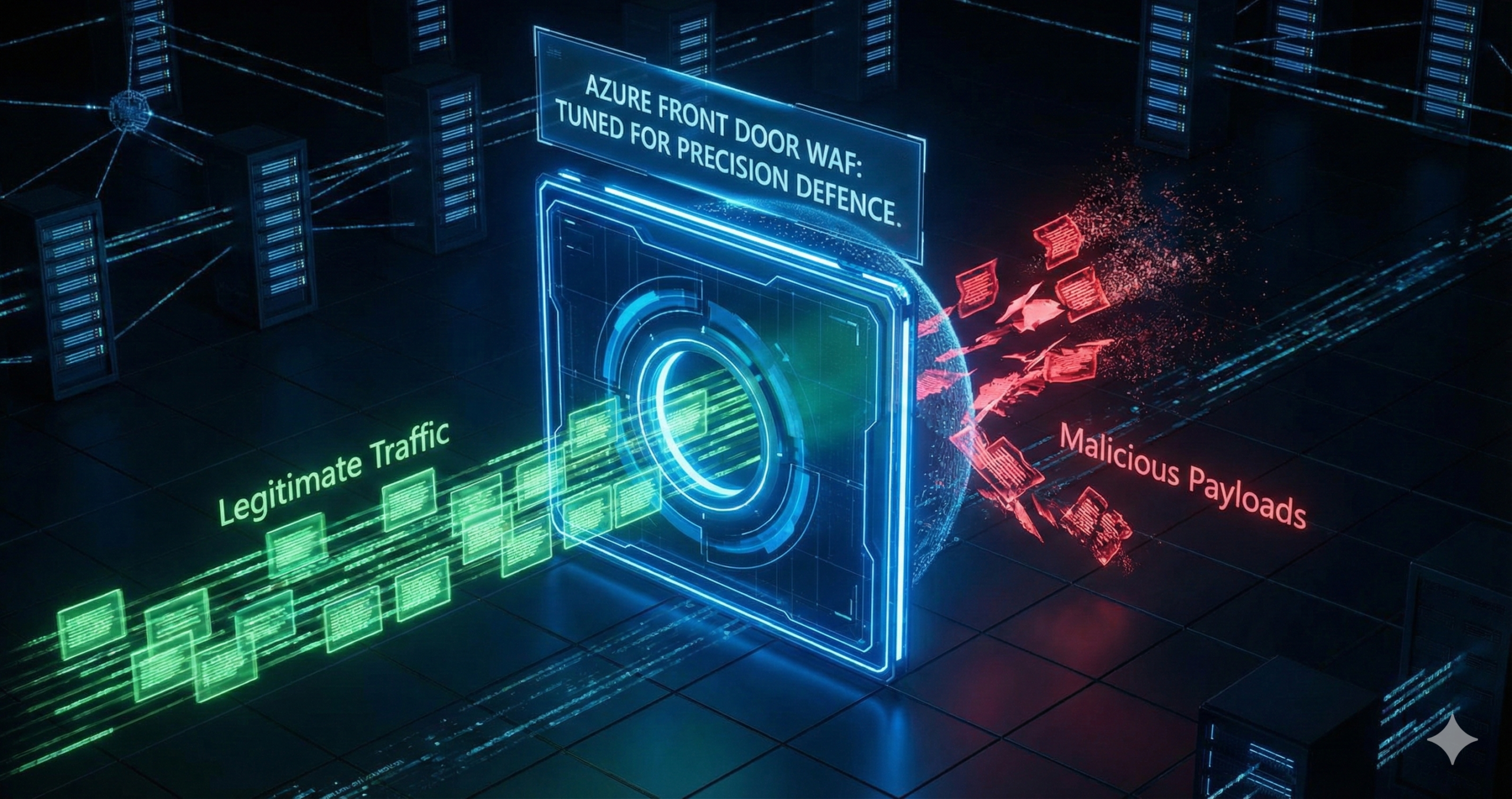
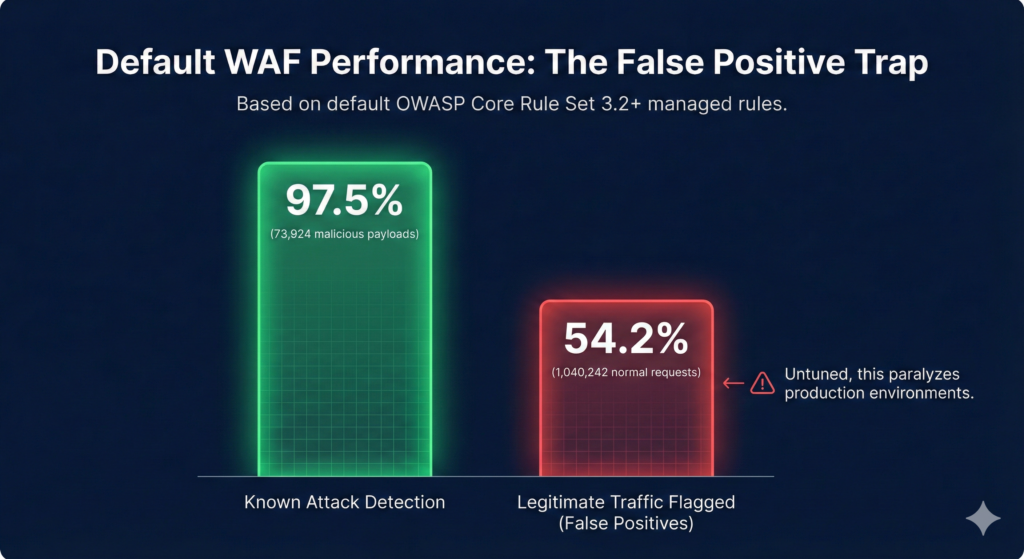
Azure Front Door’s Premium WAF blocks 97.5% of known attack payloads out of the box, but ships with a 54% false positive rate that will paralyse your production environment if deployed without tuning. That single statistic captures why most enterprises enable WAF, see legitimate traffic blocked, panic, and switch back to Detection mode permanently. The solution isn’t abandoning managed rules, it’s systematic tuning combined with automated threat response that transforms WAF from a checkbox feature into genuine defence.
The false positive trap
Default OWASP Core Rule Set 3.2+ managed rules achieve extraordinary coverage across SQL injection, XSS, remote code execution, and protocol attacks. Independent testing using 73,924 malicious payloads confirmed 97.5% detection. The problem emerges with legitimate traffic: those same rules flagged 54.2% of 1,040,242 normal requests as malicious. Authentication tokens trigger SQL injection rules, API parameters match XSS patterns, and legitimate user-generated content trips remote code execution detection.
Research from security domain experts estimates untuned WAF effectiveness at just 25%, rising to 80% with proper configuration, a 3.2× improvement. Microsoft’s own case studies reveal the operational reality: one enterprise processing approximately 10,000 WAF blocks monthly found 1% were false positives requiring manual review, described as “exhausting, time-consuming, and non-sustainable” without automation.
The standard enterprise response is running WAF permanently in Detection mode “until we have time to tune it”, a posture that delivers zero protection while burning £260+ monthly on the Premium tier base fee. Our Azure Cybersecurity Best Practices for 2025 guide emphasises that security controls earn value only when actively enforcing policy, and WAF exemplifies this principle.
Production-ready WAF configuration
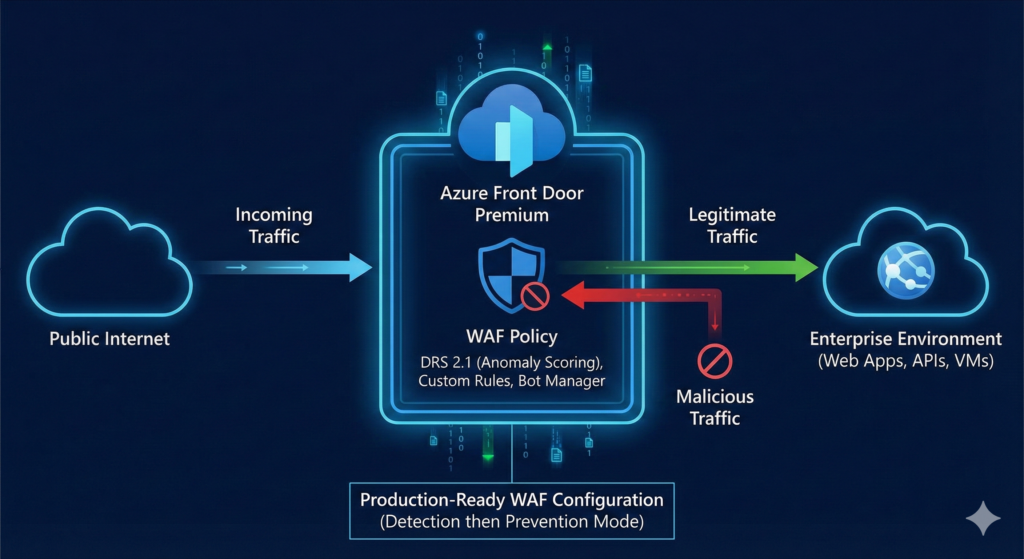
Deploy this ARM template to establish baseline protection with custom IP blocking, geo-filtering, API rate limiting, and managed rules. The configuration targets DRS 2.1 with anomaly scoring, which dramatically reduces false positives compared to legacy immediate-block rulesets.
{
  "$schema": "https://schema.management.azure.com/schemas/2019-04-01/deploymentTemplate.json#",
  "contentVersion": "1.0.0.0",
  "resources": [{
    "type": "Microsoft.Network/FrontDoorWebApplicationFirewallPolicies",
    "apiVersion": "2024-02-01",
    "name": "enterpriseWafPolicy",
    "location": "global",
    "sku": { "name": "Premium_AzureFrontDoor" },
    "properties": {
      "policySettings": {
        "enabledState": "Enabled",
        "mode": "Detection",
        "requestBodyCheck": "Enabled",
        "customBlockResponseStatusCode": 403
      },
      "customRules": { "rules": [
        {
          "name": "BlockKnownMaliciousIPs",
          "priority": 1,
          "enabledState": "Enabled",
          "ruleType": "MatchRule",
          "action": "Block",
          "matchConditions": [{
            "matchVariable": "RemoteAddr",
            "operator": "IPMatch",
            "matchValue": ["198.51.100.0/24", "203.0.113.0/24"]
          }]
        },
        {
          "name": "RateLimitLoginEndpoint",
          "priority": 2,
          "enabledState": "Enabled",
          "ruleType": "RateLimitRule",
          "rateLimitDurationInMinutes": 5,
          "rateLimitThreshold": 50,
          "action": "Block",
          "matchConditions": [
            { "matchVariable": "RequestUri", "operator": "BeginsWith",
              "matchValue": ["/api/auth/login"] },
            { "matchVariable": "RequestMethod", "operator": "Equal",
              "matchValue": ["POST"] }
          ]
        },
        {
          "name": "BlockAutomatedScanners",
          "priority": 3,
          "enabledState": "Enabled",
          "ruleType": "MatchRule",
          "action": "Block",
          "matchConditions": [{
            "matchVariable": "RequestHeader",
            "selector": "User-Agent",
            "operator": "Contains",
            "matchValue": ["sqlmap", "nikto", "nmap", "dirbuster"],
            "transforms": ["Lowercase"]
          }]
        }
      ]},
      "managedRules": { "managedRuleSets": [
        { "ruleSetType": "Microsoft_DefaultRuleSet",
          "ruleSetVersion": "2.1", "ruleSetAction": "Block" },
        { "ruleSetType": "Microsoft_BotManagerRuleSet",
          "ruleSetVersion": "1.0", "ruleSetAction": "Block" }
      ]}
    }
  }]
}
Note the "mode": "Detection" setting. Start here for production deployments. Deploy via Azure CLI:
az deployment group create \
  --resource-group myResourceGroup \
  --template-file waf-policy.json

az network front-door waf-policy update \
  --name enterpriseWafPolicy \
  --resource-group myResourceGroup \
  --mode Prevention
Switch to Prevention mode only after tuning, which we address next.
Essential monitoring and tuning workflow
WAF logging is not enabled by default, a critical oversight. Configure diagnostic settings to send FrontDoorWebApplicationFirewallLog to Log Analytics immediately:
az monitor diagnostic-settings create \
  --name wafDiagnostics \
  --resource $(az network front-door show -n myFrontDoor -g myResourceGroup --query id -o tsv) \
  --logs '[{"category":"FrontDoorWebApplicationFirewallLog","enabled":true}]' \
  --workspace $(az monitor log-analytics workspace show -n myWorkspace -g myResourceGroup --query id -o tsv)
Run this KQL query weekly to identify tuning candidates:
AzureDiagnostics
| where Category == "FrontDoorWebApplicationFirewallLog"
  and TimeGenerated > ago(7d)
| summarize TriggerCount = count() by ruleName_s, action_s
| where action_s == "Block"
| top 10 by TriggerCount
The most common false positive is rule 942440 (SQL injection detection) triggering on Microsoft Entra ID authentication tokens. Create an exclusion:
az network front-door waf-policy managed-rules exclusion add \
  --policy-name enterpriseWafPolicy \
  --resource-group myResourceGroup \
  --type Microsoft_DefaultRuleSet --version 2.1 \
  --match-variable RequestCookieNames \
  --selector-match-operator StartsWith \
  --selector "auth"
For traffic patterns that consistently trigger false positives, deploy custom Allow rules at priority 1 rather than disabling managed rules entirely. This preserves protection while accommodating legitimate traffic.
Automated threat response with Sentinel
The transformation from passive filtering to active defence comes through Microsoft Sentinel integration. Deploy the Azure WAF connector and the pre-built Block-IPAzureWAF playbook from Microsoft’s Azure Network Security GitHub repository. When analytic rules detect SQL injection, XSS, or scanner-based attacks, the automation rule invokes the playbook, which uses the Azure REST API to add the attacker’s IP to your WAF policy’s custom block rule, creating closed-loop, automated response without human intervention.
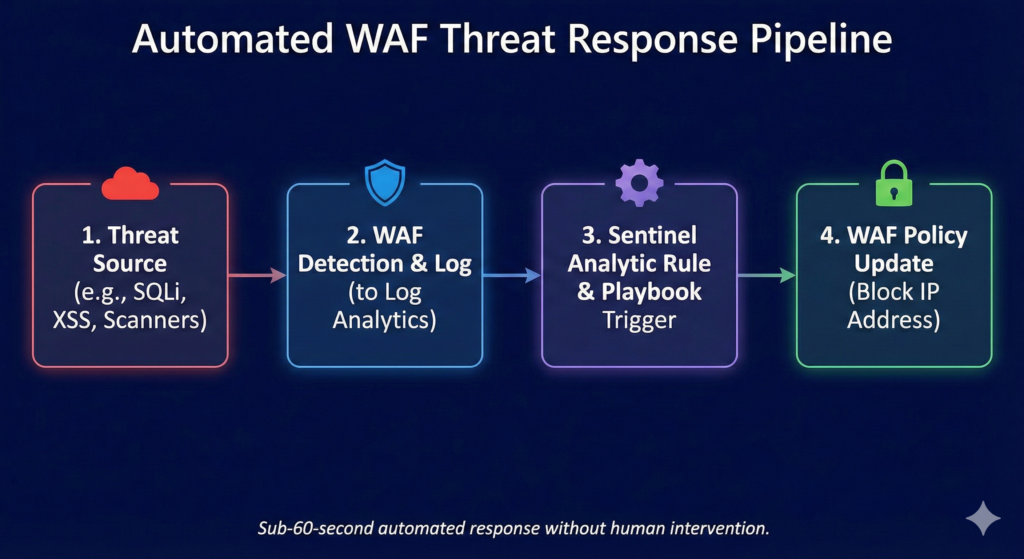
The playbook requires a Managed Identity with Contributor permissions on your Front Door and WAF resources. Setup time: approximately 20 minutes. Operational impact: converting manual IP blocking (typically 15-30 minutes per incident) to sub-60-second automated response.
Cost analysis and ROI
Azure Front Door Premium costs £260 monthly base fee (£3,120 annually) plus usage. A typical 50-million-request-per-month enterprise deployment runs approximately £1,180 monthly all-in, as detailed in our FinOps Evolution strategic guide. WAF policies, rules, and managed rulesets incur zero additional charges on Premium tier.
Compare this against DDoS attack costs: the average enterprise incident runs between £184,000 and £865,000, whilst downtime costs reach £236,000+ per hour for 90% of mid-size and large organisations. DDoS attacks surged 358% year-over-year in Q1 2025, with application-layer HTTP attacks – precisely what WAF defends against, growing 129%. A single prevented incident justifies over three years of protection.
For organisations requiring additional origin protection, Azure DDoS Network Protection adds £2,317 monthly for up to 100 public IPs, bringing full-stack defence (Front Door Premium plus DDoS Network) to approximately £42,000 annually.
Enterprise considerations
Codify WAF policies as Infrastructure as Code from day one, this is non-negotiable because upgrading DRS versions via Azure Portal resets all customisations to defaults. Only ARM, Bicep, CLI, or REST API deployments preserve rule states, actions, and exclusions during updates.
Deploy in Detection mode for minimum two weeks on production traffic before switching to Prevention. WAF policies associate with specific domains and routes, enabling gradual rollout rather than big-bang deployment. Maintain emergency bypass procedures: switching back to Detection mode stops blocking immediately whilst preserving logging, and custom Allow rules at priority 1 bypass specific traffic patterns without touching managed rule configuration.
The Sentinel automated response pipeline deserves special emphasis. It transforms WAF from a static rule engine into an adaptive defence system that learns from attacks and blocks future attempts from the same sources automatically. Setup requires dedicated effort, but operational ROI appears within the first month through eliminated manual IP blocking workflows.
Key takeaways
Azure Front Door WAF delivers 97.5% attack detection when properly configured, but the 54% default false positive rate makes systematic tuning the actual deployment work, not an afterthought. Start with Detection mode, run the monitoring KQL queries weekly, create targeted exclusions for legitimate patterns, and switch to Prevention domain-by-domain. Deploy the Sentinel automated response playbook to eliminate manual IP blocking. At £1,180 monthly for typical enterprise deployments versus £236,000+ hourly downtime costs, a single prevented incident justifies years of investment. The critical operational insight: WAF effectiveness rises from 25% to 80% through tuning – treat configuration as continuous refinement rather than one-time setup.
Useful Links
Block-IPAzureWAF Playbook – GitHub Template – Official Microsoft playbook template with Deploy to Azure button. Creates Logic App for automated IP blocking via Sentinel incidents.
Automated Detection and Response with Sentinel – Step-by-step deployment guide for integrating Azure WAF with Microsoft Sentinel, including playbook configuration and automation rules.
Automated Response Setup Guide – Tech Community – Detailed walkthrough with screenshots covering Sentinel workspace setup, analytic rules, and playbook deployment.
Azure WAF Best Practices – Microsoft’s official guidance on Detection vs Prevention mode, tuning strategies, and exclusion list configuration.
WAF Tuning Guide – Technical documentation on reducing false positives, configuring rule exclusions, and staged rollout strategies.
DRS Rule Groups and Rules Reference – Complete reference for Default Rule Set 2.1/2.2 including rule group descriptions, anomaly scoring, and OWASP CRS mapping.
WAF Monitoring and Logging – Diagnostic settings configuration, Log Analytics workspace integration, and available log schemas for FrontDoorWebApplicationFirewallLog.
Custom Rule Configuration – Match conditions, operators, rate limiting configuration, and priority ordering for custom WAF rules.
Rate Limiting Configuration – Detailed guidance on fixed-window rate limiting with 1-minute and 5-minute windows, groupBy parameters, and per-socket-IP counting.