In today’s hybrid cloud landscape, security isn’t merely a checkbox—it’s a continuous journey requiring vigilance, expertise, and strategic implementation. As organisations increasingly migrate critical workloads to Azure, establishing robust security practices becomes paramount to protecting sensitive data and maintaining business continuity.
This comprehensive guide explores essential Azure cybersecurity best practices that modern enterprises should implement to strengthen their cloud security posture and mitigate evolving threats.
Identity and Access Management: Your First Line of Defence
The foundation of any effective Azure security strategy begins with identity management. Properly implemented identity controls ensure the right users have appropriate access to the right resources under the correct conditions.
Implementing Azure AD Privileged Identity Management (PIM)
PIM provides time-based and approval-based role activation to mitigate the risks of excessive, unnecessary, or misused access permissions. By implementing just-in-time privileged access, organisations can:
- Minimise the number of users with permanent privileged access
- Enable on-demand elevation of privileges with proper approval workflows
- Enforce multi-factor authentication for role activation
- Maintain comprehensive audit logs of privileged activities
This approach significantly reduces the attack surface by limiting standing access rights that could be exploited if credentials are compromised.
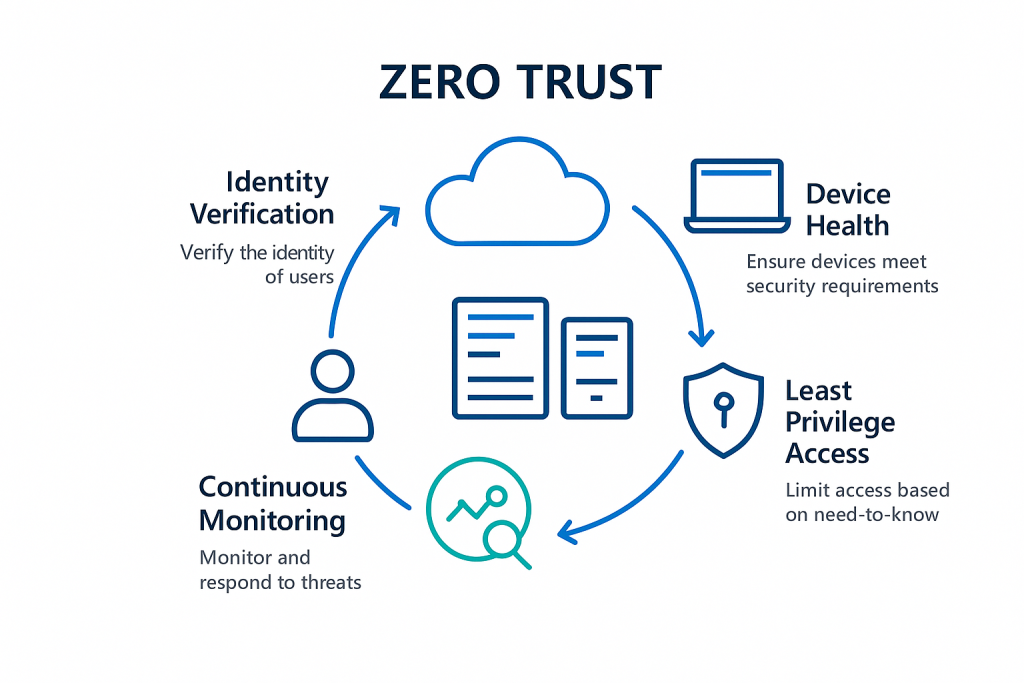
Embrace Zero Trust with Conditional Access
The traditional network perimeter has dissolved in our hybrid working environments. Conditional Access policies provide the controls needed to ensure access decisions consider not just user identity, but also:
- Device health and compliance status
- Network location and risk signals
- Application sensitivity
- Real-time risk detection
Configure policies to block high-risk sign-in attempts automatically or require additional verification through step-up authentication when suspicious activity is detected.
Network Security: Creating Defensive Depth
Proper network architecture serves as a critical security layer in your Azure environment. Implementing these network security best practices creates multiple defensive barriers against potential threats.
Virtual Network Segmentation and NSGs
Network segmentation isn’t merely about organisation—it’s about containment. Properly designed virtual networks with well-configured Network Security Groups (NSGs) limit lateral movement in case of compromise:
- Segment networks based on workload types and sensitivity levels
- Implement NSGs at both subnet and network interface levels for layered security
- Follow the principle of least privilege for all network communication paths
- Regularly audit and validate NSG rule configurations
Azure Firewall and Web Application Firewall (WAF)
For organisations requiring enhanced protection beyond NSGs, Azure Firewall provides advanced network-level protection, while Azure WAF specifically defends web applications from common exploits:
- Deploy Azure Firewall in hub-and-spoke network architectures to centralise network security
- Enable threat intelligence-based filtering to block known malicious IPs
- Implement WAF policies to protect web applications from OWASP Top 10 vulnerabilities
- Configure custom rules to address application-specific security requirements
Data Protection: Securing Your Most Valuable Assets
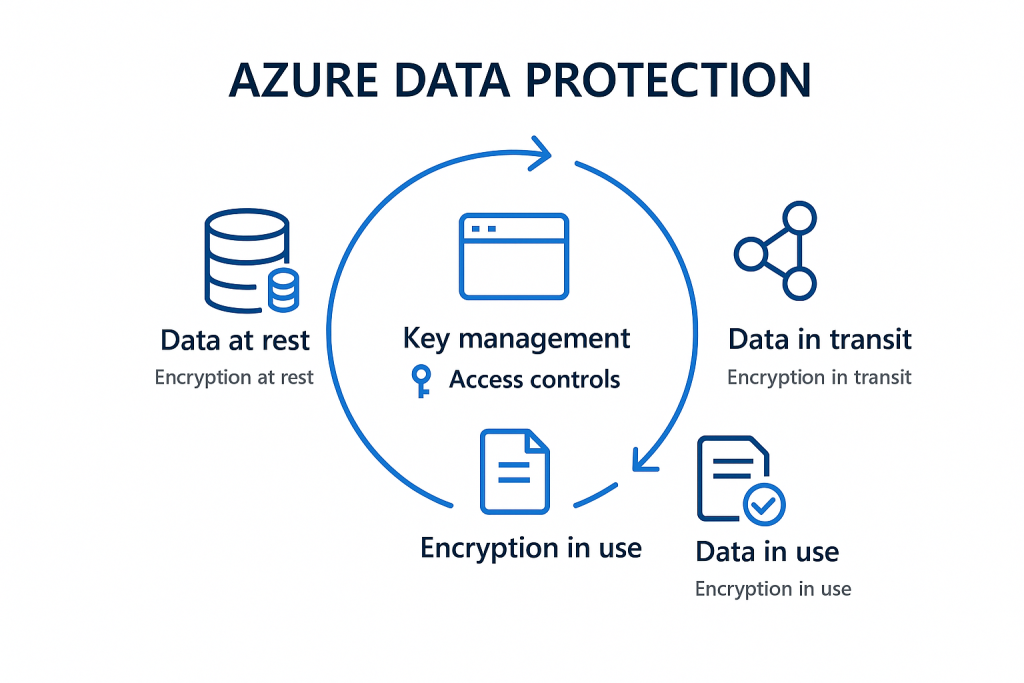
Cloud data protection requires a multi-faceted approach spanning encryption, access controls, and data lifecycle management.
Encryption Throughout the Data Lifecycle
Azure provides multiple encryption mechanisms to protect data at rest, in transit, and increasingly, in use:
- Enable storage service encryption for all storage accounts
- Implement Azure Disk Encryption for virtual machine disks
- Utilise client-side encryption for sensitive data before upload
- Deploy Always Encrypted for sensitive database columns
- Consider Azure Confidential Computing for data-in-use protection of highly sensitive workloads
Implementing Azure Information Protection
Organisations handling sensitive information should leverage Azure Information Protection to classify, label, and protect documents and emails:
- Define clear classification policies aligned with data sensitivity
- Implement automatic labelling based on content identification
- Configure protection settings (encryption, permissions) by classification level
- Monitor usage patterns and protection status through centralised reporting
Security Monitoring and Governance
Even with robust preventative controls, continuous monitoring remains essential for detecting and responding to security incidents quickly.
Maximising Azure Security Center and Microsoft Defender for Cloud
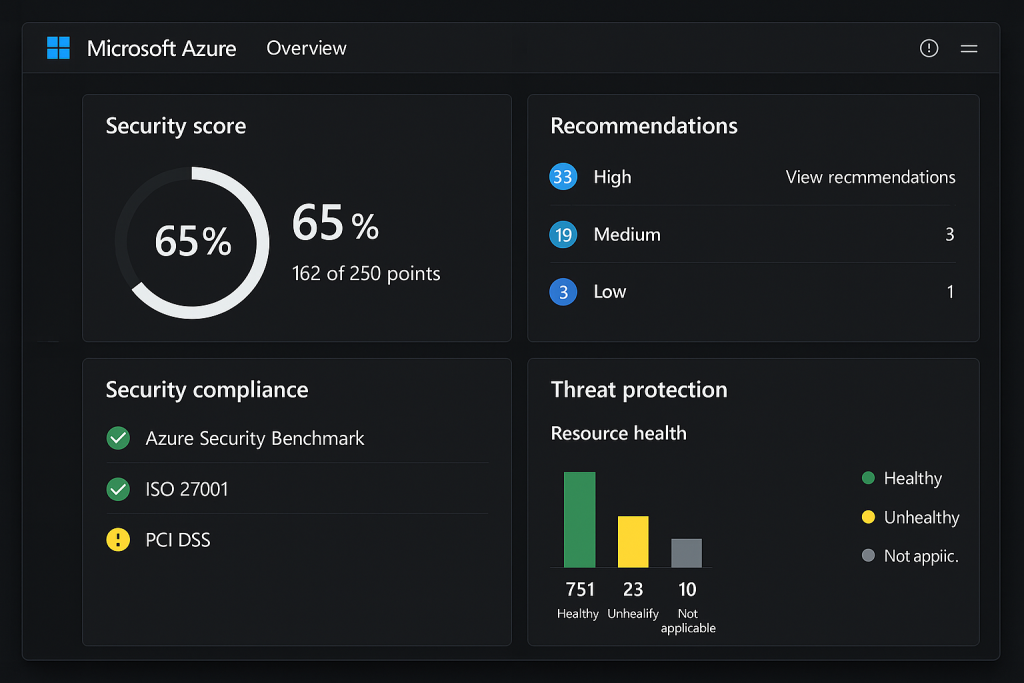
Azure Security Center (now part of Microsoft Defender for Cloud) serves as the cornerstone for security monitoring and compliance:
- Enable enhanced security features across all subscriptions
- Implement automated provisioning of the Log Analytics agent
- Regularly review and remediate security recommendations
- Establish and track secure score improvement goals
- Configure security alerts and integrate with existing SIEM solutions
Implementing Cost-Effective Log Management
Effective security monitoring requires comprehensive logging, but costs must be managed:
- Define clear log retention policies based on compliance requirements
- Implement multi-tiered storage solutions for logs (hot/warm/cold)
- Configure diagnostic settings to capture relevant logs without unnecessary data
- Use Log Analytics workspaces strategically to optimise query performance and costs
- Leverage Azure Monitor Workbooks for security insights visualisation
Infrastructure Security and Compliance
Securing infrastructure components requires a combination of proper configuration, regular updates, and continuous validation against compliance requirements.
Secure VM Management
Virtual machines often present significant attack surfaces if not properly secured:
- Implement just-in-time VM access to reduce exposure of management ports
- Deploy Azure Bastion for secure RDP and SSH access without public IP addresses
- Enable Azure Update Management for centralised patch management
- Utilise Azure Security Center’s vulnerability assessment for VMs
- Consider Azure Arc for consistent security across hybrid environments
Compliance and Governance Automation
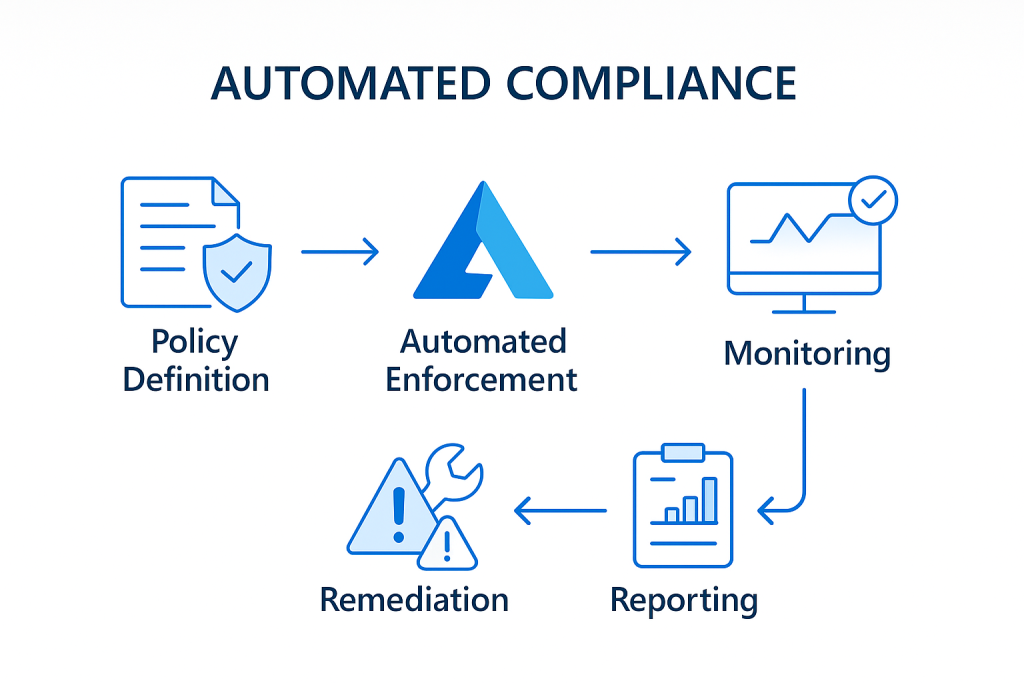
Maintaining compliance in dynamic cloud environments requires automation:
- Leverage Azure Policy for automated compliance enforcement
- Implement Azure Blueprints for compliant environment provisioning
- Configure resource locks to prevent accidental changes to critical resources
- Use Azure Security Center’s regulatory compliance dashboard for continuous assessment
- Automate compliance documentation generation to reduce audit overhead
DevSecOps Integration
Modern cloud security must shift left and integrate with development practices to be effective.
Secure CI/CD Pipeline Implementation
Security must be embedded throughout the development lifecycle:
- Implement automated security scanning in build pipelines
- Configure infrastructure-as-code security validation
- Establish security gates before production deployment
- Implement automated secret scanning and management
- Leverage Azure DevOps security features and integrations
Container Security Best Practices
For organisations adopting containerised workloads:
- Regularly scan container images for vulnerabilities
- Implement pod security policies in AKS
- Utilise managed identities for container authentication
- Implement network policies for granular pod-to-pod communication control
- Consider Azure Container Registry with content trust for verified images
Practical Implementation Roadmap
Implementing comprehensive Azure security can seem overwhelming. Consider this phased approach:
- Assessment Phase (2-4 weeks)
- Inventory existing Azure resources
- Evaluate current security posture
- Identify compliance requirements
- Define security priorities based on risk
- Foundation Phase (4-8 weeks)
- Implement core identity controls
- Configure basic network security
- Enable Security Center
- Establish logging framework
- Enhancement Phase (8-12 weeks)
- Deploy advanced security solutions
- Implement automation and monitoring
- Conduct security testing
- Develop incident response procedures
- Optimisation Phase (Ongoing)
- Continuous improvement based on threats
- Regular security assessments
- Refinement of automation
- Expansion to new Azure services
Conclusion: Security as a Journey
Azure security isn’t a destination but a continuous journey requiring adaptation to evolving threats and changing business requirements. The practices outlined in this guide provide a foundation, but effective security requires constant vigilance, regular assessment, and a commitment to ongoing improvement.
By implementing these proven practices, organisations can significantly enhance their Azure security posture while enabling the agility and innovation that drive business value in the cloud.
Remember that security is ultimately about risk management—understanding your unique threat landscape, applying appropriate controls, and continuously validating effectiveness. The goal isn’t perfect security (which doesn’t exist) but rather security appropriate to your business needs and risk tolerance.