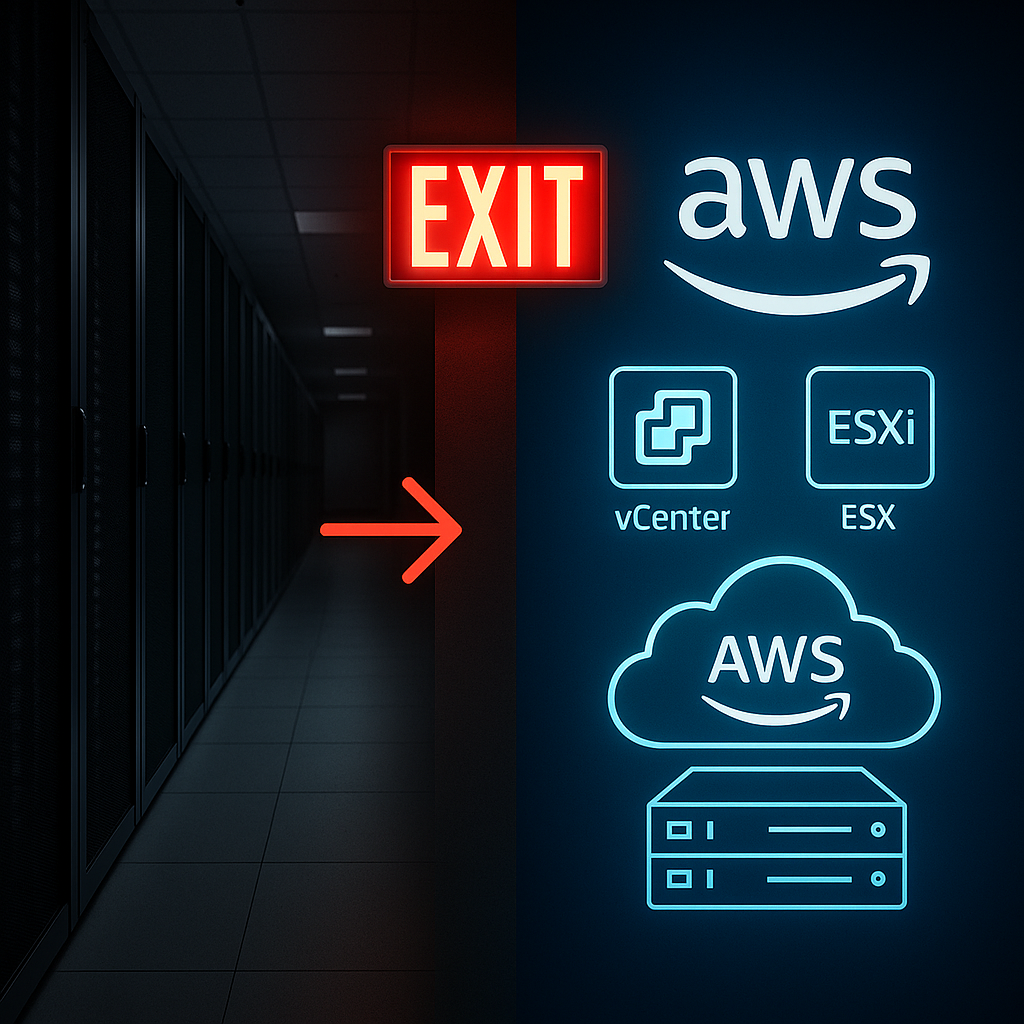
The enterprise technology landscape shifted dramatically when Broadcom acquired VMware, leaving many organisations questioning their hybrid cloud strategies. Enter AWS Elastic VMware Service (EVS) – Amazon’s answer to the growing demand for VMware alternatives that don’t force companies to abandon their existing expertise and investments overnight.
EVS isn’t just another cloud service; it’s a strategic bridge that lets you run VMware Cloud Foundation directly within your own AWS VPC whilst maintaining complete administrative control. Think of it as having your cake and eating it too – you get the operational familiarity of VMware with the innovation potential of AWS’s 200+ services.
But here’s the crucial question: when does EVS make sense for your organisation, and how do you implement it successfully?
What Makes EVS Different From Everything Else
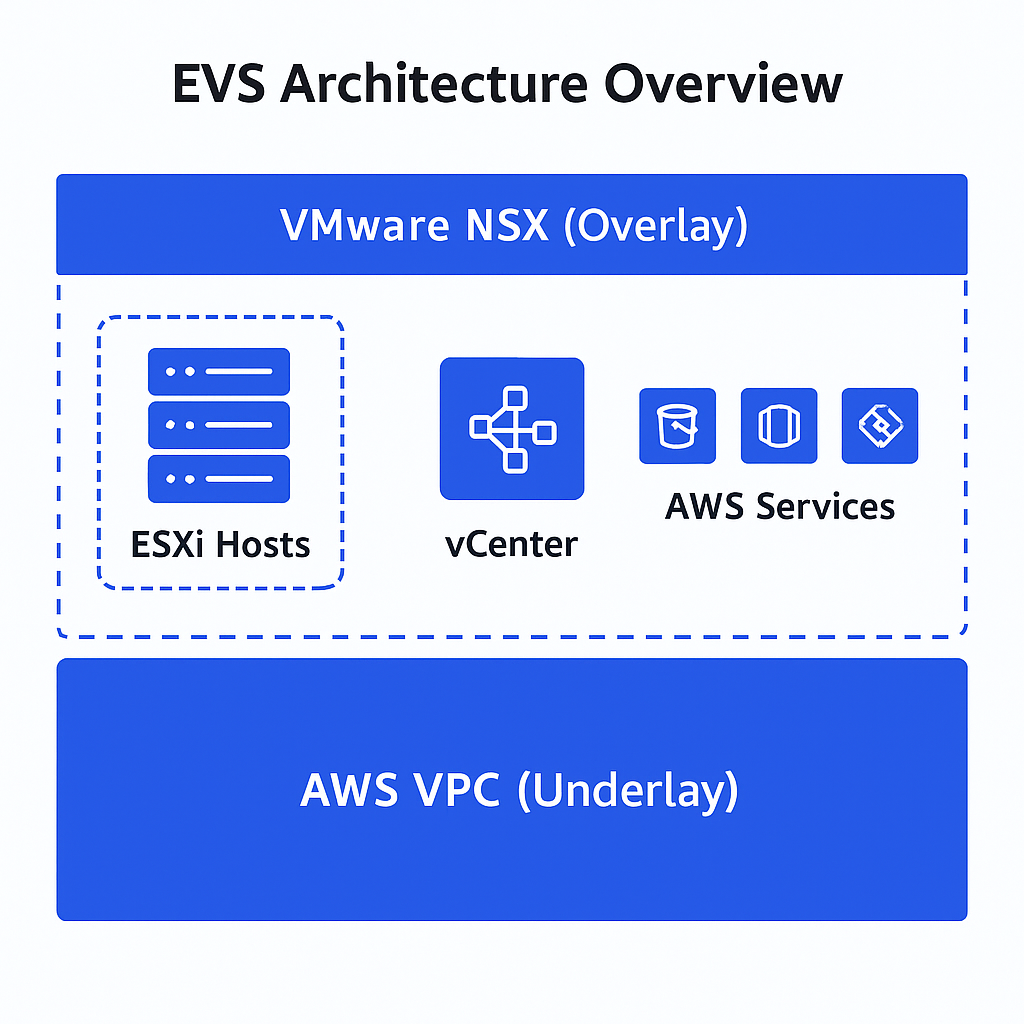
Unlike the traditional VMware Cloud on AWS (which Broadcom manages), EVS runs entirely within your AWS account. This means you get root access to ESXi, full vCenter control, and complete NSX management – no vendor restrictions, no black boxes.
The technical foundation is robust: dedicated EC2 i4i.metal instances provide 128 vCPUs, 1 TiB RAM, and 30 TiB of blazing-fast NVMe storage per host. Your environment can be operational within hours rather than weeks, making it particularly attractive for urgent data centre exit scenarios.
The architecture uses a dual-layer networking approach. Your familiar AWS VPC handles the underlay, whilst VMware NSX provides the overlay networking you’re accustomed to. This design allows you to extend on-premises networks without IP address changes – a common migration headache eliminated.
Here’s where the economics get interesting: organisations report up to 46% cost savings compared to previous VMware offerings. A typical four-host environment ranges from £28,000 monthly on-demand to £14,000 monthly with three-year commitments. When you factor in the operational efficiency gains and reduced vendor management overhead, the business case often writes itself.
When EVS Becomes Your Strategic Advantage
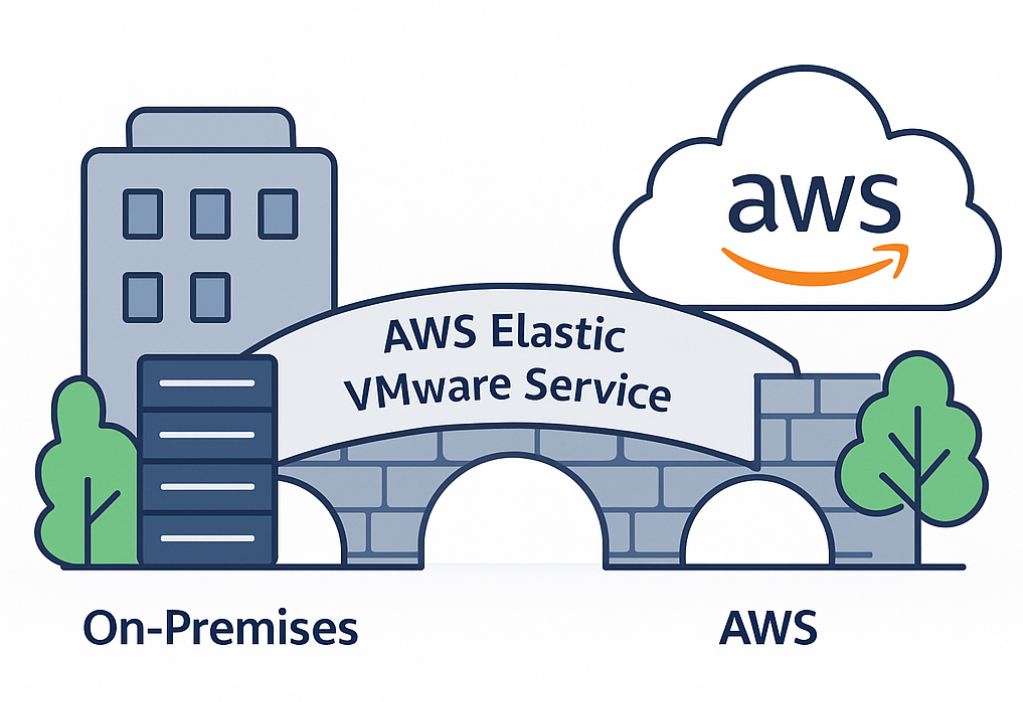
EVS excels in specific scenarios that many cloud migration approaches struggle to address effectively.
Time-critical data centre exits represent the sweet spot. When lease renewals loom or infrastructure refresh cycles demand immediate attention, EVS enables rapid migration without the typical months of planning and refactoring. You can literally lift and shift workloads whilst maintaining operational consistency.
Regulatory and compliance environments find particular value here. Financial services, healthcare, and government organisations benefit from single-tenant bare metal instances that provide enhanced security whilst maintaining familiar VMware compliance frameworks. Your audit trails remain consistent, and your regulatory reporting doesn’t require fundamental changes.
Consider the phased modernisation scenario – perhaps the most compelling use case. EVS allows you to migrate quickly, then gradually integrate AWS services as your team builds cloud-native expertise. Database workloads can eventually migrate to Amazon RDS, analytics can leverage Redshift, and applications can modernise into containers using EKS – all at your own pace.
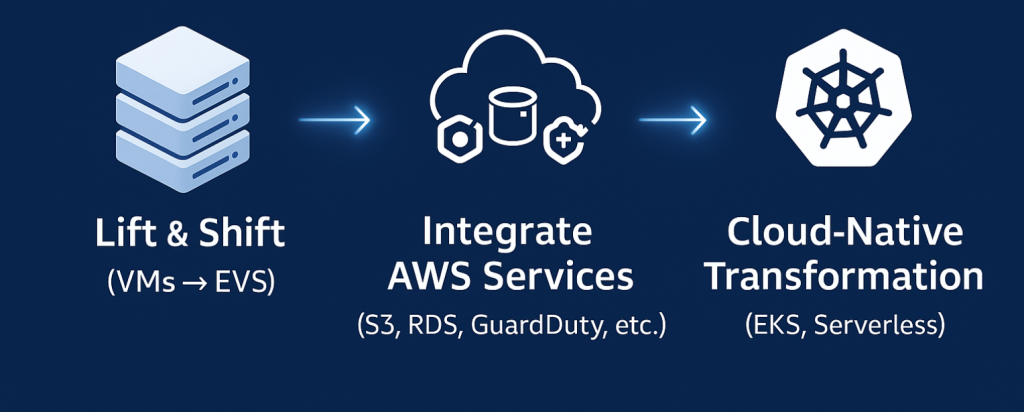
But EVS isn’t suitable for every situation. If your applications are already containerised or if you’re building greenfield projects, native AWS services likely offer better value. EVS works best when you have significant VMware investments, tight migration timelines, or regulatory requirements that benefit from bare metal deployments.
Implementation Best Practices That Actually Work
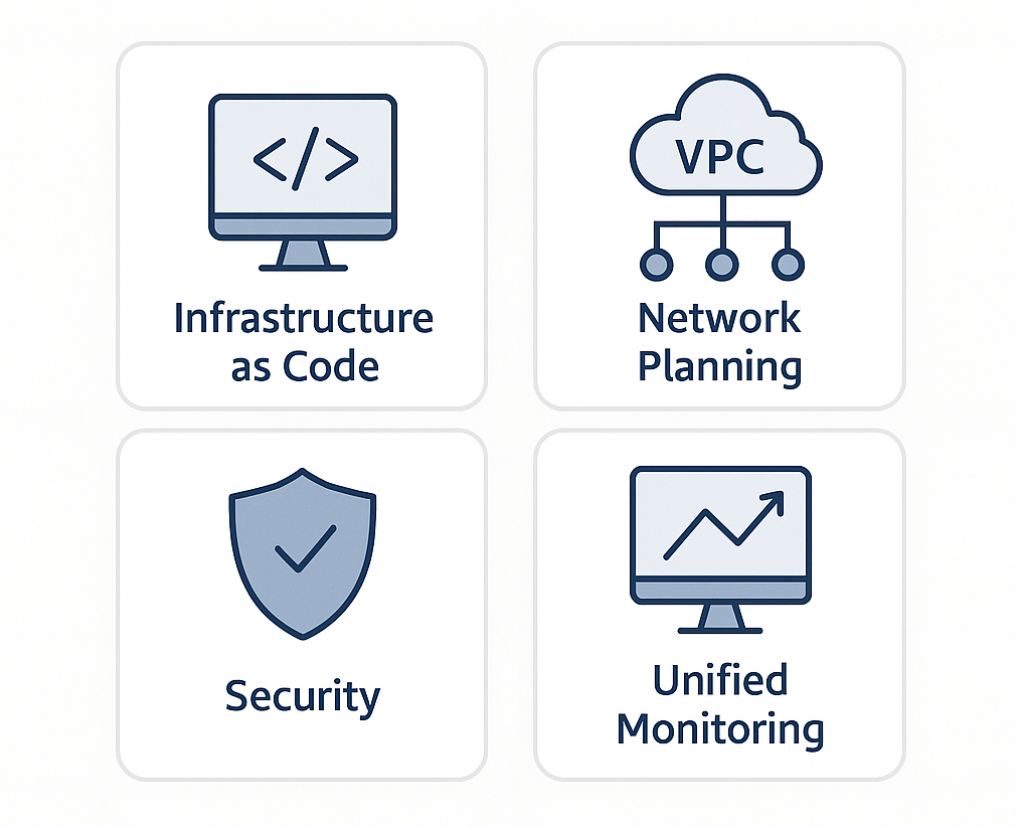
Success with EVS starts before you deploy your first host. Infrastructure as Code isn’t optional – it’s essential. Whether you choose Terraform, CloudFormation, or Ansible, automated deployment eliminates configuration errors and enables consistent environments across development, staging, and production.
Network planning requires careful attention to CIDR blocks and routing. Deploy VPCs with sufficient addressing space – typically /16 or larger blocks. The VPC Route Server integration enables dynamic BGP routing, but you’ll need explicit route table associations post-deployment. Don’t rely on default routing assumptions.
Security demands a defence-in-depth approach combining AWS and VMware capabilities. Network segmentation should utilise both VPC network ACLs and NSX microsegmentation. Administrative access controls need careful IAM role design whilst preserving necessary VMware permissions. Integration with AWS Security Hub and GuardDuty provides comprehensive monitoring.
Operational excellence requires unified monitoring across both technology stacks. Integrate vRealize Operations with Amazon CloudWatch for comprehensive visibility. Establish clear escalation procedures covering both AWS and VMware components – your operations team needs expertise in both domains.
Cost optimisation leverages AWS’s flexible pricing models. Start with appropriate Instance Savings Plans based on your commitment level. Monitor utilisation through AWS Cost Explorer and implement governance policies preventing resource sprawl. EVS environments can scale between 4-16 hosts per deployment, providing more flexibility than traditional on-premises infrastructure whilst requiring more planning than native AWS services.
Architectural Decisions That Determine Long-Term Success
The consolidated domain architecture simplifies management but requires thoughtful resource pool design. Separate management and customer workloads through careful planning rather than hoping default configurations will suffice.
Storage architecture presents several compelling options. VMware vSAN utilises the local 30 TiB NVMe storage on each i4i.metal instance, providing high-performance hyperconverged storage ideal for latency-sensitive applications. For external storage, Amazon FSx for NetApp ONTAP enables advanced features including snapshots and thin provisioning via NFS. Pure Cloud Block Store delivers enterprise-grade capabilities with advanced data services as another external option.
Multi-region planning addresses both disaster recovery and performance requirements. Primary EVS environments should deploy close to user populations, with secondary regions providing geographic redundancy. AWS Direct Connect offers reliable, low-latency connectivity between regions and on-premises infrastructure.
Integration patterns with AWS services require careful design to prevent vendor lock-in whilst maximising cloud benefits. Start with simple integrations like Amazon S3 for backup and archival, then progress to managed database services and eventually analytics capabilities. This graduated approach builds team confidence whilst delivering immediate value.
Navigating Migration Strategies Successfully
Assessment and planning determine everything that follows. Use AWS Migration Evaluator to identify workload compatibility and performance requirements. Dependency mapping ensures proper migration sequencing – understanding which applications communicate with each other prevents painful surprises during cutover.
Workload categorisation drives your migration approach. Stateless applications typically migrate with minimal changes, whilst stateful applications require careful data migration planning. Legacy applications with VMware-specific dependencies benefit from lift-and-shift approaches, but modern applications present modernisation opportunities.
Pilot deployments with non-critical workloads validate your processes and build operational confidence. Learn from these small-scale implementations before tackling mission-critical systems.
The Competitive Landscape: Making Informed Decisions
EVS occupies a unique position in the hybrid cloud market. Compared to VMware Cloud on AWS, EVS provides complete administrative access and flexible pricing but requires more operational responsibility. It’s the difference between renting a fully-managed apartment and owning your own home – more control, but more responsibility.
Native AWS services offer cloud-native benefits including auto-scaling and consumption-based pricing, but EVS addresses scenarios where application refactoring isn’t feasible. The service enables gradual modernisation rather than requiring immediate architectural transformation.
Microsoft Azure VMware Solution and Google Cloud VMware Engine provide similar capabilities, but AWS’s advantage lies in service breadth and integration depth. The AWS partner ecosystem also provides extensive migration and managed service options if you prefer external support.
| AWS EVS | VMware Cloud on AWS | Azure VMware Solution | Google Cloud VMware Engine | |
| Control Level | Full Root Access | Limited | Limited | Limited |
| Integration Depth | AWS Service Breadth | – | – | – |
| Operational Effort | More Self-Managed | Fully Managed | Fully Managed | Fully Managed |
Looking Forward: EVS as Transformation Catalyst
EVS represents more than infrastructure migration – it provides a strategic pathway for enterprise cloud transformation whilst preserving operational investments. The service succeeds by addressing dual requirements: rapid migration and gradual modernisation.
Success requires embracing both AWS cloud principles and VMware operational excellence. View EVS as a bridge to cloud-native architectures rather than a permanent destination. The combination of familiar operational models with AWS innovation capabilities creates unique transformation opportunities.
What’s your organisation’s migration timeline? Are you facing data centre lease renewals, compliance requirements, or simply looking to reduce operational complexity? EVS might be the strategic advantage you’ve been seeking – offering the speed of cloud adoption with the operational consistency your teams require.
The question isn’t whether to modernise your infrastructure, but how to do it without disrupting the business. EVS provides that path forward, preserving your VMware investments whilst unlocking AWS’s innovation potential. The organisations succeeding with hybrid cloud strategies are those that balance operational consistency with transformation flexibility – exactly what EVS enables.
Helpful Resources
Official AWS Documentation
- Amazon EVS User Guide – Comprehensive technical documentation covering architecture, setup, and management
- EVS Getting Started Guide – Step-by-step deployment instructions and prerequisites
- EVS Architecture Overview – Detailed architectural diagrams and component explanations
Pricing and Planning
- Amazon EVS Pricing – Current pricing models, calculator, and cost optimisation guidance
- AWS Migration Evaluator – Free tool for assessing migration readiness and cost planning
- AWS Pricing Calculator – Build detailed cost estimates for your EVS deployment
Migration and Best Practices
- AWS Migration Hub – Centralised migration tracking and planning tools
- VMware Cloud Foundation Documentation – Essential for understanding VCF components used in EVS
- AWS Well-Architected Framework – Design principles for secure, high-performing, resilient infrastructure
Community and Support
- AWS re:Post – Community forum for technical questions and discussions
- AWS Support Plans – Professional support options (Business+ required for EVS)
- AWS Architecture Center – Reference architectures and best practices for enterprise deployments