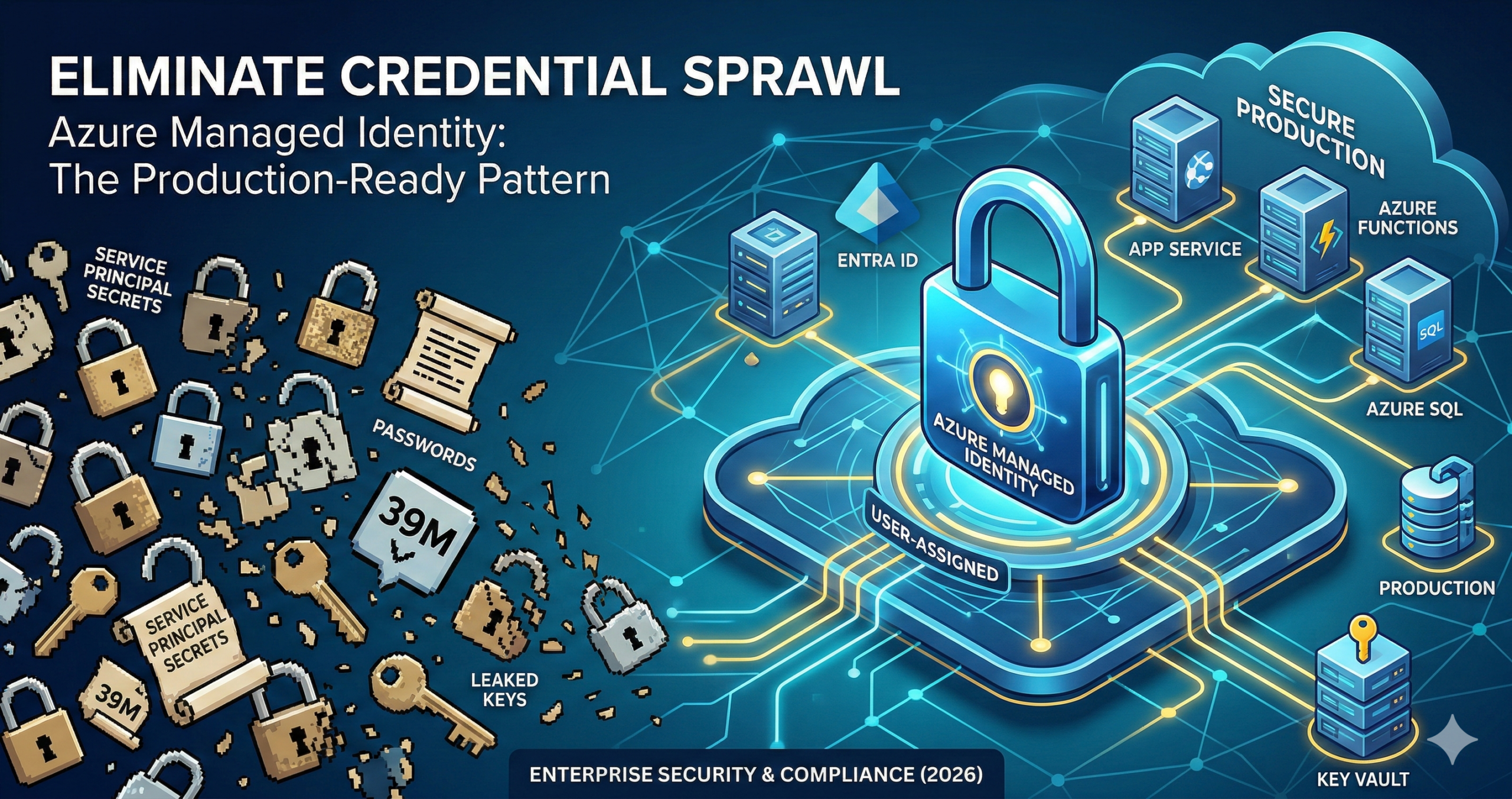
GitHub detected 39 million leaked secrets in 2024, a 25% year-on-year increase, and credential theft now drives 35% of all cloud security incidents according to IBM’s X-Force Threat Intelligence Index. The uncomfortable reality for most Azure teams is that service principal secrets still live in App Service configuration panels, Azure Functions environment variables, and Key Vault references that ultimately resolve to a client ID and secret stored somewhere. The attack surface is real, the consequences are expensive (an average breach costs £3.8 million), and Managed Identity eliminates it entirely. Microsoft updated its official guidance in August 2025 to name user-assigned managed identities the recommended default for Azure workloads. This tip covers the production-ready implementation pattern, the credential gotchas that only surface at scale, and a zero-downtime migration path.
The problem with how most teams use secrets today
Service principal secrets expire. When they do, someone raises a ticket, a developer rotates the secret, updates four different configuration locations, and redeploys. The pattern works until it doesn’t: a secret expires at 2am, a junior engineer rotates the wrong one, or a repository accidentally commits a connection string that stays in git history indefinitely. GitGuardian’s 2025 State of Secrets Sprawl report found that 70% of secrets leaked in 2022 remain active today.
The second problem is that most teams who have adopted Managed Identity still use DefaultAzureCredential in production code. This appears safe but introduces a subtle risk: if ManagedIdentityCredential fails silently, DefaultAzureCredential falls through its chain until it finds something that works, including AzureCliCredential if someone previously ran az login on the VM. The identity that actually authenticates may not be the one you intended. Microsoft’s SDK documentation explicitly recommends using ManagedIdentityCredential directly in production for this reason, reserving DefaultAzureCredential for local development.
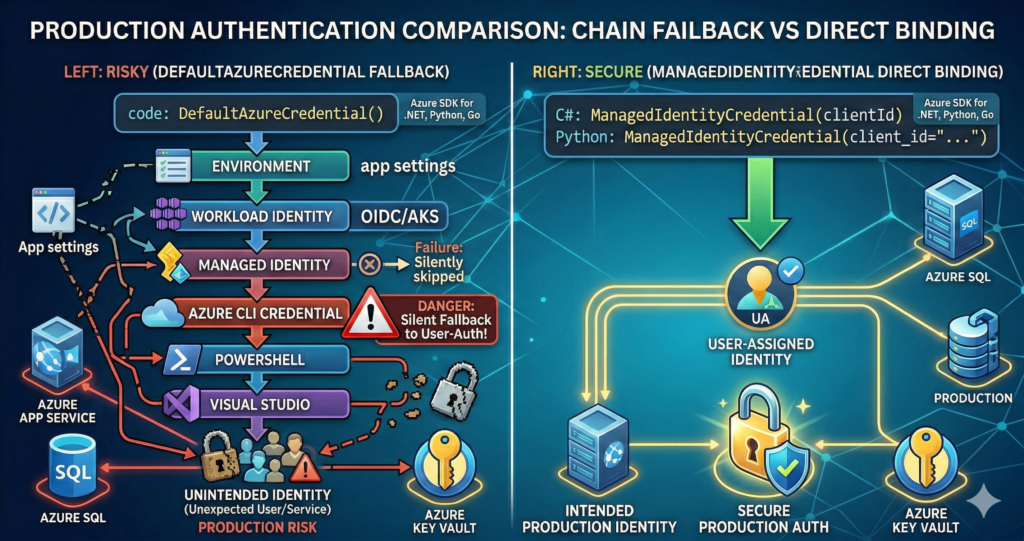
The solution: user-assigned identities with direct credential binding
The two-step approach covers both identity types. For most enterprise workloads, a user-assigned identity is the right choice: it can be shared across multiple resources, survives resource recreation (critical for scale sets and blue-green deployments), and pre-provisioned in IaC templates before compute exists. This builds on the identity principles covered in the Azure Entra ID Masterclass, applied to workload rather than human identity.
Create the identity and assign RBAC:
# Create a user-assigned managed identity
az identity create \
  --name app-data-identity \
  --resource-group myRG \
  --location uksouth

# Capture the client ID and principal ID for subsequent steps
export UA_CLIENT_ID=$(az identity show --name app-data-identity \
  --resource-group myRG --query clientId -o tsv)
export UA_PRINCIPAL_ID=$(az identity show --name app-data-identity \
  --resource-group myRG --query principalId -o tsv)

# Assign the identity to an App Service (or Functions app)
export UA_RESOURCE_ID=$(az identity show --name app-data-identity \
  --resource-group myRG --query id -o tsv)
az webapp identity assign \
  --name myApp \
  --resource-group myRG \
  --identities $UA_RESOURCE_ID

# Grant least-privilege RBAC at the resource level, not subscription
az role assignment create \
  --assignee $UA_PRINCIPAL_ID \
  --role "Key Vault Secrets User" \
  --scope /subscriptions/{sub-id}/resourceGroups/myRG/providers/Microsoft.KeyVault/vaults/myKV

az role assignment create \
  --assignee $UA_PRINCIPAL_ID \
  --role "Storage Blob Data Contributor" \
  --scope /subscriptions/{sub-id}/resourceGroups/myRG/providers/Microsoft.Storage/storageAccounts/myStorage
Production application code (C#):
// Azure.Identity 1.17.x — use ManagedIdentityCredential directly, not DefaultAzureCredential
// Register as a singleton: credential creation is expensive and IMDS has rate limits
var credential = new ManagedIdentityCredential(
    ManagedIdentityId.FromUserAssignedClientId("<client-id>"));

// Key Vault
var kvClient = new SecretClient(
    new Uri("https://myvault.vault.azure.net/"), credential);

// Azure SQL — Authentication=Active Directory Default uses the credential chain
// Set User Id to the MI client ID for user-assigned identities
string connStr = "Server=tcp:myserver.database.windows.net;" +
    "Authentication=Active Directory Default;" +
    "Database=mydb;User Id=<managed-identity-client-id>;";
Production application code (Python):
# azure-identity 1.25.x
# Instantiate once at module level and reuse — never per-request
from azure.identity import ManagedIdentityCredential
from azure.keyvault.secrets import SecretClient
from azure.storage.blob import BlobServiceClient

credential = ManagedIdentityCredential(client_id="<client-id>")

kv_client = SecretClient(
    vault_url="https://myvault.vault.azure.net/",
    credential=credential)

blob_client = BlobServiceClient(
    account_url="https://myaccount.blob.core.windows.net",
    credential=credential)
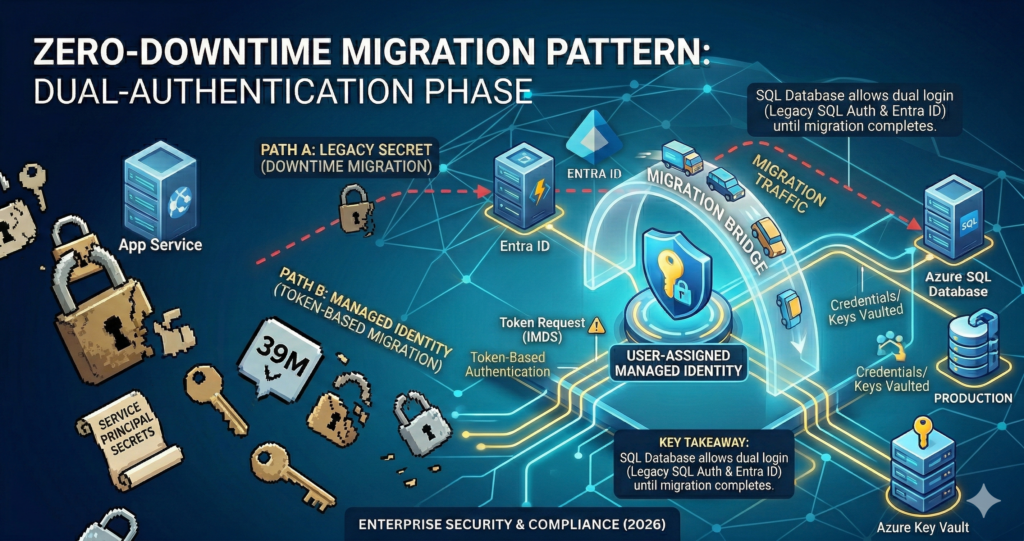
Zero-downtime migration from secrets to Managed Identity: most Azure services support dual authentication during transition. On Azure SQL, enable the identity, set an Entra admin on the server (az sql server ad-admin create), create a database user for the identity (CREATE USER [identity-name] FROM EXTERNAL PROVIDER), then switch the connection string. The old SQL auth continues working until explicitly disabled. The Azure Key Vault Secret Rotation Automation post covers the bridge scenario where legacy systems cannot yet use Managed Identity and still require Key Vault-managed secrets during migration.
Enterprise considerations
Three gotchas surface consistently at scale and are worth addressing before they become production incidents.
IMDS throttling from credential singleton violations. The Instance Metadata Service limits managed identity token requests to 20 requests per second with a maximum of 5 concurrent requests. Applications that instantiate ManagedIdentityCredential or DefaultAzureCredential per request rather than reusing a singleton will breach these limits under load, triggering HTTP 429 responses. Always register credentials as singletons and use clientBuilder.UseCredential(credential) in ASP.NET Core to share the instance across all Azure SDK clients.
Key Vault access policy versus RBAC mismatch. Key Vault has two mutually exclusive authorisation models: legacy access policies and Azure RBAC. If a vault was created using access policies, Azure RBAC role assignments are silently ignored and access is denied with no meaningful error message. Verify the vault’s authorisation mode before assigning roles: az keyvault show --name myKV --query "properties.enableRbacAuthorization". This is the most common root cause of “I assigned the role but it still fails” incidents. The Azure Cybersecurity Best Practices guide covers the broader vault governance model.
Group membership propagation delay. Role assignments granted directly to a managed identity propagate in up to 10 minutes. Role assignments granted through Entra ID group membership take up to 24 hours to propagate at the token level, even when the portal shows the change immediately. For production workloads, assign RBAC roles directly to the managed identity rather than through group membership, particularly for time-sensitive deployments.
Alternative approaches
For local development, pair ManagedIdentityCredential in production code with a ChainedTokenCredential wrapping AzureCliCredential in development environments, controlled by an environment variable. Alternatively, AZURE_TOKEN_CREDENTIALS=ManagedIdentityCredential (supported in Azure.Identity 1.15.0+) constrains DefaultAzureCredential to only the managed identity provider without code changes, which suits teams standardising on DefaultAzureCredential for simplicity.
For CI/CD pipelines, Azure DevOps service connections and GitHub Actions both support workload identity federation with user-assigned managed identities, eliminating secrets from deployment pipelines entirely. The federated credential issuer for GitHub Actions is https://token.actions.githubusercontent.com. AKS workloads should use the Entra Workload Identity (OIDC federation) pattern rather than pod identity, which was deprecated in favour of the workload identity webhook approach covered in the AKS Enterprise Production Architecture Guide.
Key takeaways
Switching from service principal secrets to user-assigned managed identities eliminates the credential rotation overhead, removes the most common initial access vector for cloud breaches, and is free of additional licensing cost. The practical requirements are: create user-assigned identities rather than system-assigned for enterprise workloads, use ManagedIdentityCredential directly in production rather than DefaultAzureCredential, register credential instances as singletons, and assign RBAC roles directly to identities rather than through group membership.
Useful Links
- Azure Managed Identity overview
- Managed Identity best practice recommendations
- Authentication best practices – Azure Identity library for .NET
- Credential chains – .NET
- Credential chains – Python
- AKS Workload Identity overview
- Connect App Service to Azure SQL using Managed Identity
- GitGuardian State of Secrets Sprawl 2025
- Services that support managed identities
- Azure built-in RBAC roles reference