Your weekly dose of actionable cloud wisdom to start the week right
The Problem
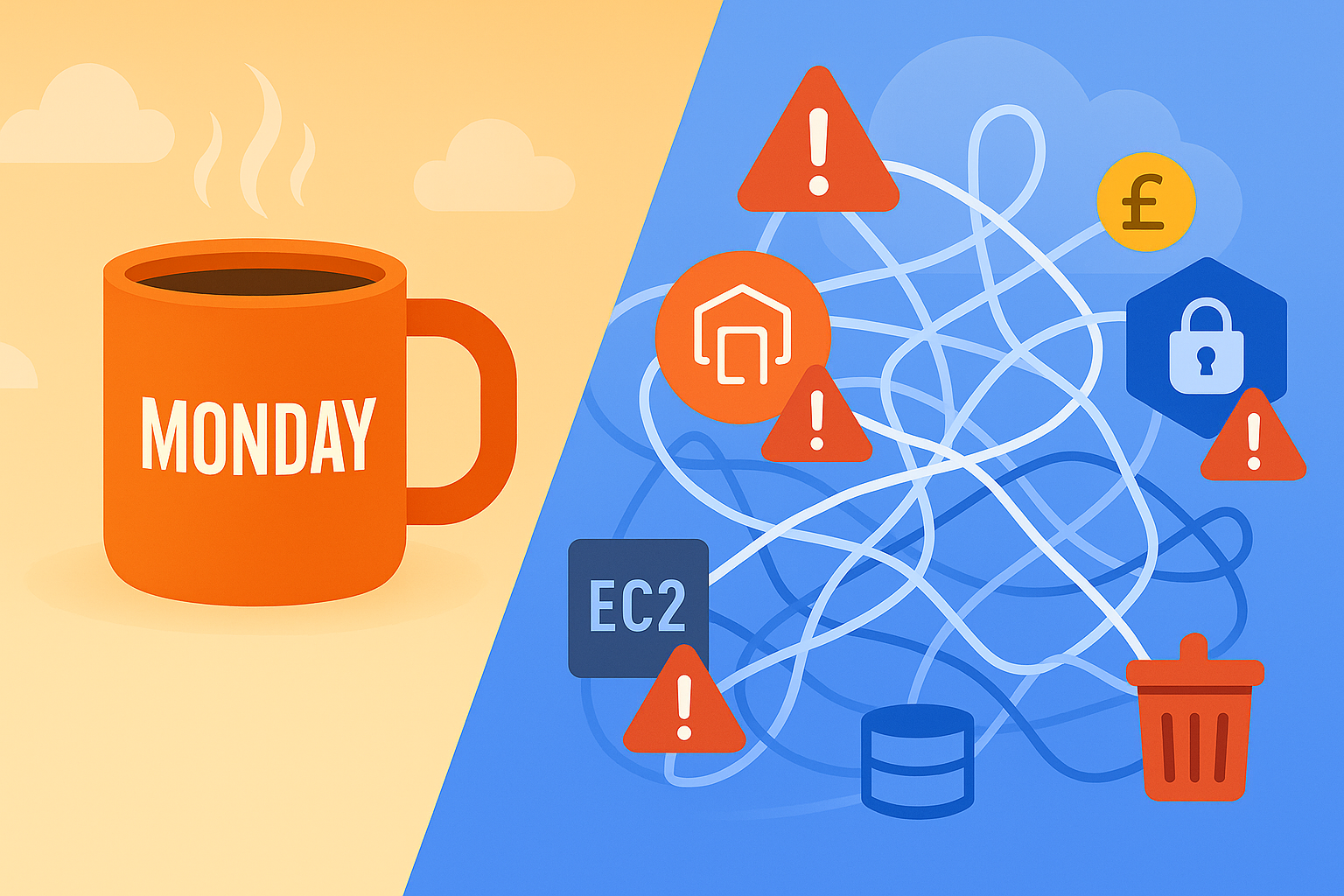
Your AWS networking is a tangled mess of default VPCs, overly permissive security groups, and expensive NAT Gateways that nobody quite understands. Applications can’t reach each other reliably, your security team is asking uncomfortable questions about network segmentation, and your monthly AWS bill includes mysterious charges for data transfer and NAT Gateway hours.
The Solution
Design AWS VPC networks using proven patterns that balance security, performance, and cost. Most networking problems stem from poor initial design and misunderstanding fundamental AWS networking concepts. A well-architected VPC prevents security issues, reduces costs, and makes troubleshooting infinitely easier.
Essential VPC Design Patterns:
1. Multi-Tier Subnet Architecture
# CloudFormation template for well-designed VPC
AWSTemplateFormatVersion: '2010-09-09'
Description: 'Production-ready VPC with proper subnet design'

Parameters:
  Environment:
    Type: String
    Default: production
    AllowedValues: [development, staging, production]

  VpcCidr:
    Type: String
    Default: 10.0.0.0/16
    Description: CIDR block for VPC

Resources:
  # Main VPC
  ProductionVPC:
    Type: AWS::EC2::VPC
    Properties:
      CidrBlock: !Ref VpcCidr
      EnableDnsHostnames: true
      EnableDnsSupport: true
      Tags:
        - Key: Name
          Value: !Sub '${Environment}-vpc'
        - Key: Environment
          Value: !Ref Environment

  # Internet Gateway
  InternetGateway:
    Type: AWS::EC2::InternetGateway
    Properties:
      Tags:
        - Key: Name
          Value: !Sub '${Environment}-igw'

  # Attach Internet Gateway
  AttachGateway:
    Type: AWS::EC2::VPCGatewayAttachment
    Properties:
      VpcId: !Ref ProductionVPC
      InternetGatewayId: !Ref InternetGateway

  # Public Subnets (for load balancers, bastion hosts)
  PublicSubnetA:
    Type: AWS::EC2::Subnet
    Properties:
      VpcId: !Ref ProductionVPC
      CidrBlock: 10.0.1.0/24
      AvailabilityZone: !Select [0, !GetAZs '']
      MapPublicIpOnLaunch: true
      Tags:
        - Key: Name
          Value: !Sub '${Environment}-public-subnet-a'
        - Key: Type
          Value: Public

  PublicSubnetB:
    Type: AWS::EC2::Subnet
    Properties:
      VpcId: !Ref ProductionVPC
      CidrBlock: 10.0.2.0/24
      AvailabilityZone: !Select [1, !GetAZs '']
      MapPublicIpOnLaunch: true
      Tags:
        - Key: Name
          Value: !Sub '${Environment}-public-subnet-b'
        - Key: Type
          Value: Public

  # Private Subnets (for application servers)
  PrivateSubnetA:
    Type: AWS::EC2::Subnet
    Properties:
      VpcId: !Ref ProductionVPC
      CidrBlock: 10.0.11.0/24
      AvailabilityZone: !Select [0, !GetAZs '']
      Tags:
        - Key: Name
          Value: !Sub '${Environment}-private-subnet-a'
        - Key: Type
          Value: Private

  PrivateSubnetB:
    Type: AWS::EC2::Subnet
    Properties:
      VpcId: !Ref ProductionVPC
      CidrBlock: 10.0.12.0/24
      AvailabilityZone: !Select [1, !GetAZs '']
      Tags:
        - Key: Name
          Value: !Sub '${Environment}-private-subnet-b'
        - Key: Type
          Value: Private

  # Database Subnets (isolated tier)
  DatabaseSubnetA:
    Type: AWS::EC2::Subnet
    Properties:
      VpcId: !Ref ProductionVPC
      CidrBlock: 10.0.21.0/24
      AvailabilityZone: !Select [0, !GetAZs '']
      Tags:
        - Key: Name
          Value: !Sub '${Environment}-database-subnet-a'
        - Key: Type
          Value: Database

  DatabaseSubnetB:
    Type: AWS::EC2::Subnet
    Properties:
      VpcId: !Ref ProductionVPC
      CidrBlock: 10.0.22.0/24
      AvailabilityZone: !Select [1, !GetAZs '']
      Tags:
        - Key: Name
          Value: !Sub '${Environment}-database-subnet-b'
        - Key: Type
          Value: Database
2. Cost-Optimized NAT Gateway Setup
  # Single NAT Gateway for cost optimization (development)
  # Use multiple NAT Gateways for production high availability

  # Elastic IP for NAT Gateway
  NATGatewayEIP:
    Type: AWS::EC2::EIP
    DependsOn: AttachGateway
    Properties:
      Domain: vpc
      Tags:
        - Key: Name
          Value: !Sub '${Environment}-nat-eip'

  # NAT Gateway in public subnet
  NATGateway:
    Type: AWS::EC2::NatGateway
    Properties:
      AllocationId: !GetAtt NATGatewayEIP.AllocationId
      SubnetId: !Ref PublicSubnetA
      Tags:
        - Key: Name
          Value: !Sub '${Environment}-nat-gateway'

  # Route Table for Private Subnets
  PrivateRouteTable:
    Type: AWS::EC2::RouteTable
    Properties:
      VpcId: !Ref ProductionVPC
      Tags:
        - Key: Name
          Value: !Sub '${Environment}-private-rt'

  # Route to NAT Gateway for private subnets
  PrivateRoute:
    Type: AWS::EC2::Route
    Properties:
      RouteTableId: !Ref PrivateRouteTable
      DestinationCidrBlock: 0.0.0.0/0
      NatGatewayId: !Ref NATGateway

  # Associate private subnets with route table
  PrivateSubnetAAssociation:
    Type: AWS::EC2::SubnetRouteTableAssociation
    Properties:
      SubnetId: !Ref PrivateSubnetA
      RouteTableId: !Ref PrivateRouteTable

  PrivateSubnetBAssociation:
    Type: AWS::EC2::SubnetRouteTableAssociation
    Properties:
      SubnetId: !Ref PrivateSubnetB
      RouteTableId: !Ref PrivateRouteTable
3. Layered Security Groups Strategy
  # Web Tier Security Group (ALB/CloudFront)
  WebTierSecurityGroup:
    Type: AWS::EC2::SecurityGroup
    Properties:
      GroupDescription: Security group for web tier (load balancers)
      VpcId: !Ref ProductionVPC
      SecurityGroupIngress:
        - IpProtocol: tcp
          FromPort: 80
          ToPort: 80
          CidrIp: 0.0.0.0/0
          Description: 'HTTP from anywhere'
        - IpProtocol: tcp
          FromPort: 443
          ToPort: 443
          CidrIp: 0.0.0.0/0
          Description: 'HTTPS from anywhere'
      Tags:
        - Key: Name
          Value: !Sub '${Environment}-web-tier-sg'

  # Application Tier Security Group
  AppTierSecurityGroup:
    Type: AWS::EC2::SecurityGroup
    Properties:
      GroupDescription: Security group for application tier
      VpcId: !Ref ProductionVPC
      SecurityGroupIngress:
        - IpProtocol: tcp
          FromPort: 8080
          ToPort: 8080
          SourceSecurityGroupId: !Ref WebTierSecurityGroup
          Description: 'HTTP from web tier only'
        - IpProtocol: tcp
          FromPort: 22
          ToPort: 22
          SourceSecurityGroupId: !Ref BastionSecurityGroup
          Description: 'SSH from bastion host only'
      Tags:
        - Key: Name
          Value: !Sub '${Environment}-app-tier-sg'

  # Database Tier Security Group
  DatabaseTierSecurityGroup:
    Type: AWS::EC2::SecurityGroup
    Properties:
      GroupDescription: Security group for database tier
      VpcId: !Ref ProductionVPC
      SecurityGroupIngress:
        - IpProtocol: tcp
          FromPort: 3306
          ToPort: 3306
          SourceSecurityGroupId: !Ref AppTierSecurityGroup
          Description: 'MySQL from application tier only'
        - IpProtocol: tcp
          FromPort: 5432
          ToPort: 5432
          SourceSecurityGroupId: !Ref AppTierSecurityGroup
          Description: 'PostgreSQL from application tier only'
      Tags:
        - Key: Name
          Value: !Sub '${Environment}-database-tier-sg'

  # Bastion Host Security Group
  BastionSecurityGroup:
    Type: AWS::EC2::SecurityGroup
    Properties:
      GroupDescription: Security group for bastion host
      VpcId: !Ref ProductionVPC
      SecurityGroupIngress:
        - IpProtocol: tcp
          FromPort: 22
          ToPort: 22
          CidrIp: 203.0.113.0/24  # Replace with your office IP range
          Description: 'SSH from office network only'
      Tags:
        - Key: Name
          Value: !Sub '${Environment}-bastion-sg'
4. VPC Endpoints for Cost Savings
# Terraform configuration for VPC endpoints
resource "aws_vpc_endpoint" "s3" {
  vpc_id       = aws_vpc.main.id
  service_name = "com.amazonaws.${var.aws_region}.s3"

  tags = {
    Name        = "${var.environment}-s3-endpoint"
    Environment = var.environment
  }
}

resource "aws_vpc_endpoint" "dynamodb" {
  vpc_id       = aws_vpc.main.id
  service_name = "com.amazonaws.${var.aws_region}.dynamodb"

  tags = {
    Name        = "${var.environment}-dynamodb-endpoint"
    Environment = var.environment
  }
}

# Interface endpoints for private API access
resource "aws_vpc_endpoint" "ec2" {
  vpc_id              = aws_vpc.main.id
  service_name        = "com.amazonaws.${var.aws_region}.ec2"
  vpc_endpoint_type   = "Interface"
  subnet_ids          = [aws_subnet.private_a.id, aws_subnet.private_b.id]
  security_group_ids  = [aws_security_group.vpc_endpoints.id]

  policy = jsonencode({
    Version = "2012-10-17"
    Statement = [
      {
        Effect = "Allow"
        Principal = "*"
        Action = [
          "ec2:Describe*",
          "ec2:CreateTags"
        ]
        Resource = "*"
      }
    ]
  })

  tags = {
    Name        = "${var.environment}-ec2-endpoint"
    Environment = var.environment
  }
}

# Security group for VPC endpoints
resource "aws_security_group" "vpc_endpoints" {
  name_prefix = "${var.environment}-vpc-endpoints-"
  vpc_id      = aws_vpc.main.id

  ingress {
    from_port   = 443
    to_port     = 443
    protocol    = "tcp"
    cidr_blocks = [aws_vpc.main.cidr_block]
    description = "HTTPS from VPC"
  }

  egress {
    from_port   = 0
    to_port     = 0
    protocol    = "-1"
    cidr_blocks = ["0.0.0.0/0"]
    description = "All outbound traffic"
  }

  tags = {
    Name        = "${var.environment}-vpc-endpoints-sg"
    Environment = var.environment
  }
}
Network Monitoring and Troubleshooting
5. VPC Flow Logs Setup
# Enable VPC Flow Logs for network monitoring
aws ec2 create-flow-logs \
    --resource-type VPC \
    --resource-ids vpc-12345678 \
    --traffic-type ALL \
    --log-destination-type cloud-watch-logs \
    --log-group-name VPCFlowLogs \
    --deliver-logs-permission-arn arn:aws:iam::123456789012:role/flowlogsRole

# Query flow logs for troubleshooting
aws logs filter-log-events \
    --log-group-name VPCFlowLogs \
    --start-time 1609459200000 \
    --filter-pattern '[srcaddr="10.0.1.100", action="REJECT"]' \
    --query 'events[*].message'
6. Network ACL Best Practices
  # Network ACL for additional database protection
  DatabaseNetworkAcl:
    Type: AWS::EC2::NetworkAcl
    Properties:
      VpcId: !Ref ProductionVPC
      Tags:
        - Key: Name
          Value: !Sub '${Environment}-database-nacl'

  # Allow inbound MySQL/PostgreSQL from app subnets only
  DatabaseNaclInboundRule:
    Type: AWS::EC2::NetworkAclEntry
    Properties:
      NetworkAclId: !Ref DatabaseNetworkAcl
      RuleNumber: 100
      Protocol: 6
      RuleAction: allow
      CidrBlock: 10.0.10.0/23  # Application subnet range
      PortRange:
        From: 3306
        To: 5432

  # Allow outbound responses
  DatabaseNaclOutboundRule:
    Type: AWS::EC2::NetworkAclEntry
    Properties:
      NetworkAclId: !Ref DatabaseNetworkAcl
      RuleNumber: 100
      Protocol: 6
      Egress: true
      RuleAction: allow
      CidrBlock: 10.0.10.0/23
      PortRange:
        From: 1024
        To: 65535

  # Associate database subnets with restrictive NACL
  DatabaseSubnetANaclAssociation:
    Type: AWS::EC2::SubnetNetworkAclAssociation
    Properties:
      SubnetId: !Ref DatabaseSubnetA
      NetworkAclId: !Ref DatabaseNetworkAcl
Cost Optimization Strategies
7. NAT Gateway Cost Optimization
# Python script to analyze NAT Gateway usage and costs
import boto3
import json
from datetime import datetime, timedelta

def analyze_nat_gateway_costs(region='eu-west-1'):
    """
    Analyze NAT Gateway usage and suggest optimizations
    """
    ec2 = boto3.client('ec2', region_name=region)
    cloudwatch = boto3.client('cloudwatch', region_name=region)

    # Get all NAT Gateways
    nat_gateways = ec2.describe_nat_gateways()

    total_monthly_cost = 0
    recommendations = []

    for nat in nat_gateways['NatGateways']:
        if nat['State'] != 'available':
            continue

        nat_id = nat['NatGatewayId']
        subnet_id = nat['SubnetId']

        # Get subnet details
        subnet = ec2.describe_subnets(SubnetIds=[subnet_id])['Subnets'][0]
        az = subnet['AvailabilityZone']

        # Estimate costs
        hourly_cost = 0.048  # £0.048 per hour in eu-west-1
        monthly_hours = 730
        monthly_cost = hourly_cost * monthly_hours
        total_monthly_cost += monthly_cost

        # Get data transfer metrics (last 30 days)
        end_time = datetime.utcnow()
        start_time = end_time - timedelta(days=30)

        try:
            metrics = cloudwatch.get_metric_statistics(
                Namespace='AWS/NATGateway',
                MetricName='BytesOutToDestination',
                Dimensions=[
                    {'Name': 'NatGatewayId', 'Value': nat_id}
                ],
                StartTime=start_time,
                EndTime=end_time,
                Period=86400,  # Daily
                Statistics=['Sum']
            )

            total_bytes = sum([point['Sum'] for point in metrics['Datapoints']])
            total_gb = total_bytes / (1024**3)

            print(f"NAT Gateway {nat_id} ({az}):")
            print(f"  Monthly cost: £{monthly_cost:.2f}")
            print(f"  Data processed (30 days): {total_gb:.2f} GB")

            # Optimization recommendations
            if total_gb < 10:  # Very low usage
                recommendations.append(f"NAT Gateway {nat_id} has very low usage - consider consolidating")
            elif total_gb < 50:  # Low usage
                recommendations.append(f"NAT Gateway {nat_id} might benefit from shared NAT Gateway")

        except Exception as e:
            print(f"Could not get metrics for {nat_id}: {e}")

    print(f"\nTotal estimated monthly NAT Gateway costs: £{total_monthly_cost:.2f}")
    print(f"Annual estimate: £{total_monthly_cost * 12:.2f}")

    if recommendations:
        print("\n💡 Cost Optimization Recommendations:")
        for rec in recommendations:
            print(f"  • {rec}")

    return {
        'monthly_cost': total_monthly_cost,
        'recommendations': recommendations
    }

# Run the analysis
analyze_nat_gateway_costs()
8. Data Transfer Cost Optimization
#!/bin/bash
# Script to identify expensive data transfer patterns

echo "=== VPC Data Transfer Cost Analysis ==="
echo

# Check for cross-AZ data transfer (expensive)
echo "🔍 Checking for cross-AZ data transfer patterns..."
aws logs filter-log-events \
    --log-group-name VPCFlowLogs \
    --start-time $(date -d '7 days ago' +%s)000 \
    --filter-pattern '[srcaddr, dstaddr, srcport, dstport, protocol, packets, bytes > 1000000]' \
    --query 'events[*].message' \
    --output text | \
    awk '{print $1, $2, $8}' | \
    sort | uniq -c | sort -nr | head -10

echo
echo "💰 Estimated data transfer costs (last 7 days):"

# Calculate approximate costs
# Cross-AZ: £0.01 per GB
# To Internet: £0.09 per GB
# Between regions: £0.09 per GB

aws logs filter-log-events \
    --log-group-name VPCFlowLogs \
    --start-time $(date -d '7 days ago' +%s)000 \
    --filter-pattern '[action="ACCEPT"]' \
    --query 'events[*].message' \
    --output text | \
    awk '{
        bytes += $8
    }
    END {
        gb = bytes / (1024^3)
        cross_az_cost = gb * 0.01
        print "Total data transferred: " gb " GB"
        print "Estimated cross-AZ cost: £" cross_az_cost
    }'

echo
echo "🎯 Optimization recommendations:"
echo "1. Use VPC endpoints for AWS services to avoid NAT Gateway charges"
echo "2. Place communicating resources in the same AZ when possible"
echo "3. Use CloudFront for static content delivery"
echo "4. Consider Direct Connect for large on-premises data transfers"
Why It Matters
- Security: Proper network segmentation prevents lateral movement in breaches
- Cost Control: Well-designed networks can reduce AWS bills by 30-50%
- Performance: Correct subnet placement reduces latency and improves reliability
- Compliance: Network controls are essential for many regulatory frameworks
Try This Week
- Audit existing VPCs – Run the cost analysis scripts above
- Review security groups – Remove overly permissive rules (0.0.0.0/0)
- Implement VPC endpoints – Start with S3 and DynamoDB for immediate savings
- Enable VPC Flow Logs – Set up monitoring for future troubleshooting
Quick VPC Health Check Script
#!/bin/bash
# Quick VPC security and cost health check

VPC_ID="vpc-12345678"  # Replace with your VPC ID

echo "=== VPC Health Check for $VPC_ID ==="
echo

echo "🔒 Security Group Analysis:"
# Find overly permissive security groups
aws ec2 describe-security-groups \
    --filters "Name=group-name,Values=*" \
    --query 'SecurityGroups[?IpPermissions[?IpRanges[?CidrIp==`0.0.0.0/0`]]].[GroupId,GroupName]' \
    --output table

echo
echo "💸 Cost Analysis:"
# Count NAT Gateways
NAT_COUNT=$(aws ec2 describe-nat-gateways --filter "Name=vpc-id,Values=$VPC_ID" --query 'length(NatGateways[?State==`available`])')
echo "NAT Gateways: $NAT_COUNT (£35/month each)"

# Check for VPC endpoints
ENDPOINT_COUNT=$(aws ec2 describe-vpc-endpoints --filters "Name=vpc-id,Values=$VPC_ID" --query 'length(VpcEndpoints)')
echo "VPC Endpoints: $ENDPOINT_COUNT"

echo
echo "📊 Subnet Utilization:"
aws ec2 describe-subnets --filters "Name=vpc-id,Values=$VPC_ID" \
    --query 'Subnets[*].[SubnetId,CidrBlock,AvailableIpAddressCount,Tags[?Key==`Name`].Value|[0]]' \
    --output table

echo
echo "🎯 Quick Wins:"
if [ $NAT_COUNT -gt 2 ]; then
    echo "  • Consider consolidating NAT Gateways to reduce costs"
fi
if [ $ENDPOINT_COUNT -eq 0 ]; then
    echo "  • Add VPC endpoints for S3 and DynamoDB to save on NAT Gateway costs"
fi
echo "  • Review security groups marked above for overly permissive rules"
echo "  • Enable VPC Flow Logs if not already active"
Common VPC Design Mistakes
- Using default VPC for production: No network segmentation or cost optimization
- Overly large CIDR blocks: Wasting IP space and complicating peering
- Single NAT Gateway: Creates single point of failure for all private subnets
- No VPC endpoints: Paying unnecessary NAT Gateway charges for AWS service calls
- Mixing environments: Development and production in same VPC
Advanced Networking Patterns
- Transit Gateway: Hub-and-spoke connectivity for multiple VPCs
- VPC Peering: Direct connectivity between VPCs in same or different regions
- Direct Connect: Dedicated network connection to on-premises
- Client VPN: Secure remote access for developers and administrators
Pro Tip: Design your VPC CIDR blocks with future growth in mind, but don’t make them unnecessarily large. A /16 network (65,536 IPs) is usually overkill for most applications. Start with /20 (4,096 IPs) and expand if needed.
Built a particularly elegant VPC design that solved complex networking challenges? I’d love to hear about your architecture patterns – innovative networking solutions make excellent Monday tips!