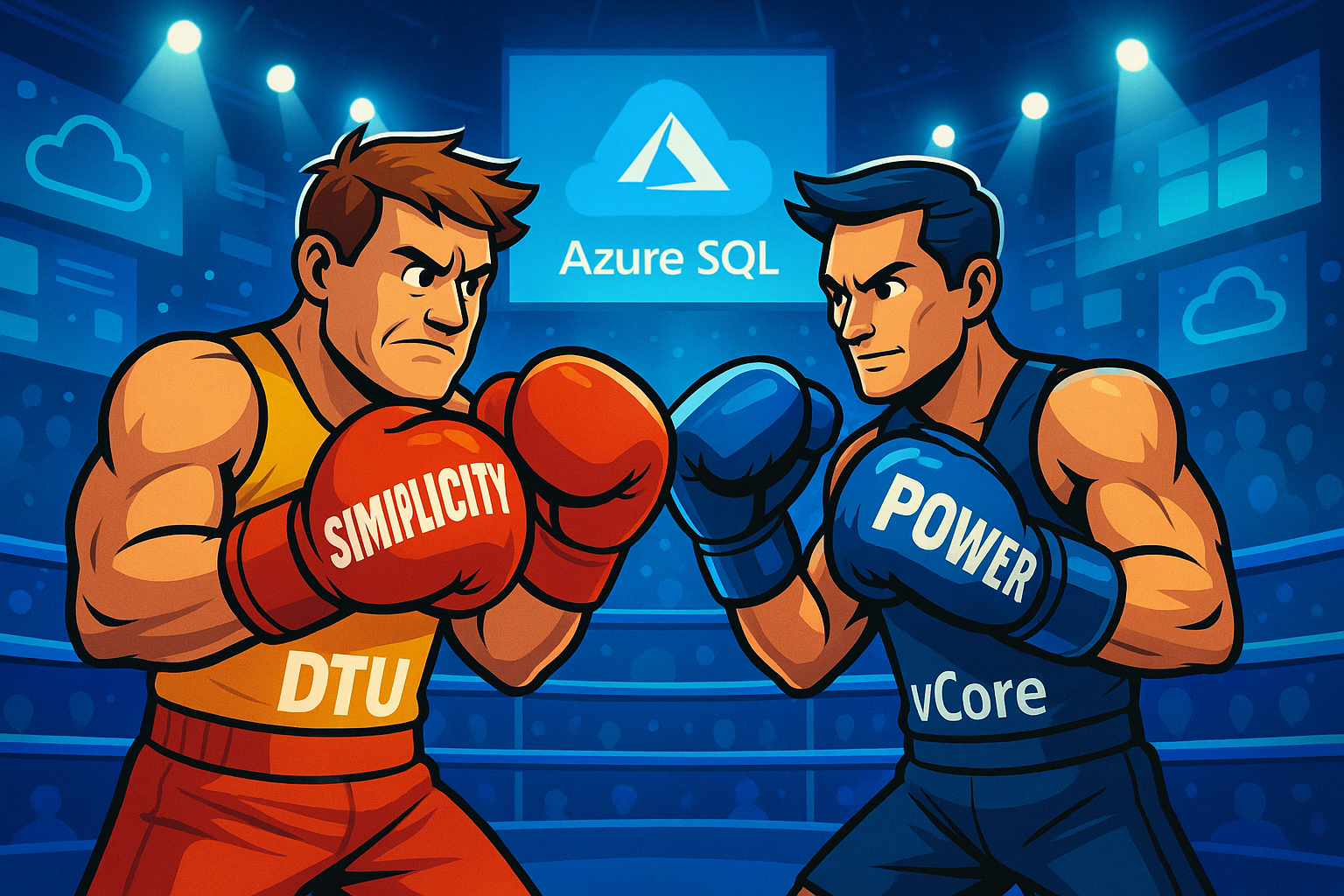
When designing cloud database solutions on Azure, one of the most critical decisions you’ll face is selecting the right pricing model. Azure SQL Database offers two distinct approaches. Database Transaction Units (DTU) and virtual Cores (vCore), each with fundamental differences that can significantly impact both performance and cost.
This isn’t merely a pricing decision; it’s an architectural choice that affects scalability, resource allocation, and operational complexity. Understanding these models’ nuances is essential for making informed decisions that align with your workload requirements and organisational goals.
Understanding the Core Differences
DTU: The Bundled Approach
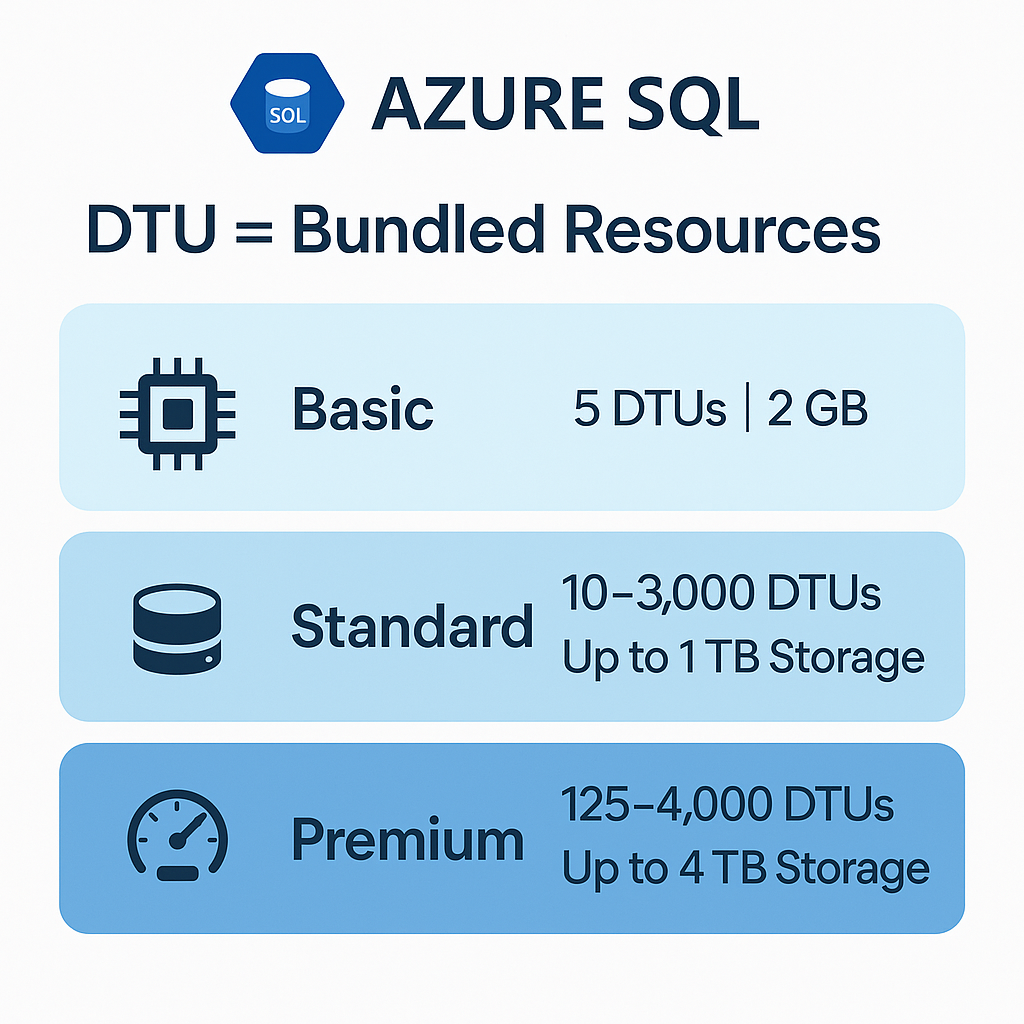
The DTU model represents a blended measure combining CPU, memory, reads, and writes into preconfigured resource bundles. Think of DTU as purchasing a complete meal deal rather than ordering individual components. Everything comes together in predetermined combinations.
Microsoft calculates DTU utilisation using a specific formula: DTU utilisation = MAX(avg_cpu_percent, avg_data_io_percent, avg_log_write_percent). This approach provides a single metric for resource consumption, simplifying performance monitoring for teams who prefer straightforward management.
The DTU model spans three service tiers:
- Basic tier: 5 DTUs with 2GB storage, ideal for development and testing
- Standard tier: 10-3,000 DTUs with up to 1TB storage, suited for typical production workloads
- Premium tier: 125-4,000 DTUs with up to 4TB storage, designed for high-performance applications
vCore: Granular Control and Transparency
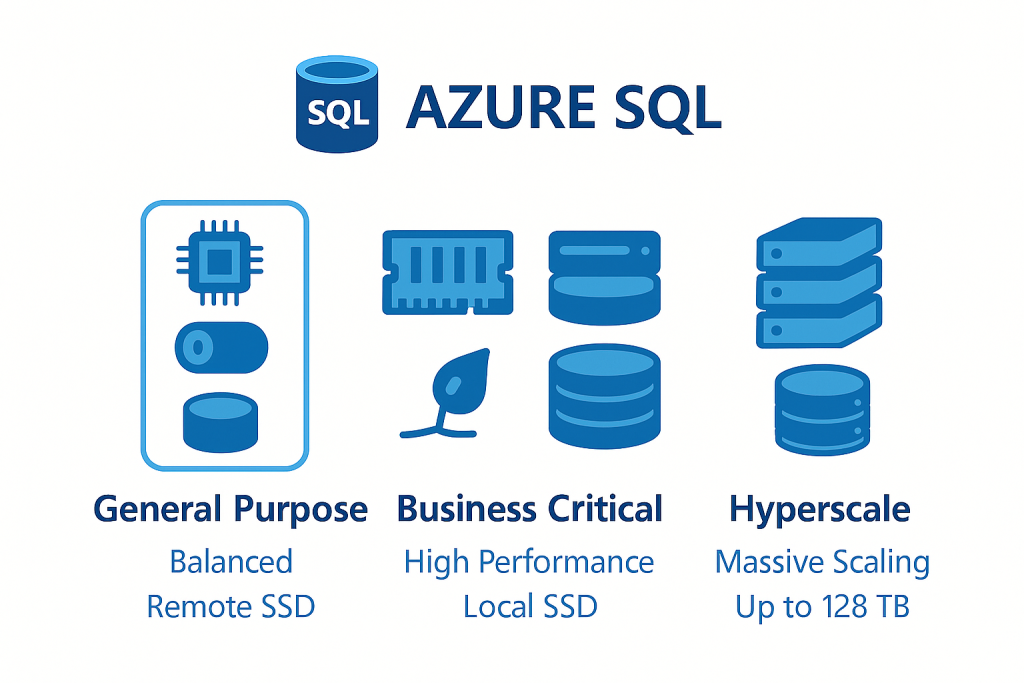
The vCore model offers explicit CPU core allocation with configurable memory and storage resources. This approach resembles building a custom computer where you select specific components based on your exact requirements.
Users can choose from multiple hardware generations, including Standard-series (Gen5), Premium-series, and DC-series for confidential computing scenarios. The vCore model provides three distinct service tiers:
- General Purpose: Remote Premium SSD storage with balanced performance
- Business Critical: Local SSD storage with enhanced performance guarantees
- Hyperscale: Supports databases up to 128TB with multi-tiered storage architecture
Performance Characteristics: When Each Model Excels
DTU Performance Predictability
DTU performance follows linear scaling principles where doubling DTUs theoretically doubles performance. Microsoft calibrates this using TPC-E-like benchmarks with 60% reads and 40% writes, providing predictable performance for balanced workloads.
The bundled approach works exceptionally well for applications with consistent resource consumption patterns. Basic and Standard tiers deliver approximately 2.5 IOPS per DTU, while Premium tier provides 25+ IOPS per DTU with sub-2ms latency guarantees.
vCore Performance Flexibility
vCore provides direct correlation to physical hardware with configurable memory ratios (approximately 5.2GB per vCore for Standard-series Gen5). This transparency allows precise resource allocation based on actual workload characteristics rather than predetermined bundles.
Business Critical tier delivers 320-200,000+ IOPS depending on vCore count, whilst General Purpose provides 320-16,000 IOPS with remote storage. The model supports independent scaling of compute and storage, enabling optimisation based on specific performance requirements.
| Feature | DTU | vCore |
|---|---|---|
| Scaling Type | Linear bundle scaling | Independent compute & storage scaling |
| IOPS (Standard Tier) | ~2.5 IOPS per DTU | 320–200,000+ IOPS (tier-dependent) |
| Latency (Premium/BC Tier) | Sub-2ms | Sub-2ms (Business Critical) |
| Transparency | Low – bundled | High – visible hardware configs |
| Serverless Support | ❌ | ✅ |
Cost Analysis: Understanding the Economic Impact
DTU’s Cost Advantages for Smaller Workloads
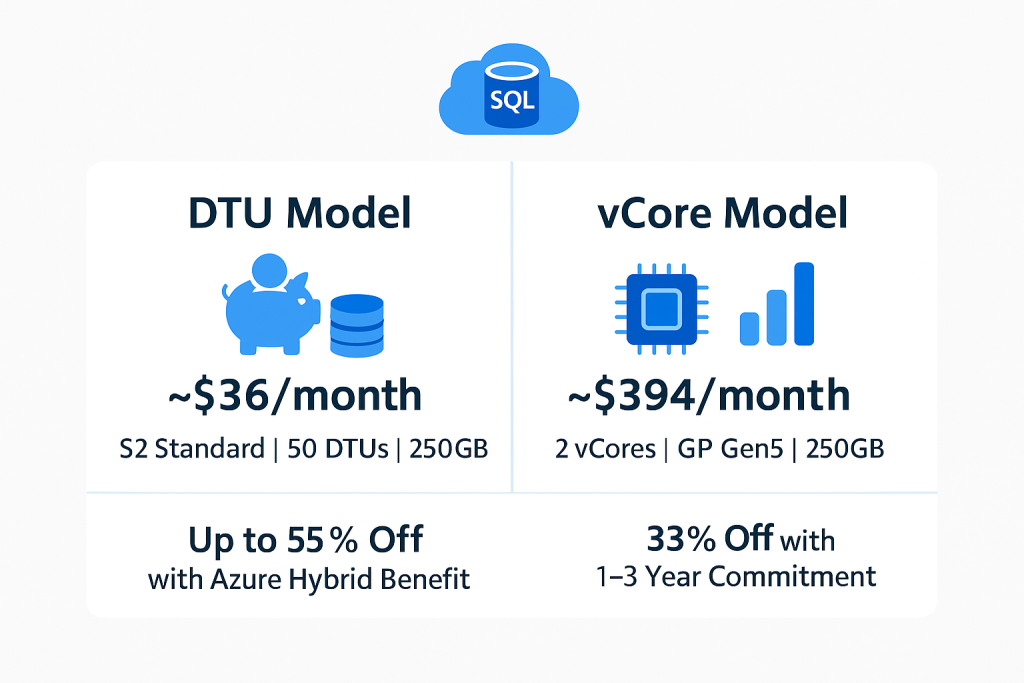
DTU provides substantial cost savings for smaller databases. Consider a small database requiring S2 Standard (50 DTUs, 250GB)—this costs approximately $36 monthly compared to $394 for equivalent vCore resources. This dramatic cost difference makes DTU highly attractive for development, testing, and small production workloads.
The bundled pricing model offers predictable monthly costs without complexity, ideal for organisations preferring fixed budgets and simplified billing structures.
vCore’s Optimisation Opportunities
vCore becomes cost-competitive at higher performance levels whilst offering superior optimisation strategies. Azure Hybrid Benefit provides up to 55% cost savings for organisations with existing SQL Server licences, whilst reserved capacity pricing offers additional 33% savings with 1-3 year commitments.
For organisations with existing SQL Server infrastructure, vCore’s licensing portability creates compelling total cost of ownership advantages, particularly when combined with reserved pricing options.
Architectural Scenarios: Choosing the Right Model
When DTU Excels
DTU suits applications requiring predictable resource consumption with balanced CPU, memory, and I/O usage. Optimal scenarios include:
- Web applications with moderate traffic using Standard S0-S3 tiers
- Content management systems with typical OLTP patterns
- Small e-commerce platforms with predictable transaction volumes
- Multi-tenant SaaS applications leveraging DTU elastic pools
The model particularly excels in elastic pool scenarios where multiple databases share resources with complementary usage patterns, enabling cost-effective resource distribution across similar databases.
When vCore Becomes Essential
vCore addresses demanding applications requiring specific performance characteristics:
- High-performance OLTP systems needing consistent sub-2ms latency via Business Critical tier
- Data warehousing and analytics workloads benefiting from independent compute/storage scaling
- Mission-critical applications requiring zone-redundant high availability
- Large-scale databases exceeding DTU’s 4TB storage limitations
The model’s Hyperscale tier supports modern cloud-native architectures with databases up to 128TB, independent replica scaling, and near-instantaneous backup capabilities.
Scalability Considerations
DTU’s Bundled Limitations
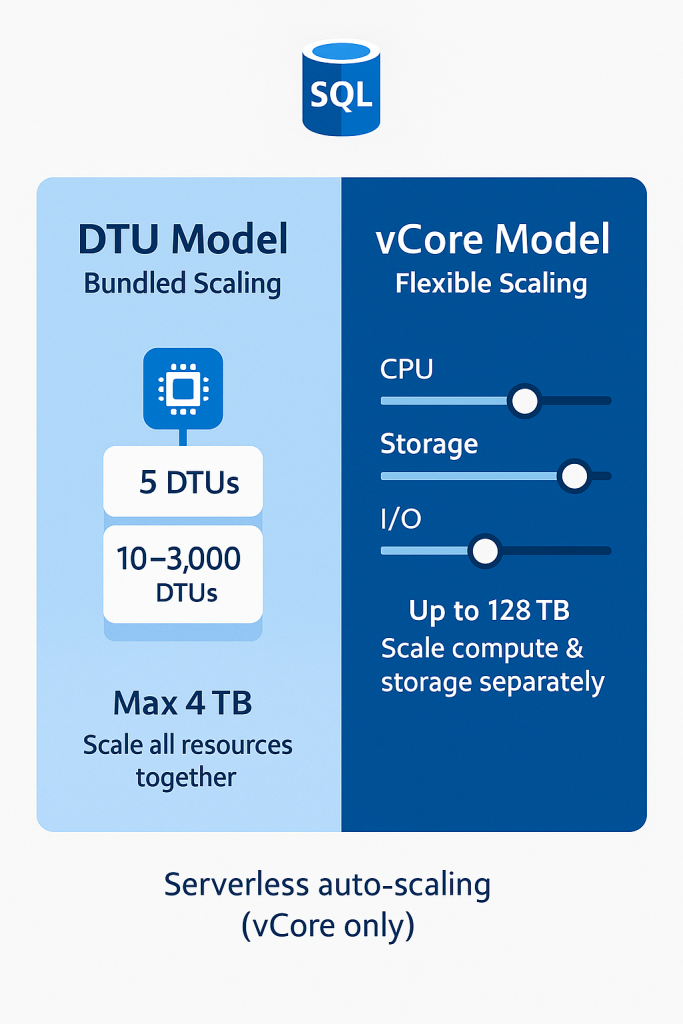
DTU’s bundled architecture limits independent resource scaling. Organisations must scale entire resource bundles together, potentially over-provisioning certain resources whilst under-provisioning others. The model caps at 4TB storage across all tiers, restricting its use for large-scale applications.
However, DTU elastic pools provide effective resource sharing for multiple databases with varying usage patterns, automatically distributing eDTUs based on real-time demand.
vCore’s Scaling Advantages
vCore enables independent scaling of compute and storage resources, supporting workloads requiring specific resource profiles. The Hyperscale tier provides virtually unlimited storage scaling with independent compute replica management.
Serverless compute (available only in vCore) automatically scales resources based on workload demand, providing per-second billing and auto-pause capabilities for cost optimisation during inactive periods.
Migration and Future Considerations
Seamless Model Transitions
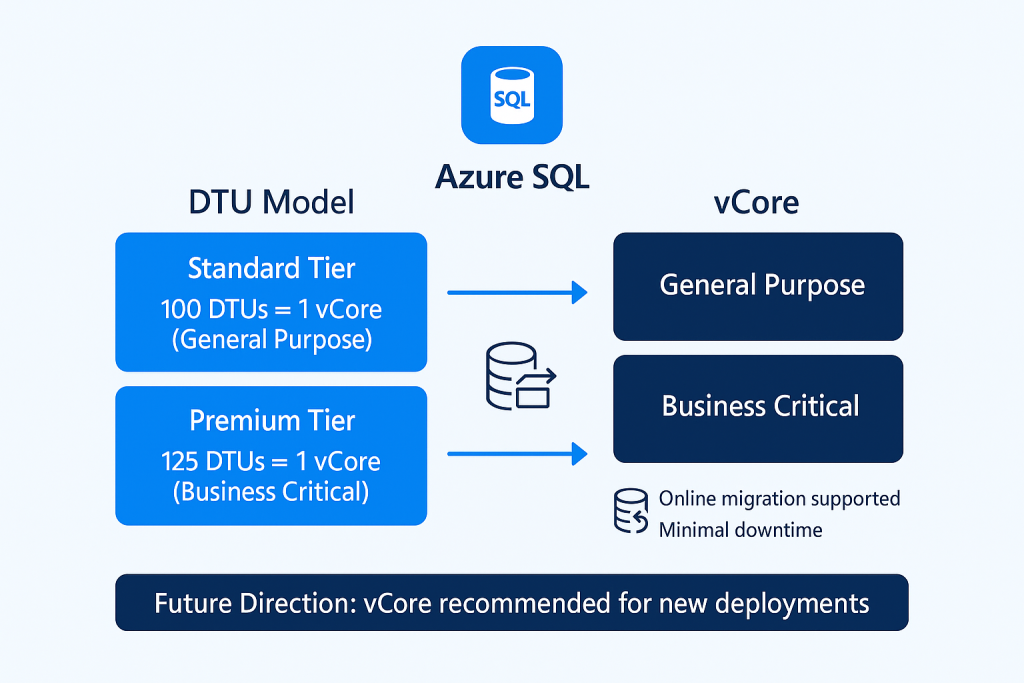
Azure supports online migration between DTU and vCore models with minimal downtime. Approximate conversion ratios include:
- Standard DTU: 100 DTUs ≈ 1 vCore General Purpose
- Premium DTU: 125 DTUs ≈ 1 vCore Business Critical
Migration preserves database functionality whilst enabling access to advanced vCore features like serverless compute, Azure Hybrid Benefit, and enhanced monitoring capabilities.
Strategic Direction
Microsoft’s strategic direction favours vCore for new deployments, providing access to latest innovations like AI integration, enhanced serverless capabilities, and premium hardware options. However, DTU remains a viable long-term choice for applications benefiting from its simplicity and cost-effectiveness.
Making the Decision: Practical Recommendations
Choose DTU When You Need Simplicity
Select DTU when prioritising operational simplicity and cost predictability:
- Small to medium databases under 1TB with balanced resource consumption
- Development and testing environments requiring fixed budgets
- Teams with limited SQL Server expertise preferring bundled management
- Multi-database scenarios benefiting from elastic pool resource sharing
Choose vCore for Advanced Requirements
vCore becomes essential when applications require advanced capabilities and optimisation:
- High-performance workloads demanding specific hardware configurations
- Large databases exceeding DTU storage limitations
- Organisations with existing SQL Server licences seeking cost optimisation
- Migration scenarios requiring on-premises compatibility
- Applications needing serverless compute or advanced security features
📊 Quick Decision Tool
Overwhelmed by the choices? Our Azure SQL Decision Helper takes the guesswork out of choosing between DTU and vCore models.
✅ Answer 5 quick questions about your workload
✅ Get personalized recommendations
✅ Understand the reasoning behind each suggestion
✅ Direct links to Microsoft pricing documentation
Start the Azure SQL Decision Helper →
Looking for more Azure and cloud tools? Explore our complete toolkit collection for additional decision helpers and calculators.
Conclusion
The choice between DTU and vCore models significantly impacts both immediate performance and long-term scalability. DTU provides exceptional value for smaller, predictable workloads with simplified management and bundled pricing, whilst vCore offers superior flexibility, transparency, and optimisation opportunities for demanding applications.
Consider your specific workload characteristics, operational preferences, and strategic goals when selecting between these models. The well-supported migration path between models allows evolution as requirements change without architectural disruption, ensuring your database infrastructure can adapt to future needs.
Understanding these fundamental differences empowers you to make informed decisions that optimise both performance and cost, ultimately supporting your organisation’s broader technology strategy.
For detailed pricing information and technical specifications, consult the official Azure SQL Database documentation and pricing calculator.