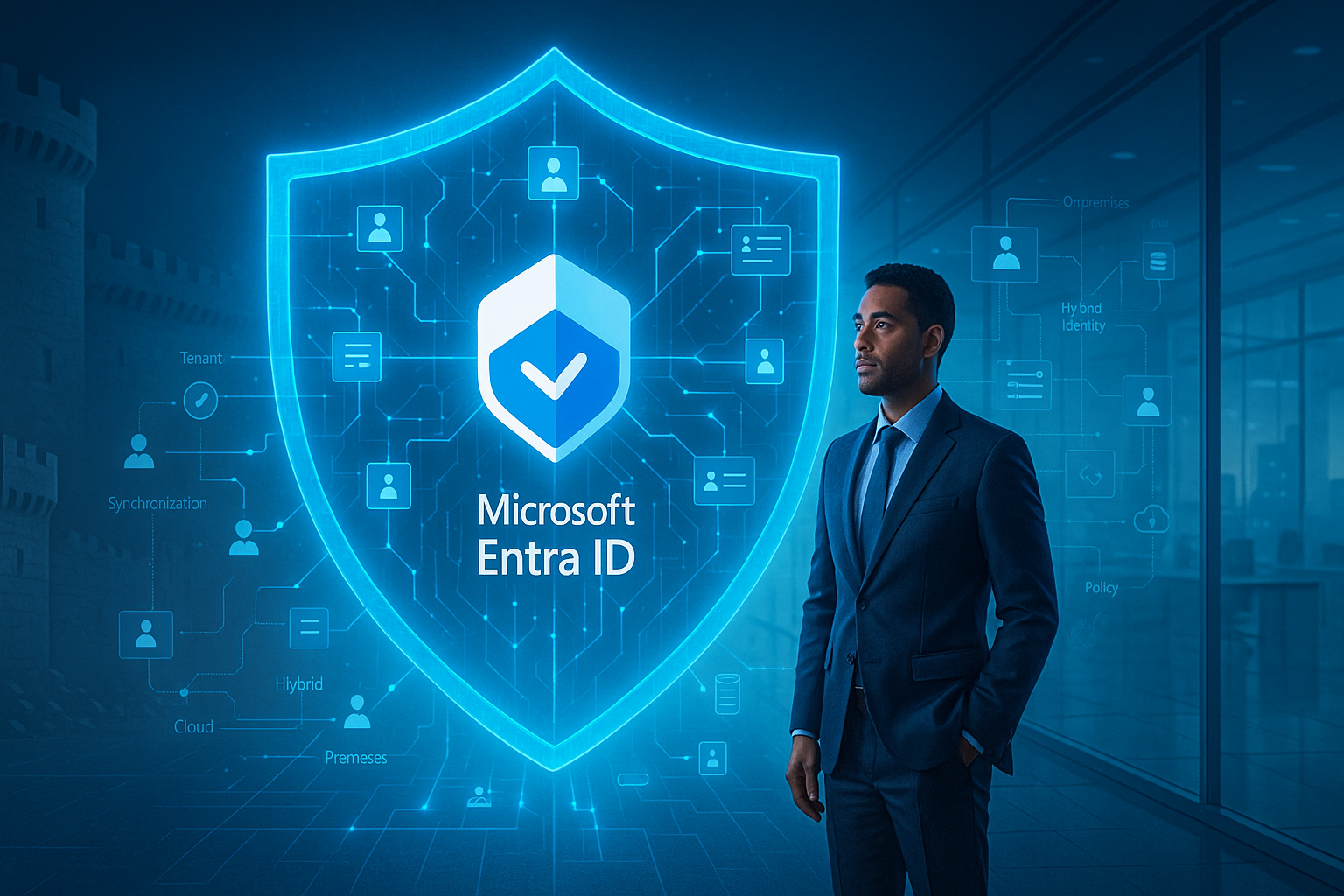
The digital transformation journey for organisations has fundamentally changed how we approach security. No longer can we rely on the traditional perimeter-based security model where everything inside the corporate network was trusted and everything outside was suspect. In today’s cloud-first world, identity has become the new perimeter, the frontline of your security strategy.
Microsoft’s identity platform has undergone significant evolution in recent years, transitioning from what was commonly known as Azure Active Directory (Azure AD) to Microsoft Entra ID. This rebranding represents more than a simple name change; it signals Microsoft’s broader vision for identity and access management across multi-cloud and hybrid environments.
This masterclass series will explore the depth and breadth of Microsoft Entra ID, providing you with the knowledge and tools to implement robust identity solutions. In this first post, we’ll establish the foundational concepts and architectural principles that underpin Microsoft’s identity platform.
What is Microsoft Entra ID?
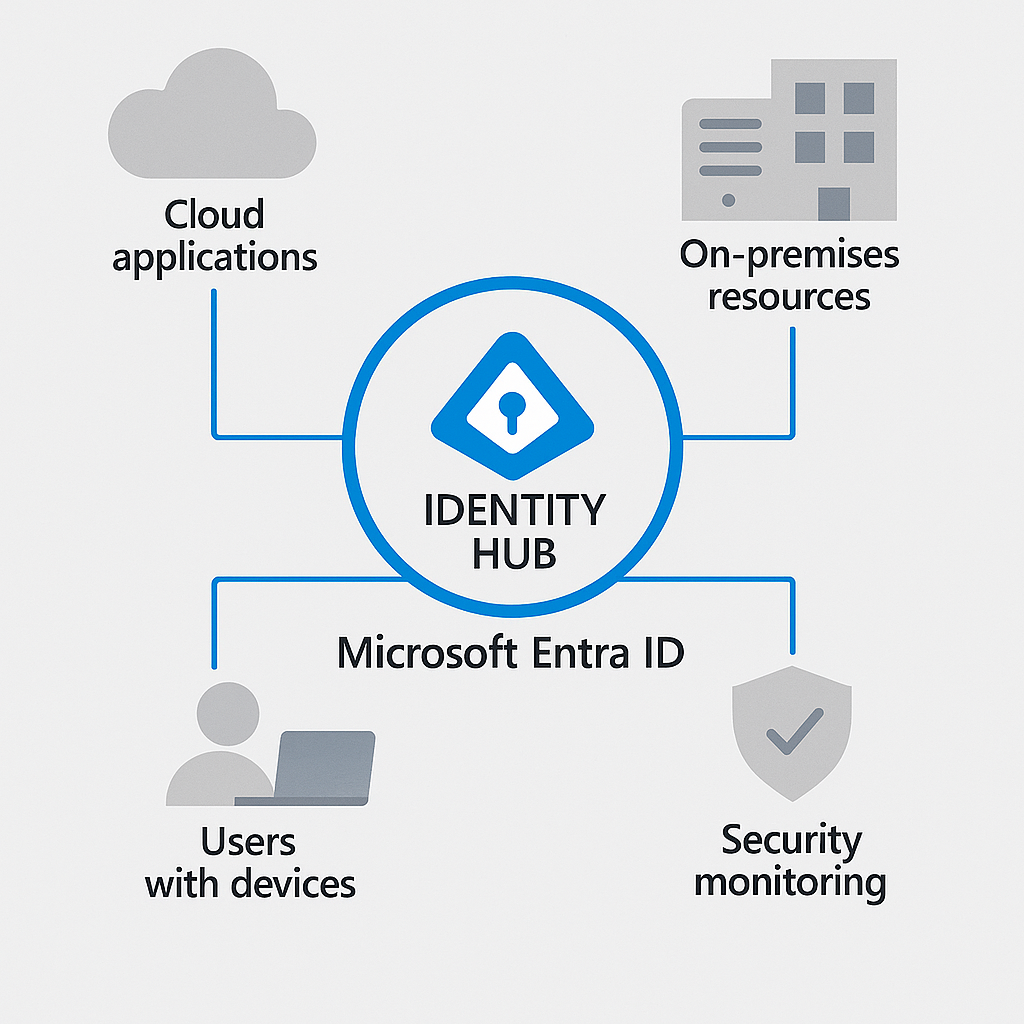
Microsoft Entra ID is the evolution of Azure Active Directory – a comprehensive identity and access management service that connects people to their applications, resources, and collaborators securely. It serves as the control plane for identity, providing authentication, authorisation, and management capabilities across your digital estate.
Think of Entra ID as the central nervous system of your cloud security strategy. It authenticates users, determines what they can access, monitors their activities, and adapts security controls based on contextual signals – all whilst providing a seamless user experience.
Entra ID vs On-premises Active Directory: Understanding the Relationship
Many organisations coming from traditional environments might wonder how Entra ID relates to their familiar on-premises Active Directory. They are distinct but complementary technologies designed for different purposes:
On-premises Active Directory Domain Services (AD DS) was designed primarily for Windows-centric environments, using protocols like Kerberos and NTLM to authenticate users within organisation boundaries. It excels at providing fine-grained control over Windows-based resources and Group Policy management.
Microsoft Entra ID was built for the cloud era, focusing on web-based authentication protocols like SAML, OAuth, and OpenID Connect. It’s designed to provide identity services across platforms, devices, and locations – not just for Microsoft services but for thousands of third-party applications as well.
These technologies work together in hybrid environments, with Azure Entra Connect synchronising identities between them, providing users with a consistent identity whether they’re accessing cloud or on-premises resources.
Core Concepts in Microsoft Entra ID
To build a solid foundation for our masterclass, let’s explore several core concepts that form the basis of Microsoft Entra ID’s architecture:
Identity Models: The Building Blocks
Microsoft Entra ID supports multiple identity models to accommodate various organisational needs:
Cloud-only identities exist solely within Entra ID without on-premises counterparts. These are ideal for organisations born in the cloud or for external collaborators who don’t need access to on-premises resources.
Synchronised identities originate from on-premises Active Directory and are synchronised to Entra ID using Azure Entra Connect. This approach brings the best of both worlds – maintaining on-premises identity management whilst extending capabilities to the cloud.
Federated identities involve establishing trust relationships between Entra ID and other identity providers, allowing users to authenticate using external credentials. This model supports scenarios like B2B collaboration and customer identity integration.
Tenancy Architecture: Your Identity Foundation
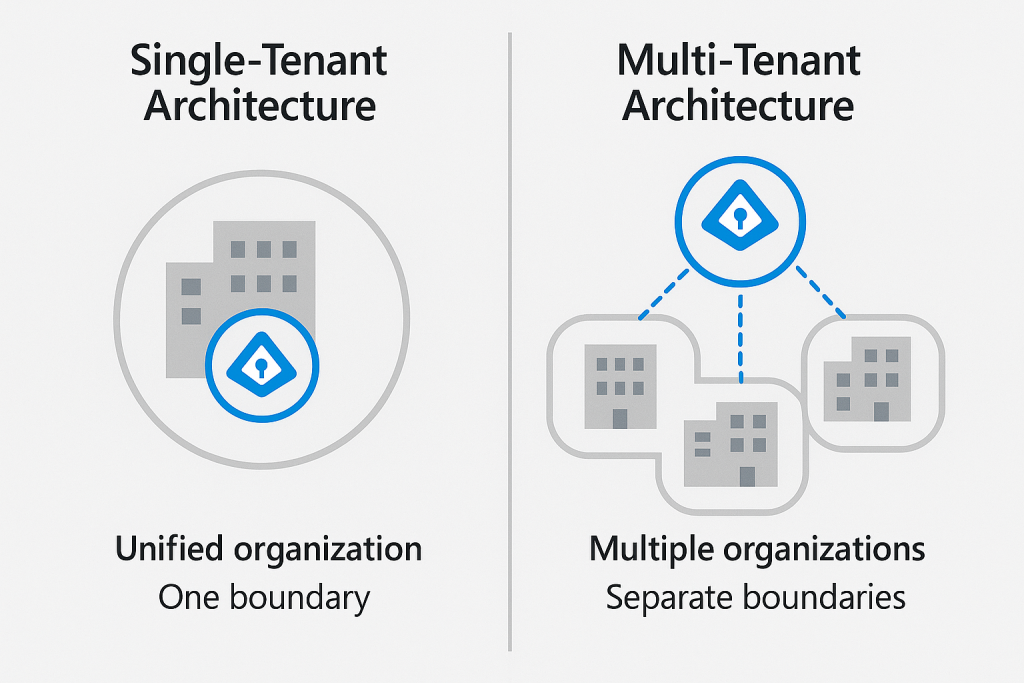
The Microsoft Entra ID tenant serves as the logical container for your identity environment. Each tenant represents a unique organisation and maintains separation from other tenants. Understanding tenancy architecture is crucial for proper identity governance:
Single-tenant model is the most common approach, where one organisation maintains one Entra ID tenant. This model provides clear boundaries and simplified management.
Multi-tenant considerations arise when organisations undergo mergers, acquisitions, or maintain separate business units with distinct identity requirements. Microsoft Entra ID supports various multi-tenant scenarios through B2B collaboration, tenant joins, or cross-tenant access settings.
Service Tiers and Licensing Options
Microsoft Entra ID comes in several editions designed to meet different organisational needs and budgets. Understanding these options helps you make informed decisions about your identity infrastructure investment:
Entra ID Free
The foundation available with any Microsoft 365 subscription or Azure account, Entra ID Free provides essential identity and access management capabilities:
- User and group management
- Basic synchronisation with on-premises directories
- Self-service password reset for cloud users
- Single sign-on for Microsoft and popular third-party applications
- Basic security defaults and MFA for administrators
These features serve as an entry point but lack the advanced security controls needed for enterprise environments.
Entra ID P1
Building on the Free tier, the P1 edition introduces capabilities essential for enterprises requiring more sophisticated identity governance:
- Dynamic groups based on user attributes
- Self-service group management
- Microsoft Identity Manager user licenses
- Cloud write-back capabilities for hybrid scenarios
- Service level agreements with 99.9% availability
P1 represents a significant step up for organisations serious about establishing robust identity governance whilst managing hybrid environments effectively.
Entra ID P2
The premium tier that delivers comprehensive security and governance capabilities:
- Risk-based Conditional Access policies
- Privileged Identity Management for just-in-time access
- Identity Protection with risk detection and remediation
- Access reviews and entitlement management
- Advanced reporting and monitoring capabilities
P2 is designed for organisations facing stringent security requirements or operating in regulated industries where advanced protection and governance are non-negotiable.
Beyond these core editions, Microsoft offers specialised licensing for external identities (B2B and B2C scenarios) and additional capabilities through the broader Microsoft Entra family of products, which includes permissions management, verified ID, and more.
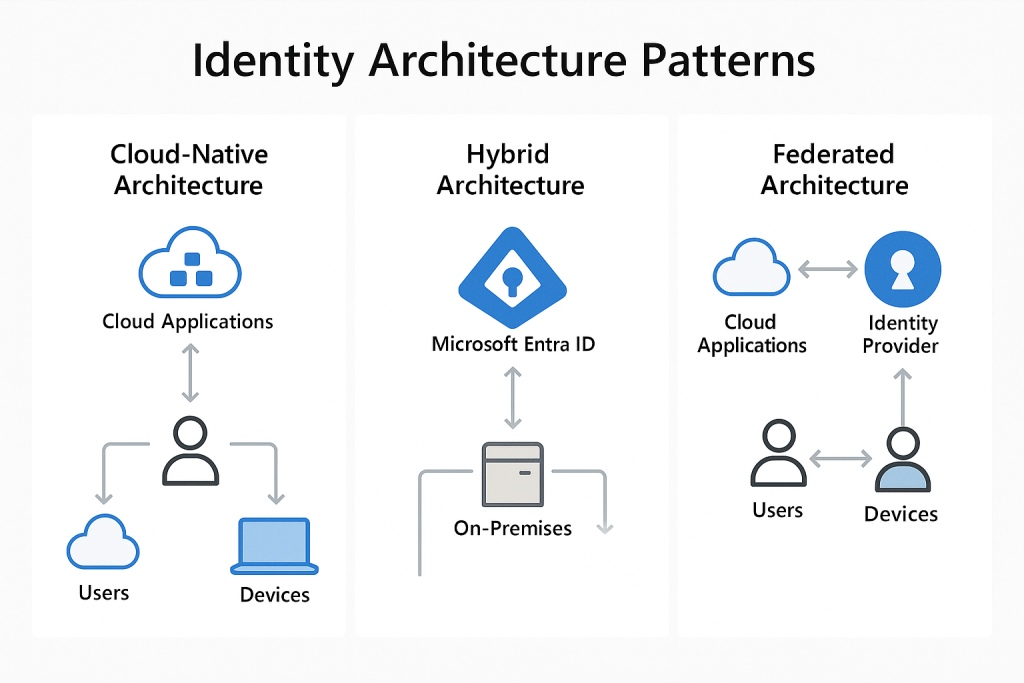
Identity Architecture Patterns
When designing your Entra ID implementation, several architectural patterns can guide your approach based on organisational needs:
Cloud-Native Architecture
For organisations without legacy infrastructure or those pursuing a “cloud-first” strategy, a cloud-native identity architecture leverages Entra ID as the primary identity provider. This pattern:
- Eliminates on-premises identity infrastructure
- Simplifies management and reduces operational overhead
- Provides native integration with Microsoft 365 and Azure services
- Enables rapid adoption of new cloud security features
Hybrid Architecture
The most common pattern for established organisations, hybrid architecture maintains on-premises Active Directory whilst extending identity to the cloud through synchronisation:
- Preserves investment in existing identity infrastructure
- Enables gradual migration to cloud services
- Provides consistent identity experience across environments
- Supports complex authentication scenarios requiring on-premises components
Federated Architecture
For multi-organisation collaboration or customer-facing scenarios, federated architecture establishes trust relationships between identity providers:
- Enables B2B collaboration without duplicate identities
- Supports customer authentication for applications (B2C)
- Allows integration with third-party identity providers
- Facilitates merger and acquisition scenarios
Designing Your Identity Foundation
As you begin planning your Entra ID implementation, consider these foundational design principles:
Security by Design
Build security into your identity architecture from the ground up rather than adding it later. This means:
- Enabling security defaults or creating baseline Conditional Access policies
- Implementing appropriate multi-factor authentication requirements
- Establishing least-privilege access models
- Planning for regular access reviews and attestation
User Experience Considerations
Security must be balanced with usability to ensure adoption. Consider:
- Seamless sign-in experiences across applications
- Self-service capabilities for password resets and group management
- Intuitive authentication methods that minimise friction
- Consistent access patterns across cloud and on-premises resources
Scalability and Resilience
Your identity system is business-critical infrastructure that must scale with your organisation and remain highly available:
- Design for appropriate capacity based on user and authentication volumes
- Implement redundancy for critical components like Azure Entra Connect
- Establish monitoring and alerting for identity-related metrics
- Document recovery procedures for identity system failures
Looking Forward: The Evolution of Your Identity Strategy
Your identity strategy should never remain static. As threats evolve and business requirements change, your approach to identity must adapt accordingly. Consider establishing an identity governance committee with representatives from security, IT, business units, and compliance to regularly review and refine your identity architecture.
In the upcoming posts in this masterclass series, we’ll explore authentication and authorisation patterns, advanced security capabilities, and integration scenarios that will help you build a comprehensive identity strategy based on Microsoft Entra ID.
Next Steps
Now that we’ve established the foundational concepts of Microsoft Entra ID, you’re ready to begin planning your identity architecture. Consider these questions as you prepare for the next part of our masterclass:
- What identity model best suits your organisation’s needs?
- Which service tier aligns with your security requirements and budget?
- How will you approach the transition from legacy authentication methods to modern protocols?
In Part 2 of this masterclass, we’ll dive deeper into authentication and authorisation with Microsoft Entra ID, exploring topics like Conditional Access, authentication methods, and single sign-on implementation.
This post is part of our Microsoft Entra ID Masterclass series. Stay tuned for the upcoming parts where we’ll explore authentication mechanisms, advanced security features, governance capabilities, and real-world integration scenarios.