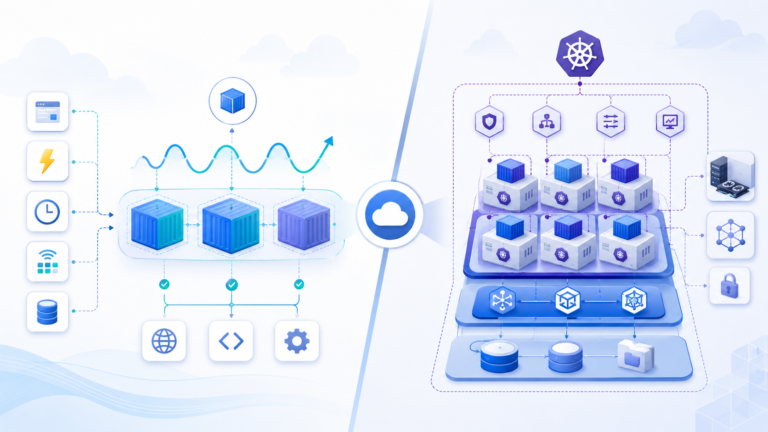
Welcome to the final instalment of our Azure Storage Master Class. In Parts 1 and 2, we covered the fundamentals of Azure Storage and explored each service in detail. Today, we’ll elevate our discussion to advanced implementation strategies, integration patterns, and operational best practices that I’ve developed through years of real-world deployments.
By the end of this article, you’ll have a comprehensive understanding of how to design, implement, and operate Azure Storage solutions that balance performance, cost, security, and reliability for enterprise workloads.
Designing for Disaster Recovery

Let’s start with one of the most critical aspects of any storage solution: ensuring your data survives catastrophic events.
Multi-Region Storage Strategies
Azure Storage offers several options for multi-region redundancy:
- Geo-redundant storage (GRS): Data is replicated to a secondary region hundreds of miles away.
- Read-access geo-redundant storage (RA-GRS): Same as GRS, but with read access to the secondary region.
- Geo-zone-redundant storage (GZRS): Combines zone redundancy in the primary region with geo-replication.
- Read-access geo-zone-redundant storage (RA-GZRS): Same as GZRS, but with read access to the secondary region.
While these options provide excellent protection, they’re not a complete disaster recovery strategy on their own.
Implementation insight: For critical workloads, I recommend implementing application-level geo-redundancy in addition to storage-level replication. This means designing your applications to fail over gracefully using the secondary storage endpoint, rather than waiting for Azure to initiate region failover.
RPO and RTO Considerations
When designing your disaster recovery strategy, consider both Recovery Point Objective (RPO) and Recovery Time Objective (RTO):
- RPO: How much data can you afford to lose?
- RTO: How quickly must you restore service?
For Azure Storage, the RPO with geo-redundant options is typically less than 15 minutes, but the RTO can vary significantly depending on your approach:
| Approach | Typical RTO | Key Considerations |
|---|---|---|
| Wait for Microsoft-initiated failover | 24+ hours | Simple but slow |
| Manual account failover | 1 hour | Requires manual intervention |
| Application-level failover to secondary | Minutes | Requires application design |
| Active-active deployment | Near-zero | Most complex, highest cost |
// C# example: Application-level failover detection and handling
public static string GetBlobServiceEndpoint(bool useSecondary = false)
{
    try
    {
        // Try primary endpoint first unless specifically requesting secondary
        if (!useSecondary)
        {
            // Ping primary endpoint to see if it's responsive
            var primaryAccountResult = await PingStorageAccountAsync(primaryStorageEndpoint);
            if (primaryAccountResult)
                return primaryStorageEndpoint;
        }

        // If primary fails or secondary specifically requested, use secondary
        return secondaryStorageEndpoint;
    }
    catch
    {
        // Fallback to secondary on any exception
        return secondaryStorageEndpoint;
    }
}
Data Migration Strategies

Moving data to Azure Storage requires careful planning, especially for large datasets.
Choosing the Right Migration Tool
Azure offers multiple data migration paths, each suited to different scenarios:
| Tool | Best For | Limitations |
|---|---|---|
| AzCopy | Script-based transfers, automation | Network-dependent performance |
| Azure Storage Explorer | Ad-hoc management, smaller transfers | GUI-only, not suitable for large datasets |
| Azure File Sync | Hybrid file server scenarios | Windows Server only |
| Azure Import/Export | Very large datasets, limited bandwidth | Physical shipping logistics |
| Azure Data Box | Petabyte-scale migrations | Hardware request lead time |
| Azure Migrate | VM lift-and-shift scenarios | Limited to VM workloads |
For large-scale migrations, I typically recommend a staged approach:
- Start with AzCopy for smaller datasets to validate processes
- Progress to Azure Data Box for bulk data transfer
- Use AzCopy again for incremental updates before cutover
- Implement monitoring to verify data integrity post-migration
# PowerShell example: Using AzCopy for large-scale data migration with resumable transfers
azcopy copy "C:\data\*" "https://mystorageaccount.blob.core.windows.net/dataset" --recursive --check-md5 FailIfDifferent --log-level=INFO --cap-mbps 50
Migration insight: A proven strategy for large-scale migrations can reduce time frames from months to weeks. For instance, an 80TB migration that might take six months over the network can be completed in just three weeks by using Azure Data Box for the initial bulk transfer, followed by incremental synchronisation using AzCopy with carefully tuned performance parameters. The key acceleration factor is parallelisation—using multiple Data Box devices simultaneously to handle different segments of data, then bringing everything into sync with final incremental transfers.
Handling Large-Scale Migrations
When migrating terabytes or petabytes of data, consider these best practices:
- Segment your data: Break migration into logical segments you can track independently
- Implement parallel transfers: Use multiple transfer jobs and threads
- Monitor network utilisation: Ensure you’re not saturating available bandwidth
- Verify data integrity: Use checksum validation to confirm successful transfer
- Document dependencies: Understand application dependencies before migration
- Create a rollback plan: Ensure you can revert if necessary
For regulated industries, also consider:
- Chain of custody documentation: Track data movement for compliance
- Encryption requirements: Ensure data remains encrypted throughout transfer
- Retention policies: Apply appropriate lifecycle policies immediately after migration
Migration caution: The most common migration pitfall I encounter is underestimating the time required for verification and cutover. Always buffer your timeline by at least 50% beyond the predicted transfer time to account for validation, troubleshooting, and cutover activities.
Performance Optimisation for Large-Scale Workloads

As your storage needs grow, performance optimisation becomes increasingly important. Let’s explore strategies to ensure your Azure Storage implementation scales effectively.
Benchmarking Your Storage Performance
Before optimising, establish baseline performance metrics:
- Latency: Time to first byte (TTFB) and time to last byte (TTLB)
- Throughput: MB/s for large file operations
- Transactions: Operations per second for small file workloads
- Throttling: Monitor for 429 responses indicating you’ve hit service limits
# PowerShell example: Basic Blob Storage benchmarking with AzCopy
# Upload test (measure throughput)
Measure-Command { azcopy copy "C:\TestFiles\1GB.file" "https://mystorageaccount.blob.core.windows.net/benchmark/1GB.file" }

# Download test (measure throughput)
Measure-Command { azcopy copy "https://mystorageaccount.blob.core.windows.net/benchmark/1GB.file" "C:\TestFiles\1GB-downloaded.file" }
Key Performance Patterns
Based on extensive testing across different workloads, here are proven patterns for maximising performance:
- Premium storage tiers: For latency-sensitive workloads, premium storage provides up to 10x faster transaction speeds.
- Partitioning strategy: For Table Storage and Cosmos DB, distributing load across well-designed partition keys is critical.
- Parallel operations: Implement multi-threaded access for high-throughput scenarios.
- Optimised content delivery: For frequently accessed content, implement Azure CDN integration.
- Access pattern alignment: Structure your data to match your access patterns:
- Sequential access: Optimise for blob storage block alignment
- Random access: Consider premium page blobs or managed disks
- High-volume small files: Consider aggregating into larger blobs
Performance insight: When processing millions of small transaction records daily, performance improvements of 300% or more can be achieved by implementing a buffer-and-batch pattern with Queue Storage and parallelised Blob Storage writes. The key strategy is recognising that individual small transactions create excessive overhead when stored separately. By buffering these transactions temporarily and writing them in larger batches, you can dramatically reduce the number of storage operations while maintaining data integrity. This approach is particularly effective in financial services, IoT, and other high-volume transaction environments.
Avoiding Common Performance Pitfalls
Through many optimisation projects, I’ve identified these common performance issues:
- Excessive metadata operations: Applications that perform separate HEAD operations before each GET/PUT
- Small, fragmented writes: Applications writing many tiny files instead of fewer larger ones
- Cross-region traffic: Accessing storage from VMs or services in different regions
- Improper concurrency: Either too few connections (under utilisation) or too many (throttling)
- Unnecessary redundancy: Over-implementing redundancy at both application and storage levels
Advanced Integration Patterns
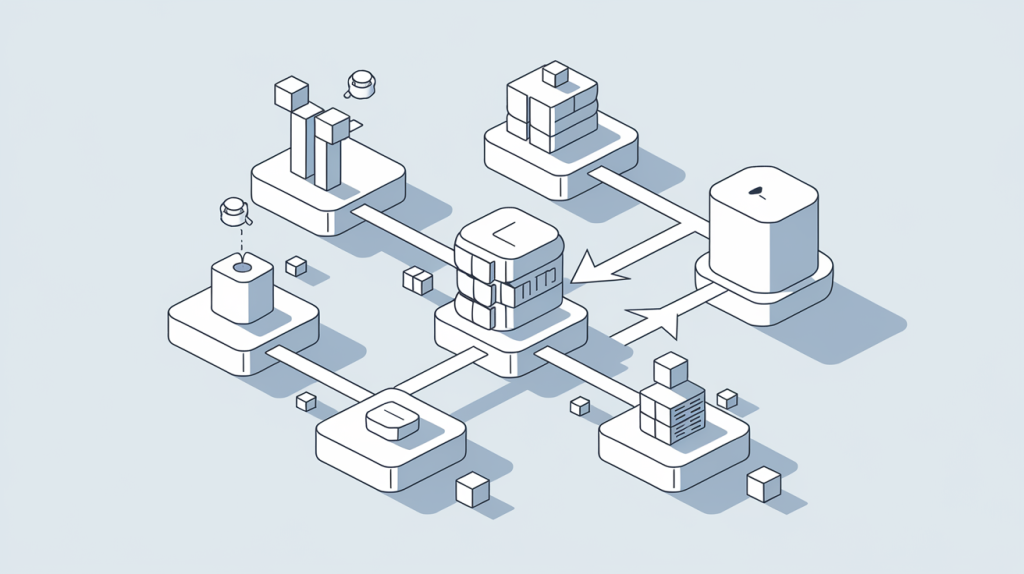
Azure Storage doesn’t exist in isolation—its real power comes from integration with other Azure services. Let’s explore some advanced integration patterns.
Event-Driven Architecture with Blob Events
Blob Storage can trigger event-driven workflows through Event Grid integration:
{
  "source": "/subscriptions/{subscription-id}/resourceGroups/{resource-group}/providers/Microsoft.Storage/storageAccounts/{storage-account}",
  "subject": "/blobServices/default/containers/{container-name}/blobs/{file-name}",
  "eventType": "Microsoft.Storage.BlobCreated",
  "eventTime": "2021-09-28T18:41:00.9584103Z",
  "id": "831e1650-001e-001b-66ab-eeb76e069631",
  "data": {
    "api": "PutBlockList",
    "clientRequestId": "6d79dbfb-0e37-4fc4-981f-442c9ca65760",
    "requestId": "831e1650-001e-001b-66ab-eeb76e000000",
    "eTag": "0x8D9767439A424F5",
    "contentType": "application/octet-stream",
    "contentLength": 524288,
    "blobType": "BlockBlob",
    "url": "https://myaccount.blob.core.windows.net/mycontainer/myfile",
    "sequencer": "00000000000000000000000000008F51000000000093ed5a",
    "storageDiagnostics": {
      "batchId": "b68529f3-68cd-4744-baa4-3c0498ec19f0"
    }
  }
}
This enables powerful workflows like:
- Media processing pipeline: Automatically process uploaded videos
- Document analysis: Extract text and insights from documents
- Compliance scanning: Check uploaded content for sensitive information
- Data transformation: Convert between formats automatically
Integration insight: An effective event-driven pipeline for image analysis can significantly improve efficiency in diagnostic workflows. By configuring uploaded images to trigger Azure Functions that extract metadata, perform AI analysis for anomalies, and store results in Cosmos DB, organizations can implement intelligent pre-screening of images. This approach can reduce specialist review time by up to 40% by pre-flagging potential areas of concern. While particularly valuable in healthcare for analysing medical images, this pattern applies to any field requiring expert review of visual data, including manufacturing quality control, security monitoring, and scientific research.
Serverless Data Processing
Combining Azure Storage with serverless compute creates powerful, cost-effective processing solutions:
| Azure Service | Integration Scenario |
|---|---|
| Azure Functions | Process data when added to Blob Storage |
| Logic Apps | Orchestrate complex workflows around data events |
| Azure Batch | Run large-scale parallel computations on storage data |
| Azure Stream Analytics | Process real-time data streams stored in Blob Storage |
// C# Azure Function triggered by blob upload
public static class BlobTriggerFunction
{
    [FunctionName("ProcessNewDocument")]
    public static async Task Run(
        [BlobTrigger("documents/{name}", Connection = "AzureStorageConnection")] Stream myBlob,
        string name,
        ILogger log)
    {
        log.LogInformation($"Processing blob\n Name: {name} \n Size: {myBlob.Length} bytes");

        // Document processing logic here

        // Store results
        var outputBlob = await outputContainer.GetBlockBlobReference($"processed-{name}");
        await outputBlob.UploadFromStreamAsync(processedDocument);
    }
}
Data Lakes and Analytics Integration
For big data scenarios, Azure Storage serves as the foundation for modern data lakes:
- Azure Data Lake Storage Gen2: Built on Blob Storage with hierarchical namespace
- Azure Databricks: Process data directly from storage
- Azure Synapse Analytics: Query data in place with serverless SQL
- Azure Machine Learning: Train models using data in Azure Storage
The key advantage of this approach is separation of storage and compute—you pay for compute only when actively processing data.
Architecture insight: A modern, cost-effective approach to data warehousing involves replacing traditional on-premises solutions with a combination of Azure Data Lake Storage Gen2 for raw data storage and Azure Synapse Analytics for on-demand processing. This architecture can reduce analytics infrastructure costs by up to 65% while simultaneously improving query performance for complex reporting workloads. The key advantage lies in the separation of storage and compute resources—organizations only pay for computation when actively processing data, while benefiting from the scalability and lower storage costs of cloud-native solutions. This approach works particularly well for retail, finance, and manufacturing sectors with large analytical datasets.
Operational Excellence: Monitoring and Management
A well-designed Azure Storage solution requires effective operational practices to maintain optimal performance, security, and cost efficiency.
Comprehensive Monitoring Strategy
Implement multi-layered monitoring to gain complete visibility:
- Storage metrics: Track capacity, transactions, availability, and latency
- Application insights: Monitor how applications interact with storage
- Network monitoring: Track bandwidth usage and connectivity
- Cost management: Monitor spending against budgets
# PowerShell example: Configure storage metrics to Log Analytics
Set-AzStorageServiceMetricsProperty -ServiceType Blob -MetricsType Hour -RetentionDays 10 -MetricsLevel ServiceAndApi
Azure Storage provides several built-in monitoring capabilities:
- Storage Analytics: Logs and metrics about storage operations
- Activity logs: Control-plane operations on your storage accounts
- Azure Monitor: Integrated monitoring with alerting capabilities
- Resource health: Health status and performance issues detection
Monitoring recommendation: In production environments, implement automated alerts for critical metrics like unusual access patterns, high latency, and approaching capacity limits. I’ve seen too many preventable outages that proper alerting could have avoided.
Infrastructure as Code for Storage Management
Managing Azure Storage at scale requires automation. Infrastructure as Code (IaC) provides a consistent, repeatable approach:
// Bicep example: Storage account with networking and encryption settings
resource storageAccount 'Microsoft.Storage/storageAccounts@2021-06-01' = {
  name: storageAccountName
  location: location
  sku: {
    name: 'Standard_GRS'
  }
  kind: 'StorageV2'
  properties: {
    accessTier: 'Hot'
    supportsHttpsTrafficOnly: true
    minimumTlsVersion: 'TLS1_2'
    allowBlobPublicAccess: false
    networkAcls: {
      defaultAction: 'Deny'
      virtualNetworkRules: [
        {
          id: resourceId('Microsoft.Network/virtualNetworks/subnets', vnetName, subnetName)
          action: 'Allow'
        }
      ]
      ipRules: [
        {
          value: allowedIpAddress
          action: 'Allow'
        }
      ]
    }
    encryption: {
      keySource: 'Microsoft.Storage'
      services: {
        blob: {
          enabled: true
        }
        file: {
          enabled: true
        }
        queue: {
          enabled: true
        }
        table: {
          enabled: true
        }
      }
    }
  }
}
Best practices for storage automation include:
- Environment consistency: Use the same templates across development, testing, and production
- Parameterise: Create flexible templates that adapt to different environments
- Pipeline integration: Incorporate storage provisioning into CI/CD pipelines
- Change tracking: Version control your infrastructure templates
- Policy enforcement: Use Azure Policy to ensure compliance with organisational standards
Maintenance and Lifecycle Management
Ongoing maintenance tasks are essential for healthy storage environments:
- Regular performance reviews: Analyse metrics to identify optimisation opportunities
- Security posture assessment: Review access controls and encryption settings
- Cost optimisation: Identify opportunities to reduce spending without compromising performance
- Lifecycle policy refinement: Adjust tiering and retention based on changing access patterns
- Backup validation: Test restore processes to ensure recoverability
Maintenance tip: Schedule quarterly health checks for all production storage accounts. In these reviews, look for deviations from best practices, unused resources, and outdated configurations. I typically find that this process pays for itself several times over in optimized costs and prevented issues.
Future-Proofing Your Storage Strategy
The cloud storage landscape continues to evolve rapidly. Let’s explore upcoming trends and how to ensure your strategy remains relevant.
Emerging Azure Storage Capabilities
Keep an eye on these evolving Azure Storage features:
- Enhanced security features:
- Customer-managed keys with automatic rotation
- Advanced threat protection across all storage services
- Expanded private endpoint capabilities
- Performance enhancements:
- Higher throughput limits for premium storage
- Reduced latency for frequently accessed data
- Improved transaction performance
- Data management innovations:
- Expanded metadata capabilities
- Enhanced search and indexing
- Machine learning integration for intelligent tiering
- Integration expansion:
- Tighter integration with edge computing
- Enhanced content delivery capabilities
- Expanded API capabilities
Storage Strategy Evolution Framework
To ensure your storage strategy evolves effectively:
- Establish a cloud centre of excellence: Create a cross-functional team responsible for evaluating new storage capabilities
- Implement a pilot program: Test new features in controlled environments before broader adoption
- Schedule regular strategy reviews: Quarterly assessments of your storage architecture against business requirements
- Maintain a technical debt backlog: Track necessary upgrades and modernisation
- Invest in skills development: Ensure your team stays current on Azure storage innovations
Strategy insight: The most successful organisations I’ve worked with establish a formal review process for their cloud storage strategy. This typically includes business stakeholders, application teams, security personnel, and infrastructure specialists meeting quarterly to align storage capabilities with evolving business needs.
The Complete Azure Storage Implementation Checklist
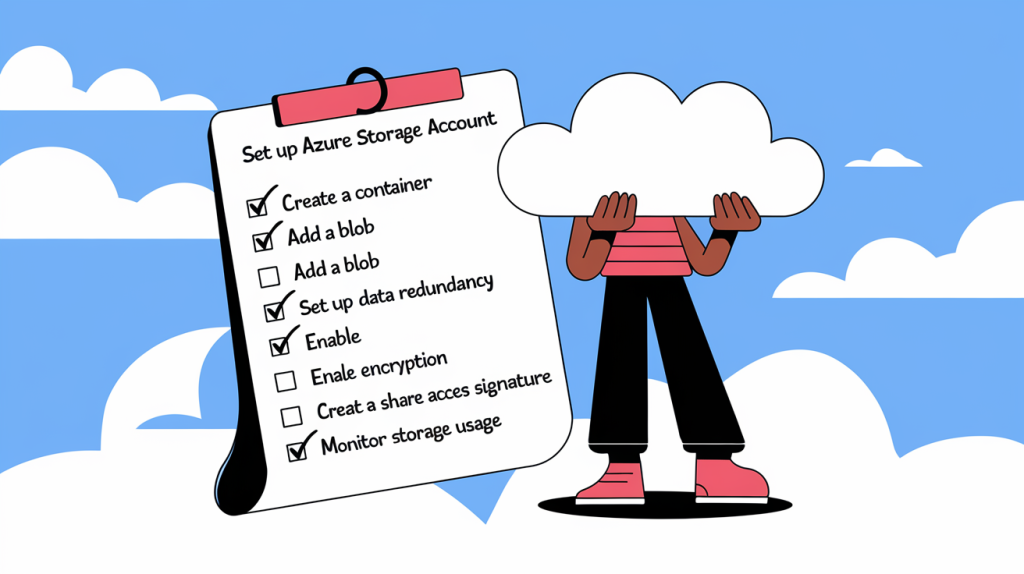
To conclude our Azure Storage Master Class, here’s a comprehensive checklist for implementing production-grade Azure Storage solutions:
Planning Phase
[ ] Document storage requirements (capacity, performance, availability, compliance)
[ ] Select appropriate storage services for each data type
[ ] Design data organisation and naming conventions
[ ] Establish access patterns and authentication mechanisms
[ ] Design for appropriate redundancy and disaster recovery
[ ] Create cost estimates and optimisation strategies
Implementation Phase
[ ] Deploy storage infrastructure using Infrastructure as Code
[ ] Configure appropriate networking (public/private endpoints)
[ ] Implement proper authentication and authorisation mechanisms
[ ] Set up encryption (in transit and at rest)
[ ] Configure monitoring, logging, and alerting[ ] Implement backup and disaster recovery mechanisms
[ ] Set up lifecycle management policies
[ ] Implement and test application integration
Operational Phase
[ ] Establish routine monitoring review process
[ ] Schedule regular security assessments
[ ] Implement cost monitoring and optimisation
[ ] Plan capacity management and scaling
[ ] Document operational procedures
[ ] Create incident response playbooks
[ ] Establish a process for evaluating new features
Governance Phase
[ ] Implement appropriate Azure Policies for compliance
[ ] Establish tagging standards for cost allocation
[ ] Document compliance and regulatory controls
[ ] Create processes for auditing and reporting
[ ] Establish regular review cycles for security and compliance
Conclusion
Throughout this three-part Master Class, we’ve covered everything from fundamental concepts to advanced implementation strategies for Azure Storage. The key takeaways I hope you’ll remember are:
- Azure Storage is not one-size-fits-all – Each service has unique strengths that align with different workloads
- Design for appropriate redundancy – Balance cost and resilience based on data criticality
- Automate everything possible – From deployment to lifecycle management
- Monitor proactively – Detect and address issues before they impact users
- Continuously evolve your strategy – Cloud storage capabilities are expanding rapidly
I’ve applied these principles across dozens of enterprise implementations and they consistently lead to storage solutions that are resilient, cost-effective, and aligned with business needs.
Remember that implementing Azure Storage effectively is a journey, not a destination. Technology evolves, business requirements change, and your storage strategy must adapt accordingly. By embracing the approaches outlined in this series, you’ll be well-positioned to navigate that journey successfully.
This concludes our Azure Storage Master Class series. I hope you’ve found it valuable.